

Latest Version
Latest
September 10, 2026
Video Editor & Video Maker Dev
Communication
Android
17
Free
com.jb.gosms
Report a Problem
More About GO SMS Pro – Feature‑Rich Messaging for Android
What is GO SMS Pro?
GO SMS Pro is a messaging client for Android devices that replaces the default SMS app with a more customizable and functional interface. Developed by Video Editor & Video Maker Dev, the app is offered free of charge and focuses on giving users control over how they send, receive, and organize text messages.
Main features
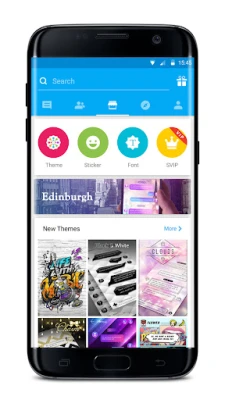
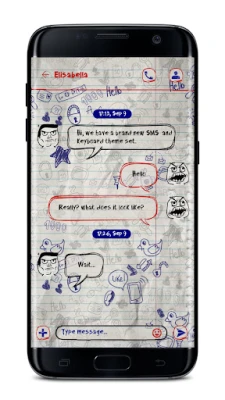
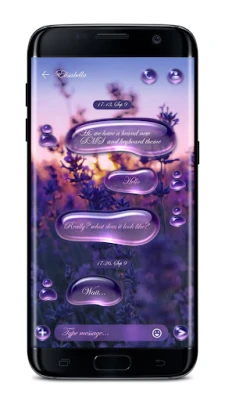
- Themes and stickers – A selection of visual themes and sticker packs lets you personalize the look of the chat window.
- Private Box – An optional folder that can encrypt selected conversations, helping keep sensitive messages out of plain view.
- Sticky conversations – Pin important chats to the top of the list for quick access.
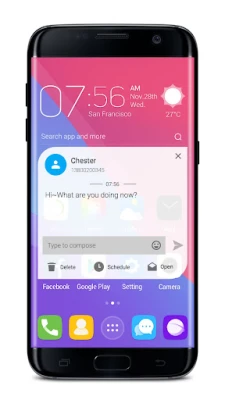
- Pop‑up notifications – New messages can appear in a floating window, allowing you to read and reply without leaving the current app.
- Dual‑SIM handling – The app can detect and work with devices that have two SIM cards, letting you choose which line to use for each message.
- Spam filtering – A built‑in blocker can filter messages that match a blacklist or contain specific keywords.
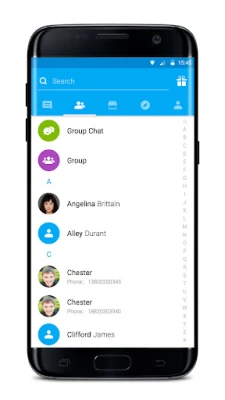
- GO chat – Send free SMS/MMS to other GO SMS Pro users and create group chats without using carrier minutes.
- Message delay – Set a short pause before a message is sent, giving you a chance to correct mistakes.
- Stranger categorization – Incoming messages from unknown numbers can be automatically grouped, keeping the main inbox tidy.
How it works
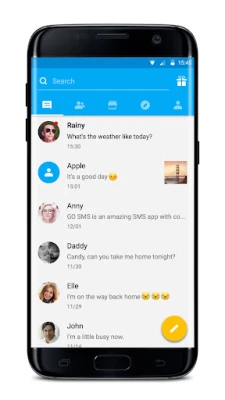
After installation, GO SMS Pro registers as the default messaging app. It reads incoming SMS/MMS from the system and displays them within its own interface. When you compose a new message, you can select a theme, add a sticker, or enable the delay timer. For dual‑SIM phones, the app shows the available SIM cards and lets you pick the preferred line for each outgoing message.
Practical uses
- Personalizing daily communication with colors, fonts and stickers.
- Keeping confidential conversations separate using the Private Box.
- Managing multiple contacts on dual‑SIM phones without switching apps.
- Reducing spam clutter through keyword‑based filtering.
Installation information
Download the APK from a trusted source, then follow the standard Android installation steps: enable installation from unknown sources if required, tap the downloaded file, and grant the permissions the app requests (such as access to SMS, contacts and the ability to display pop‑up windows). Once installed, you can set GO SMS Pro as the default messaging app in the system settings.
Things to know before installing
- The app requires permission to read and send SMS messages, access contacts and display system‑level pop‑ups.
- Some visual customizations may consume additional battery or memory, depending on device specifications.
- Features like the Private Box rely on local encryption; backing up encrypted data should be done carefully.
Who may find it useful?
Anyone who wants a more personalized texting experience, especially users with dual‑SIM phones, will benefit from GO SMS Pro. The privacy‑focused tools also appeal to users who handle sensitive information via text.
Frequently asked questions
Is GO SMS Pro compatible with all Android versions?
The app does not specify a minimum Android version, so it should work on most devices that support standard SMS functionality. Check the Play Store or the source site for any version requirements.
Can I use GO SMS Pro without an internet connection?
Yes. Sending and receiving regular SMS/MMS works over the cellular network. Features that rely on internet, such as cloud backup (if offered), will require a data connection.
How does the spam filter work?
You can add phone numbers or keywords to a blacklist. Incoming messages that match these entries are automatically moved to a separate folder or hidden from the main inbox.
Rate the App
User Reviews
Other Apps in This Category














Popular Apps










 Games
Games Entertainment
 Communication
 E-mail
 Security
 Tools
Tools Media
Media Internet
 Finance
 Design
 Education
 IT Tools
 Travel & Local
 Android
 Windows
 Linux
Linux