

Latest Version
August 26, 2026
GMX
Communication
Android
89
Free
de.gmx.mobile.android.mail
Report a Problem
More About GMX – Mail & Cloud
What is GMX – Mail & Cloud?
GMX – Mail & Cloud is the official Android client from GMX that lets you manage your GMX email account and associated cloud storage directly from your mobile device. The app brings the core webmail experience to a handheld format, so you can read, compose, and organize messages without needing a desktop browser.
Main features
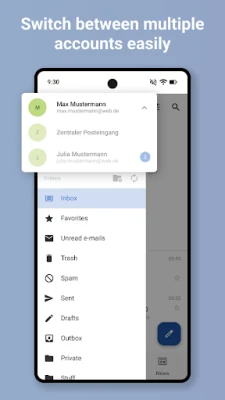
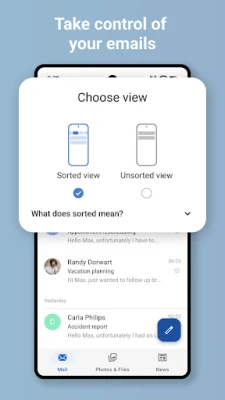
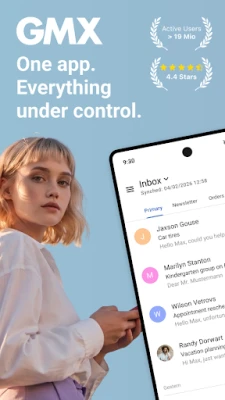
- Unified inbox – View all incoming messages in one place, with support for multiple GMX accounts.
- Push notifications – Get timely alerts for new mail while the app runs efficiently in the background.
- Attachment handling – Open, preview, and save attachments to your device or cloud storage with a single tap.
- Address‑book sync – Optionally synchronize contacts from your GMX or WEB.DE address book.
- PIN protection – Add an extra layer of security by requiring a PIN to open the app.
- Swipe gestures – Quickly archive, delete, or mark messages using intuitive gestures.
How it works
After installing the app, you sign in with your GMX credentials. The client then establishes a secure connection to GMX’s mail servers and begins synchronizing your folders. Messages are cached locally, allowing you to read them offline. When you send a message, the app routes it through the same servers you would use on the web, preserving your existing settings such as signatures and filters.
Practical uses
- Stay on top of personal or work email while traveling.
- Download attachments on the go and open them with compatible Android apps.
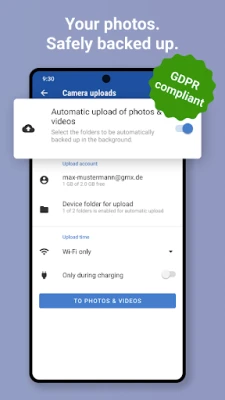
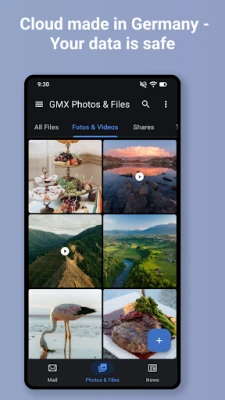
- Keep a backup of important files by saving them to the integrated cloud storage.
- Use PIN protection to keep sensitive correspondence private on shared devices.
Installation information
The app is distributed as a free download from the Google Play Store. Search for the package name de.gmx.mobile.android.mail or the title “GMX – Mail & Cloud” and follow the standard installation prompts. No additional configuration is required beyond entering your GMX login details.
Things to know before installing
- The app requires an active internet connection for initial synchronization.
- Push notifications depend on the device’s battery‑optimization settings; you may need to allow the app to run in the background for reliable alerts.
- All data is stored on GMX’s servers; the app does not retain your password locally.
Who may find it useful?
Anyone who already uses a GMX email address will benefit from a dedicated Android client. The app is especially handy for users who need quick access to attachments, prefer native notifications, or want a single place to manage multiple GMX accounts.
Frequently asked questions
Can I add non‑GMX accounts?
The client is designed for GMX and WEB.DE accounts only. For other providers you will need a separate email client.
Is my data encrypted?
Communication between the app and GMX servers uses standard TLS encryption, the same protocol used by the web interface.
How do I enable PIN protection?
Open the app’s settings, locate the “Security” section, and toggle the PIN option. You will be prompted to set a four‑digit code the first time.
Rate the App
User Reviews















Popular Apps










 Games
 Entertainment
 Communication
 E-mail
 Security
 Tools
 Media
 Internet
 Finance
 Design
 Education
 Android Firmwares
 Travel & Local
 Android
 Windows
 Linux