

Latest Version
Latest
September 17, 2026
Browser by Fulldive Co.
Communication
Android
72
Free
com.full.dialer.top.secure.encrypted
Report a Problem
More About Full Dialer – Simple, Secure Phone Call Management
What is Full Dialer?
Full Dialer is a lightweight phone‑dialing application developed by Browser by Fulldive Co. It replaces the default dialer with a streamlined interface that focuses on core calling functions while keeping the user’s data private.
Main features
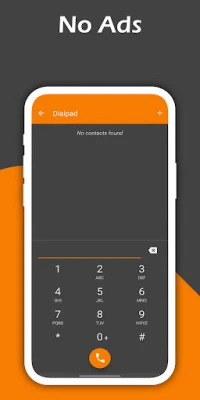
- Clear dial pad – Large, easy‑to‑press keys and alphabetic labels make entering numbers quick and accurate.
- Call log – Recent incoming, outgoing and missed calls are listed with timestamps, allowing you to tap a entry to call back.
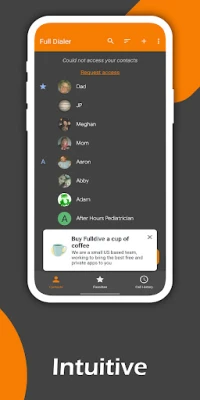
- Contact integration – The app reads the phone’s existing contacts, offering suggestions as you type and letting you start a call directly from the list.
- Quick search – A single search field filters both the call history and contacts, so you can locate a number or name in seconds.
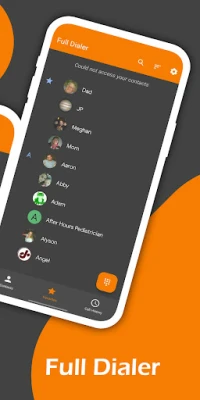
- Favorites – Mark frequently called numbers as favorites for one‑tap access from the main screen.
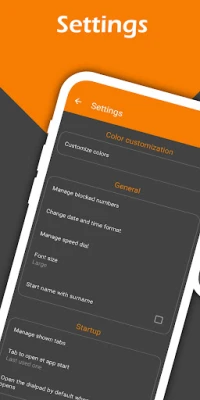
- Number blocking – Block specific numbers or calls from unknown callers to reduce unwanted interruptions.
- Dark theme – A default dark material design theme reduces eye strain and saves battery on OLED displays.
How it works
When you open Full Dialer, the main screen presents the dial pad at the bottom and a list of recent calls at the top. Typing a number automatically searches your contacts, showing matching entries below the pad. Tapping a contact or a recent‑call entry initiates the call using the device’s telephony service.
To add a number to your favorites, press and hold the entry in the call log or contact list and select “Add to favorites.” Favorite numbers appear in a dedicated row for instant dialing.
Blocking a number follows a similar long‑press gesture: choose “Block number” and the app will prevent future calls from that source. Blocked calls are logged but not notified, keeping your call history tidy.
Practical uses
- Quickly call a saved contact without navigating through the phone’s default contacts app.
- Identify and return missed calls from the recent‑call list.
- Reduce spam by blocking unknown or unwanted numbers.
- Use the dark theme for comfortable night‑time dialing.
Installation information
Full Dialer is distributed as a free Android application. Install it from a trusted app store, grant the standard permissions required for making calls and accessing contacts, and you’re ready to replace or supplement your existing dialer.
Things to know before installing
- The app does not require internet access for its core functions, which helps preserve privacy.
- It does not contain advertisements or request unnecessary permissions beyond those needed for call handling and contact access.
- Because it relies on the device’s native telephony service, it works with any carrier that supports standard voice calls.
Who may find Full Dialer useful?
Anyone who prefers a minimalistic calling experience will benefit from Full Dialer. It is especially handy for users who want:
- A clear, uncluttered dial pad.
- Easy access to recent calls and favorite contacts.
- Basic call‑blocking without installing a separate security suite.
Frequently asked questions
Does Full Dialer replace the default phone app?
Full Dialer can be set as the default dialer in Android settings, but you may also keep the original app and use Full Dialer alongside it.
Will my contacts be safe?
The app only reads contacts to provide suggestions; it does not transmit data off the device.
Can I use Full Dialer on tablets?
If the device supports telephony, Full Dialer will function; otherwise, dialing features will be limited.
Is there a way to export the call log?
Full Dialer does not include an export function; you can use the system’s call‑log export options if needed.
Rate the App
User Reviews















Popular Apps










 Games
 Entertainment
 Communication
 E-mail
 Security
 Tools
 Media
 Internet
 Finance
 Design
 Education
 Android Firmwares
 Travel & Local
 Android
 Windows
 Linux