


Latest Version
Latest
August 28, 2026
Friendly App Studios
Communication
Android
99
Free
io.friendly.instagram
Report a Problem
More About Friendly For Instagram – Multi‑Account Browser & Media Downloader
What is Friendly For Instagram?
Friendly For Instagram is a lightweight Android application that combines a web‑based browser with media‑download capabilities. It is designed for users who manage several Instagram profiles or who simply want a convenient way to view and save posts without opening the official Instagram app.
Main features
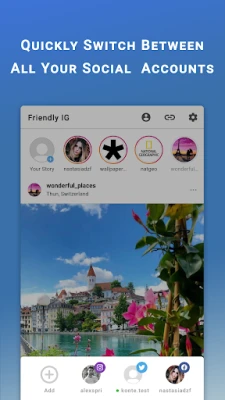
- Multi‑account browsing – Open separate sessions for different Instagram logins, keeping cookies and site data isolated.
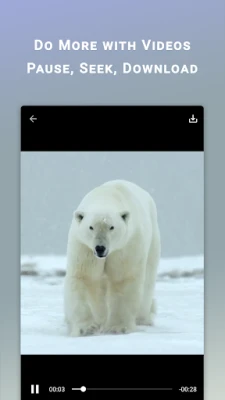
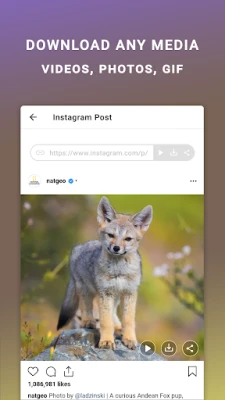
- Media download – Save photos, videos, and GIFs from posts, stories, or direct messages to your device.
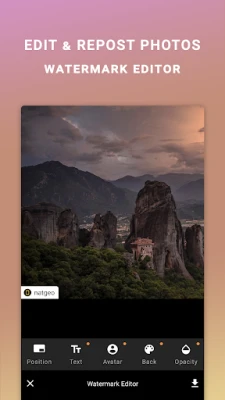
- Basic watermark editor – Add text or a small overlay to images before reposting.
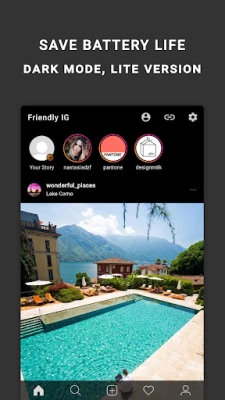
- Dark mode support – Reduce eye strain and save battery on devices with OLED screens.
- Ad‑free experience – The app does not display advertisements or require a subscription.
How it works
When you launch Friendly For Instagram, the built‑in browser loads the mobile version of Instagram. You can add a new account by entering your credentials; each account runs in its own sandbox, so switching between profiles does not mix cookies or notifications. While browsing, tap the download icon that appears on supported media to store the file locally. The optional watermark tool lets you place a short text label on images before saving them.
Practical uses
- Social‑media managers who need to monitor several client accounts from one device.
- Creators who want to keep a personal archive of inspirational posts.
- Users who prefer a minimal interface without the push notifications of the official app.
Installation information
The app is available as a free download from the Appitika store. After installing, you will be prompted to grant standard browser permissions such as storage access for saving media. No additional setup steps are required.
Things to know before installing
- The application relies on Instagram’s public web interface; any changes to Instagram’s site may affect functionality.
- Downloading copyrighted content without permission may violate Instagram’s terms of service.
- Because the app does not include a built‑in notification system, you will need to check the browser manually for new activity.
Who may find it useful?
Anyone who regularly uses Instagram on Android and wants a single place to manage multiple accounts, download media, or add simple watermarks will benefit from Friendly For Instagram. It is especially handy for marketers, influencers, and casual users who prefer an ad‑free experience.
Frequently asked questions
Can I use the app with other social networks?
Friendly For Instagram focuses on Instagram. While the browser can navigate to other sites, the download and watermark features are optimized for Instagram content.
Is my data safe?
The app stores login cookies locally for each account. It does not transmit data to external servers beyond what is required for normal web browsing.
Do I need an internet connection to view saved media?
No. Once a photo or video is downloaded, it is stored on your device and can be accessed offline through the app’s gallery.
Rate the App
User Reviews















Popular Apps










 Games
 Entertainment
 Communication
 E-mail
 Security
 Tools
 Media
 Internet
 Finance
 Design
 Education
 Android Firmwares
 Travel & Local
 Android
 Windows
 Linux