





Latest Version
August 29, 2026
Adblock – Rocketshield Browser Technology Limited
Communication
Android
117
Free
com.hsv.freeadblockerbrowser
Report a Problem
More About Free Adblocker Browser – Browse Without Ads
What is Free Adblocker Browser?
Free Adblocker Browser is an Android web browser that integrates ad‑blocking technology directly into its core. Developed by Adblock – Rocketshield Browser Technology Limited, the app aims to give users a smoother, less distracting browsing experience by removing most types of online advertisements and tracking scripts as pages load.
Main features
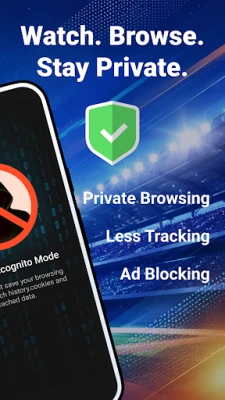
- Built‑in ad blocker – Blocks banner ads, video ads, pop‑ups and many forms of sponsored content without the need for separate extensions.
- Tracking protection – Filters common tracking scripts, helping to keep your browsing habits more private.
- Private browsing mode – When enabled, the browser does not retain history, cookies or cached files after the session ends.
- Simple interface – A clean layout that focuses on the web content, with easy access to tabs and navigation controls.
How it works
The browser uses a rule‑based filtering engine that compares each request made by a web page against a list of known ad and tracker patterns. When a match is found, the request is blocked before the content reaches the screen, which reduces page load time and data usage. Users can toggle the ad‑blocking feature on or off for individual sites if needed.
Practical uses
Free Adblocker Browser is useful for anyone who wants to read articles, watch videos or shop online without the interruption of intrusive ads. It also helps conserve mobile data on limited plans, since fewer resources are downloaded. The private mode is handy for quick look‑ups on shared devices, ensuring that no trace of the session remains.
Installation information
The app is available for free on the Appitika store. Simply tap the install button, grant the standard permissions required for a web browser (such as network access), and launch the app from your home screen. No additional configuration is required to start blocking ads.
Compatibility
Free Adblocker Browser runs on Android devices that meet the minimum system requirements for standard apps from the Play ecosystem. Specific version numbers are not listed, but the app is designed to work on recent Android releases.
Things to know before installing
- Ad‑blocking may occasionally interfere with website functionality, especially on sites that rely on ad scripts for core features. You can disable blocking for those sites in the settings.
- The browser does not include a built‑in VPN service; its focus is on ad and tracker filtering.
- Because the app is free, it may display its own unobtrusive promotional messages, but these do not affect the browsing experience.
Who may find it useful?
Anyone who values a cleaner web experience will benefit, including:
- Students and professionals who need to read long articles without interruptions.
- Travelers on limited data plans.
- Privacy‑conscious users who prefer not to leave browsing traces.
Frequently asked questions
Does the browser store my browsing history?
In normal mode, the browser keeps a standard history list that can be cleared manually. Private mode disables history recording for the duration of the session.
Can I whitelist a site?
Yes. The settings allow you to add domains to a whitelist so that ads and trackers are allowed on those sites.
Is the app safe to use?
The app is developed by a known company that specializes in ad‑blocking technology. It requests only the permissions needed for web access and does not request access to contacts, SMS or other sensitive data.
Rate the App
User Reviews















Popular Apps










 Games
 Entertainment
 Communication
 E-mail
 Security
 Tools
 Media
 Internet
 Finance
 Design
 Education
 Android Firmwares
 Travel & Local
 Android
 Windows
 Linux