


Latest Version
Latest
August 26, 2026
Mozilla
Communication
Android
100
Free
org.mozilla.focus
Report a Problem
More About Firefox Focus – Private, Fast Browsing for Android
What is Firefox Focus?
Firefox Focus is a lightweight web browser from Mozilla designed for quick, private sessions on Android devices. It strips away the clutter of traditional browsers—no tab bar, no persistent history, and no built‑in search suggestions—so you can open a page, read or act, and close it without leaving a trace.
Main Features
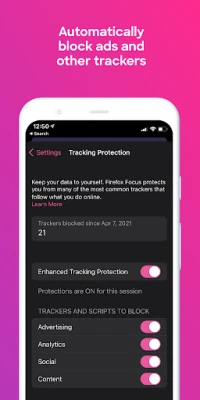
- Automatic ad and tracker blocking: The browser blocks many common ads and tracking scripts by default, which speeds up page loads and reduces data usage.
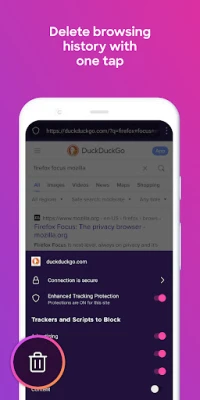
- One‑tap history clearing: A single tap on the trash icon removes browsing history, cookies, and passwords from the current session.
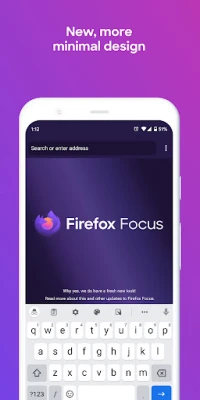
- Simple interface: The home screen shows only a URL bar and the keyboard, keeping the focus on the content you’re viewing.
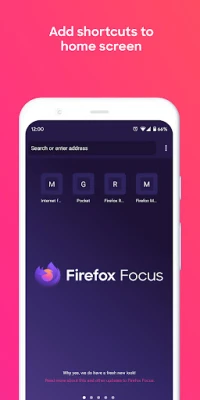
- Home‑screen shortcuts: You can add up to four frequently visited sites as shortcuts for instant access.
How It Works
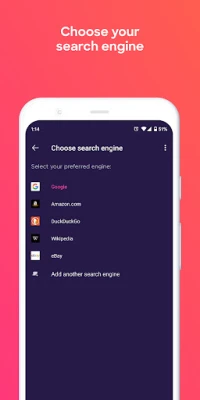
When you launch Firefox Focus, the app presents a clean address bar. As soon as you start typing, the built‑in search function queries your default search engine. The moment a page loads, Mozilla’s tracking protection filters out known trackers and ad scripts. Because the browser does not retain tabs or a browsing history, there is no need for a separate “clear data” step—pressing the trash icon instantly wipes the session data.
Practical Uses
- One‑off searches: Perfect for checking a quick fact, looking up a product, or reading a news article without cluttering your main browser.
- Privacy‑sensitive tasks: Use it for banking, ticket purchases, or any activity where you prefer not to leave a trace on your device.
- Low‑data browsing: The built‑in ad blocker reduces page weight, which can be helpful on limited data plans.
Installation Information
Firefox Focus is available through the standard Android app store. Search for the package name org.mozilla.focus or the app name, and follow the usual install prompts. The app is free to download and use.
Compatibility
The browser runs on Android devices that meet Mozilla’s minimum system requirements. Specific version numbers are not required for basic operation; the app will indicate if your device is unsupported during installation.
Things to Know Before Installing
- The browser does not support multiple open tabs; each session is intended to be short‑lived.
- Because history is cleared automatically, you cannot rely on the back button to revisit previously visited pages after a session ends.
- While the default settings block many trackers, you can adjust protection levels in the app’s settings if you need more granular control.
Who May Find It Useful?
Anyone who values privacy, wants a fast browsing experience, or needs a dedicated browser for quick tasks will benefit from Firefox Focus. It is especially handy for users who switch between a feature‑rich main browser and a minimalist, privacy‑first option for occasional use.
Frequently Asked Questions
Does Firefox Focus store any personal data?
By design, the browser does not retain browsing history, cookies, or passwords after you clear a session. It only stores temporary data needed to render the current page.
Can I use Firefox Focus for long‑term browsing?
While you can browse any site, the lack of tab management makes it less convenient for extended sessions that require juggling multiple pages.
Is the ad blocker configurable?
Yes, the settings menu allows you to enable or disable specific protection categories, such as social media trackers or cryptomining scripts.
Will using Firefox Focus affect my device’s performance?
The app is built to be lightweight, so it typically consumes less memory and CPU than full‑featured browsers, which can help preserve battery life.
Rate the App
User Reviews















Popular Apps










 Games
 Entertainment
 Communication
 E-mail
 Security
 Tools
 Media
 Internet
 Finance
 Design
 Education
 Android Firmwares
 Travel & Local
 Android
 Windows
 Linux