




Latest Version
Latest
August 17, 2026
Mozilla
Communication
Android
185
Free
org.mozilla.firefox
Report a Problem
More About Firefox Fast & Private Browser – Secure Mobile Browsing
What is Firefox Fast & Private Browser?
Firefox Fast & Private Browser is Mozilla’s mobile web browser for Android. It is built around privacy, speed, and simplicity, giving you a reliable way to surf the web without unwanted tracking. The app is free and maintained by the same team that creates the desktop version of Firefox.
Main features
- Tracker blocking – By default the browser blocks common trackers, social‑media pixels, and cryptominers, reducing the amount of data collected about your browsing habits.
- Private browsing mode – Open private tabs that do not store history, cookies, or form data. You can also lock private tabs with your device’s security method for added protection.
- Speed improvements – Blocking trackers reduces page weight, which often results in faster load times and lower data usage.
- Secure password handling – Generate strong passwords, store them securely, and autofill login forms without exposing them to third parties.
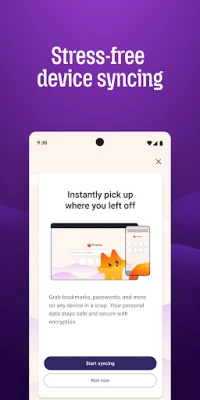
- Tab management – Organize open pages with a clear tab view, and sync tabs across devices when you sign in with a Firefox account.
- Reader View – Strip away clutter from articles and read the core content in a clean, distraction‑free layout.
- Picture‑in‑Picture – Watch videos in a small floating window while you continue browsing other pages.
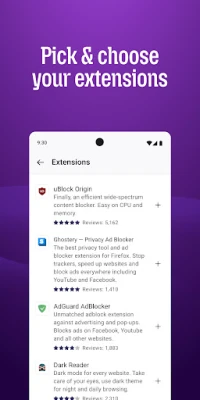
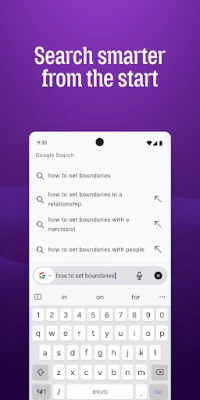
- Customization – Choose your preferred private search engine, adjust privacy settings, and add extensions such as ad blockers.
How it works
The browser integrates Mozilla’s Enhanced Tracking Protection, which identifies and blocks known tracking scripts before they load. When you visit a site, the browser isolates cookies to that site only, preventing cross‑site tracking. Private tabs operate in a sandboxed environment, ensuring that any data created during the session is discarded when you close the tab.
Practical uses
- Browsing on public Wi‑Fi without exposing your activity to network monitors.
- Researching sensitive topics while keeping your search history private.
- Saving mobile data by reducing the amount of content loaded from trackers.
- Managing multiple accounts or services in separate tabs without cross‑contamination of cookies.
Installation information
The app can be downloaded from the Google Play Store. After installation, you may be prompted to set Firefox as the default browser, which is optional. Initial setup includes choosing a default search engine and optionally signing in to a Firefox account to enable sync features.
Things to know before installing
- The browser requires Android; specific version requirements are listed on the Play Store page.
- Syncing bookmarks, passwords, and tabs requires a Firefox account, which is free to create.
- While the app blocks many trackers automatically, you can fine‑tune protection levels in the settings.
Who may find it useful?
Anyone who values privacy on a mobile device will benefit from Firefox Fast & Private Browser. It is especially suitable for users who frequently use public networks, want to limit data usage, or prefer an open‑source solution backed by a well‑known organization.
Frequently asked questions
Is the browser completely free?
Yes, the app is offered at no cost and does not require a subscription to use core features.
Can I use extensions?
Firefox for Android supports a curated set of extensions, including popular ad blockers and password managers.
How does private browsing differ from normal mode?
Private tabs do not retain history, cookies, or form data after the session ends, and they can be locked with your device’s lock screen for extra security.
Will my bookmarks sync across devices?
When you sign in with a Firefox account, bookmarks, saved passwords, and open tabs are synchronized with other devices where you use Firefox.
Rate the App
User Reviews















Popular Apps










 Games
Games Entertainment
 Communication
 E-mail
 Security
 Tools
Tools Media
Media Internet
 Finance
 Design
 Education
 Android Firmwares
 Travel & Local
 Android
 Windows
 Linux
Linux