




Latest Version
Latest
June 27, 2026
Mozilla
Communication
Android
693
Free
org.mozilla.firefox
Report a Problem
More About Firefox Fast & Private Browser – Secure Mobile Browsing
What is Firefox Fast & Private Browser?
Firefox Fast & Private Browser is Mozilla’s mobile web browser for Android. It is designed to give you a quick, responsive browsing experience while keeping privacy at the forefront. The app comes from the same team that builds the desktop version of Firefox, so you get a familiar interface and a strong commitment to open standards.
Main features
- Enhanced Tracking Protection – Common trackers are blocked automatically, reducing the amount of data collected about your browsing habits.
- Private browsing mode – When you open a private tab, history, searches, cookies and temporary files are not saved.
- Total Cookie Protection – Cookies are confined to the site that created them, making cross‑site tracking more difficult.
- Built‑in password manager – Save and autofill passwords securely, with the option to generate strong passwords when you need them.
- Reader Mode – Strip away ads and unnecessary page elements to read articles in a clean, distraction‑free layout.
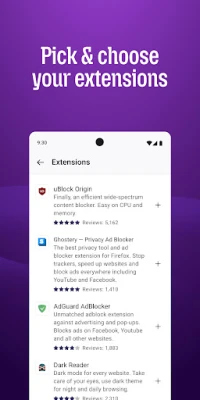
- Extension support – Install compatible extensions such as ad blockers or privacy tools to customize your browsing experience.
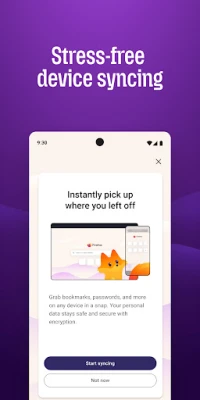
- Sync across devices – When you sign in with a Mozilla account, bookmarks, tabs and passwords can be synchronized with other Firefox installations.
How it works
The browser uses Mozilla’s own rendering engine, which follows web standards closely. When a page loads, the built‑in tracking protection scans network requests and blocks those that match known tracker lists. Private tabs are isolated from regular browsing data, and the password manager encrypts stored credentials locally.
Practical uses
- Browsing news sites without being followed by advertising networks.
- Researching sensitive topics in private mode, ensuring no history is retained on the device.
- Saving passwords for frequently visited services without relying on third‑party managers.
- Reading long articles or e‑books in Reader Mode for a cleaner view.
Installation information
The app can be downloaded from the official Android app store. After installation, the first launch will guide you through optional sign‑in to a Mozilla account for sync features. No additional configuration is required to benefit from the default privacy protections.
Compatibility
Firefox Fast & Private Browser runs on Android devices that meet the minimum system requirements set by the Play Store. It adapts to different screen sizes and supports both phones and tablets.
Things to know before installing
- Some websites may request you to disable tracking protection for full functionality; you can temporarily allow these requests per site.
- Private tabs do not store data, but any files you download while in private mode will remain on the device.
- Syncing requires a Mozilla account; you can use the browser without signing in if you prefer to keep data local.
Who may find it useful?
Anyone who values speed and privacy on a mobile device will appreciate this browser. It is especially suitable for users who want a straightforward, no‑frills experience without having to manage numerous privacy settings manually.
Frequently asked questions
Is the browser free?
Yes, Firefox Fast & Private Browser is offered at no cost.
Can I use my existing Firefox bookmarks?
Yes, by signing in with a Mozilla account you can sync bookmarks, tabs and passwords from other Firefox installations.
Does the app collect my personal data?
The browser is built to minimize data collection. It only sends telemetry that you explicitly opt into, and all browsing data stays on your device unless you choose to sync it.
Rate the App
User Reviews















Popular Apps










 Games
Games Entertainment
 Communication
 E-mail
 Security
 Tools
Tools Media
Media Internet
 Finance
 Design
 Education
 Android Firmwares
 Travel & Local
 Android
 Windows
 Linux
Linux