

Latest Version
September 04, 2026
Abdulai Sesay
Communication
Android
7
Free
com.alimamsesay.familychat
Report a Problem
More About FamilyChat: Chat With Family – Free Messaging App
What is FamilyChat?
FamilyChat is a free Android messenger designed for families and close‑knit groups. It provides a dedicated space where members can exchange messages, share media, and make voice or video calls without the distractions of broader social networks.
Main features
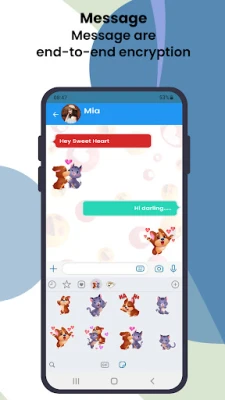
- Private family messaging – One‑to‑one and group chats that keep conversations between invited members.
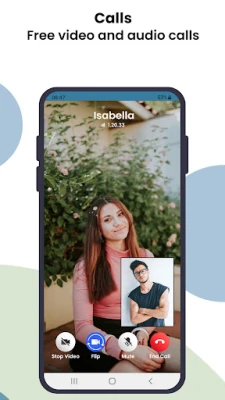
- Voice and video calling – High‑quality calls that work over Wi‑Fi or mobile data.
- Media sharing – Send photos, videos, documents, and contacts directly within a chat.
- Simple user interface – Large icons and clear navigation make it easy for users of all ages.
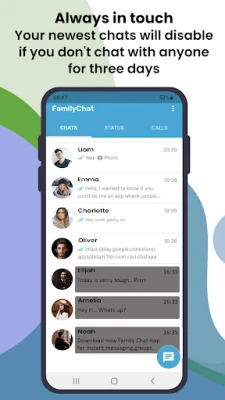
- Control over chat activity – Users can mute or disable a conversation if it becomes inactive.
How it works
- Create an account using your phone number or email.
- Invite family members by sharing a link or entering their contact details.
- Start chatting, call, or share files instantly.
- Manage each conversation from the chat settings – mute, archive, or delete as needed.
Practical uses
FamilyChat is useful for everyday coordination – sharing a grocery list, planning a reunion, or simply staying in touch while traveling. The built‑in voice and video options eliminate the need for separate calling apps, and the media sharing feature lets you send photos of milestones, school projects, or vacation highlights directly to the people who matter most.
Installation information
The app can be downloaded from the Google Play Store. After installation, the initial setup guides you through account creation and permission requests for microphone, camera, and storage, which are required for calling and media sharing.
Things to know before installing
- Internet connectivity is required for messaging and calls.
- The app requests standard permissions for contacts, microphone, camera, and storage; these are used only for the features described.
- All communications are kept within the app; there is no integration with external social platforms.
Who may find it useful?
Anyone who wants a dedicated, ad‑free space for family communication – from grandparents learning to video chat with grandchildren to busy parents coordinating schedules with siblings.
Frequently asked questions
Is FamilyChat free?
Yes, the app is offered at no cost.
Can I use FamilyChat on multiple devices?
Yes, the same account can be signed in on several Android devices, keeping chats synchronized.
How is privacy handled?
Conversations are limited to invited participants, and you control who can join each group. The app does not publish your messages to any public feed.
Rate the App
User Reviews















Popular Apps










 Games
Games Entertainment
 Communication
 E-mail
 Security
 Tools
Tools Media
Media Internet
 Finance
 Design
 Education
 IT Tools
 Travel & Local
 Android
 Windows
 Linux
Linux