

Latest Version
August 14, 2026
Meta Platforms, Inc.
Communication
Android
278
Free
com.facebook.lite
Report a Problem
More About Facebook Lite – Light‑weight Social Networking for Android
What is Facebook Lite?
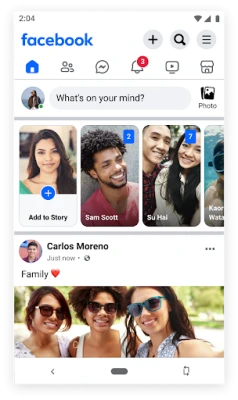
Facebook Lite is a compact Android app created by Meta Platforms, Inc. It offers the core Facebook experience—timeline updates, messaging, photo sharing, and notifications—while using far less storage space and data than the full Facebook app. The design focuses on speed and efficiency, making it a practical choice for devices with limited resources or for users on 2G/3G networks.
Main Features
- Lightweight footprint: The app is small in size, leaving more room on your device for other content.
- Data‑friendly operation: Optimized to work on slow or metered connections, reducing the amount of data needed for browsing and posting.
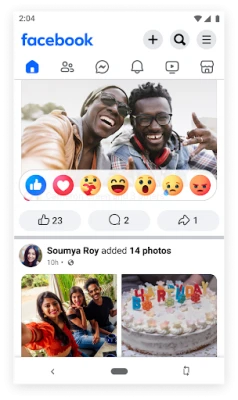
- Timeline and news feed: View posts from friends, pages, and groups, and interact with likes, comments, and reactions.
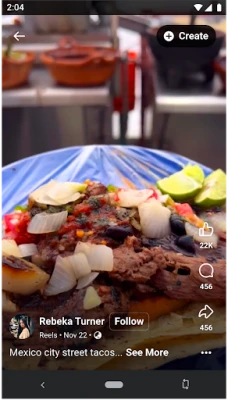
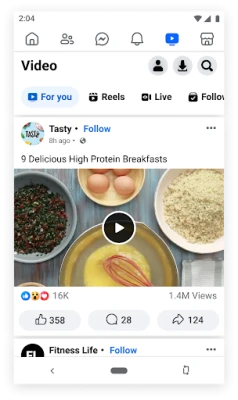
- Photo and video sharing: Capture or select media from your device and share it directly to your timeline or in messages.
- Messaging: Send and receive messages through Facebook Messenger within the Lite interface.
- Event discovery: Browse local events, RSVP, and keep track of upcoming gatherings.
- Marketplace access: Browse listings, buy, or sell items in your area using the built‑in Marketplace view.
How It Works
The app connects to Facebook’s servers using a streamlined data protocol that prioritizes essential content. When you open the app, it loads a simplified version of the news feed, showing text and low‑resolution images first. Higher‑resolution media is fetched only when you tap to view it, helping conserve bandwidth. Navigation follows the familiar Facebook layout, so existing users can transition easily.
Practical Uses
- Low‑end devices: Users with older smartphones benefit from faster load times and reduced storage consumption.
- Limited data plans: The app’s efficient data handling helps keep monthly usage low.
- Travel situations: When roaming or in areas with weak connectivity, Facebook Lite remains usable where the full app might struggle.
Installation Information
Facebook Lite is available through the Google Play Store. Search for "Facebook Lite" or use the package name com.facebook.lite. Tap “Install” and follow the standard Android installation prompts. No additional configuration is required beyond signing in with your Facebook credentials.
Compatibility
The app runs on Android devices that meet the minimum system requirements for the Play Store. Because it is designed for low‑resource environments, it typically works on a wide range of Android versions and hardware specifications.
Things to Know Before Installing
- Some advanced features found in the full Facebook app—such as certain video playback options, detailed analytics, or newer UI elements—may be absent or simplified.
- Push notifications are supported, but the frequency and detail may differ from the standard app.
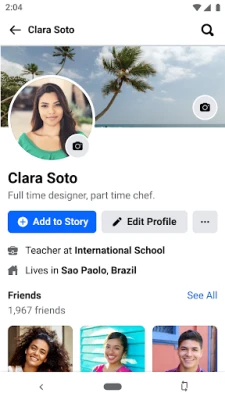
- Privacy settings and account management remain the same as on the main Facebook platform; changes made in Facebook Lite affect your overall Facebook account.
Who May Find It Useful?
Anyone who wants to stay connected to friends, family, and communities without sacrificing device performance or data allowances will benefit from Facebook Lite. This includes users in emerging markets, travelers, and owners of budget smartphones.
Frequently Asked Questions
Does Facebook Lite require a Facebook account?
Yes. You need an existing Facebook account to sign in and use the app.
Can I use Facebook Messenger through Lite?
Messenger functionality is integrated, allowing you to send and receive messages without installing the separate Messenger app.
Is the app safe to use?
Facebook Lite follows the same security and privacy policies as the main Facebook service. Your data is handled according to Facebook’s standard practices.
Will my posts appear the same as on the full app?
Posts created in Facebook Lite appear on your timeline just like any other Facebook post and are visible to your friends and followers.
Rate the App
User Reviews















Popular Apps










 Games
Games Entertainment
 Communication
 E-mail
 Security
 Tools
Tools Media
Media Internet
 Finance
 Design
 Education
 Android Firmwares
 Travel & Local
 Android
 Windows
 Linux
Linux