




Latest Version
Latest
August 22, 2026
Eyecon Phone Dialer & Contacts
Communication
Android
86
Free
com.eyecon.global
Report a Problem
More About Eyecon Caller ID & Spam Block – Identify Calls & Block Unwanted Numbers
What is Eyecon Caller ID & Spam Block?
Eyecon Caller ID & Spam Block is a free Android utility that enhances the native phone experience. It adds a visual layer to incoming calls, displaying the caller’s name and photo when possible, and offers tools to block numbers that are identified as spam.
Main features
- Full‑screen caller identification – When a call arrives, Eyecon expands the call screen to show the caller’s picture and name, helping you decide whether to answer.
- Spam detection and blocking – The app maintains a database of numbers reported as spam and gives you the option to block them automatically.
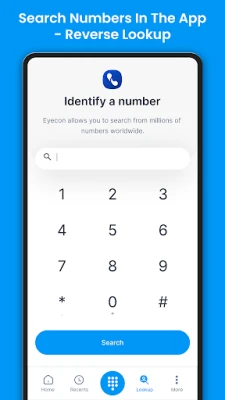
- Reverse number lookup – If a number is unknown, you can tap the Eyecon icon to perform a lookup that may reveal the caller’s name, photo, and basic profile information.
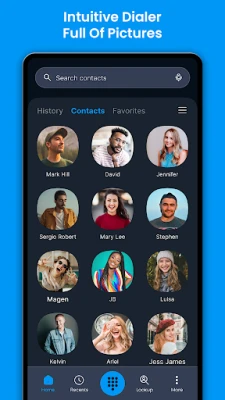
- Integrated dialer – Eyecon can act as your default dialer, providing the same visual caller ID features while you place outgoing calls.
How it works
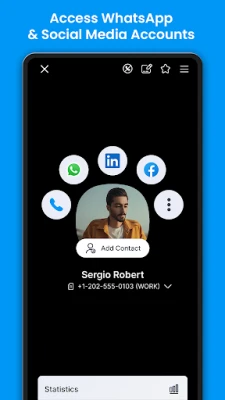
After installation, Eyecon requests permission to read your contacts and to monitor incoming calls. When a call is received, the app checks the incoming number against its internal database and your own contacts. If a match is found, the caller’s stored photo and name are displayed. If the number is not in your contacts, Eyecon searches its crowdsourced list of known numbers and, when available, shows a photo and any associated label (for example, “Telemarketing” or “Scam”). You can tap the on‑screen icon to view additional details or to block the number.
Practical uses
- Avoid answering unwanted marketing or scam calls.
- Recognize friends and family instantly, even if they are not saved in your phone.
- Quickly gather basic information about an unknown caller before deciding to answer.
Installation information
Eyecon Caller ID & Spam Block is available as a free download from the Google Play Store. The installation process follows the standard Android app installation steps: download, accept the requested permissions, and set Eyecon as the default phone app if you want to use its dialer features.
Things to know before installing
- The app needs access to your contacts and call logs to provide accurate identification.
- Spam detection relies on a community‑maintained list, which may not include every unwanted number.
- Because the app can act as a default dialer, you may need to re‑configure your preferred dialer settings after installation.
Who may find it useful?
Anyone who receives frequent unknown calls, wants a visual cue for incoming calls, or wishes to reduce interruptions from spam callers will benefit from Eyecon. It is especially handy for users who prefer a more visual phone interface.
Frequently asked questions
Do I need to be online for caller ID to work?
Eyecon can display information from your local contacts offline. For unknown numbers, it queries its online database, so an internet connection is required for those lookups.
Can I customize which numbers are blocked?
Yes. When a call is identified as spam, you can choose to block it permanently or add it to a personal block list.
Will the app affect battery life?
Eyecon runs in the background only to monitor incoming calls and perform occasional database updates. Most users report minimal impact on battery performance.
Rate the App
User Reviews















Popular Apps










 Games
 Entertainment
 Communication
 E-mail
 Security
 Tools
 Media
 Internet
 Finance
 Design
 Education
 Android Firmwares
 Travel & Local
 Android
 Windows
 Linux