

Latest Version
September 16, 2026
EXTRA SAFE
Communication
Android
11
Free
com.extrasafe.chat.app.stage
Report a Problem
More About EXTRA SAFE: Self‑Custody Chat
What is EXTRA SAFE?
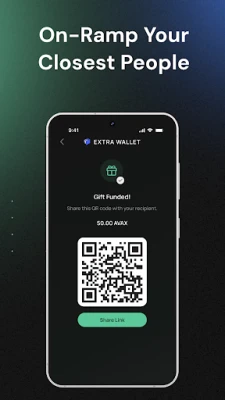
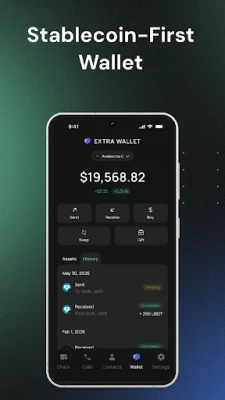
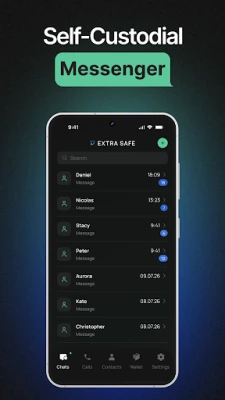
EXTRA SAFE is a messaging app that lets you talk to friends while keeping your digital assets under your own control. The app merges a standard chat experience with a self‑custodial wallet, so you can send and receive cryptocurrencies without leaving the conversation.
Main features
- Encrypted messaging: All chats, files, images and voice notes are protected with end‑to‑end encryption. Keys are generated on your device and never leave it.
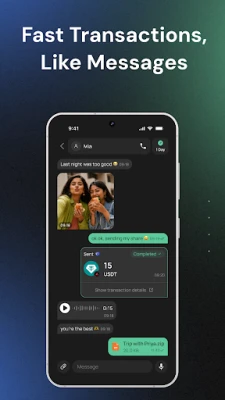
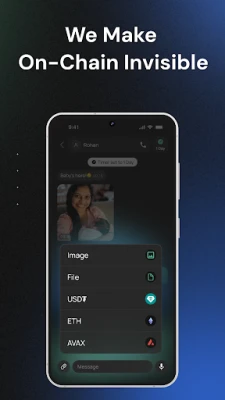
- In‑chat crypto transfers: You can attach supported digital currencies such as USDT and Ethereum directly to a message and send them instantly, just like sharing a photo.
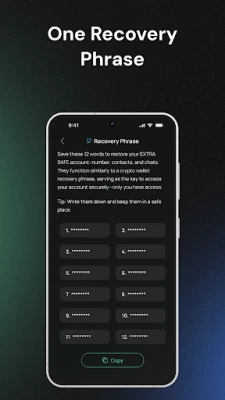
- Non‑custodial wallet: The wallet is created locally; private keys stay on your phone. A 12‑word recovery phrase lets you restore access if you change devices.
- Device‑to‑device calls: Voice calls are routed directly between devices, avoiding third‑party servers. Group calls for up to five participants are supported.
- Self‑destruct timers: Set a lifespan for messages, ranging from one minute to one month, after which the content is removed from both devices.
How it works
When you first open the app, you choose a simple name that becomes your unique identifier. The wallet is set up automatically; the app generates a private key and shows you the recovery phrase. To send crypto, open a chat, tap the attachment icon, select the currency, enter the amount and confirm. The transaction is processed on‑chain while the chat interface remains unchanged.
Practical uses
- Pay friends instantly for shared expenses without switching apps.
- Discuss sensitive topics knowing that messages disappear after a set time.
- Manage a personal crypto portfolio while staying in touch with contacts.
Installation information
The app is distributed as a free download from the Google Play Store. It requires a compatible Android device; specific version requirements are not listed, so the Play Store will indicate whether your device can install it.
Who may find it useful?
Anyone who wants a single app for private messaging and basic crypto transactions—students, freelancers, small groups, or anyone exploring digital currencies—will benefit from the combined functionality.
Things to know before installing
- All private keys are stored only on your device; losing the recovery phrase means losing access to any funds.
- The current supported assets are USDT and Ethereum; additional tokens may be added in future updates.
- Because calls are device‑to‑device, both parties need the app installed for the best experience.
Rate the App
User Reviews















Popular Apps










 Games
Games Entertainment
 Communication
 E-mail
 Security
 Tools
Tools Media
Media Internet
 Finance
 Design
 Education
 IT Tools
 Travel & Local
 Android
 Windows
 Linux
Linux