

Latest Version
Latest
August 22, 2026
EXTRA SAFE
Communication
Android
108
Free
com.extrasafe.chat.app
Report a Problem
More About EXTRA SAFE: Encrypted Chat – Private Messaging App
What is EXTRA SAFE: Encrypted Chat?
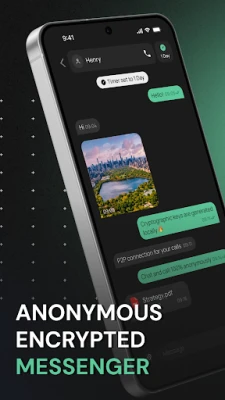
EXTRA SAFE is a free Android messenger focused on privacy. It provides end‑to‑end encryption for text, media, and voice/video calls, and it stores messages only for the period you choose. The app does not require an email address or phone number to get started, keeping your identity separate from the service.
Main features
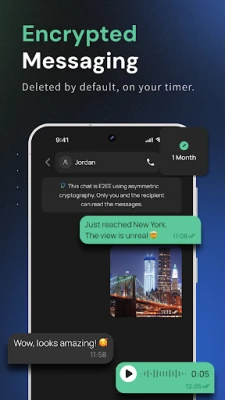
- End‑to‑end encryption – All communication is encrypted on your device before it leaves, and decryption happens only on the recipient’s device.
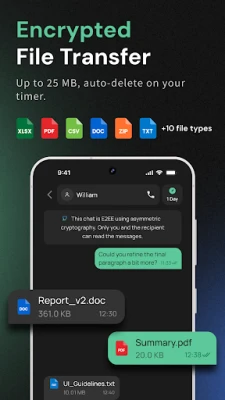
- Self‑destructing messages – Set a timer for each conversation; after the timer expires, messages, images, files and call logs are automatically removed.
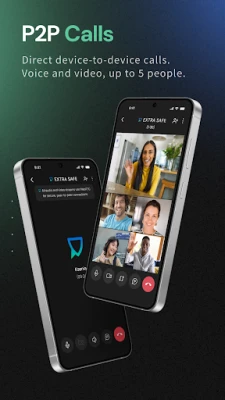
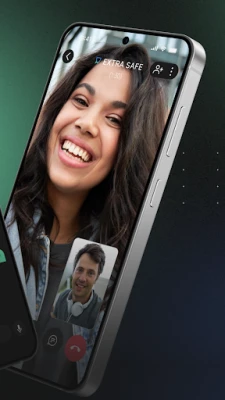
- Private voice and video calls – Calls are routed directly between devices (peer‑to‑peer) when possible, reducing reliance on central servers.
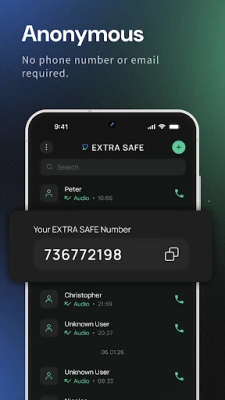
- Quick setup – Create an account using only a chosen username; no phone number or email is required.
- Local key generation – Encryption keys are generated on the device, meaning the provider never sees them.
How it works
When you install the app, a unique identifier is generated locally. This identifier is used to establish encrypted sessions with other users who have the same app. All messages are encrypted with keys that never leave your device, and the encrypted payload travels over the internet or direct Wi‑Fi/Bluetooth links. The self‑destruct timer can be set per chat, and once the timer elapses the app securely wipes the stored data.
Practical uses
- Sharing sensitive documents that should disappear after a set time.
- Coordinating plans with friends without leaving a permanent record.
- Conducting brief business conversations when you need confidentiality.
- Keeping personal conversations separate from your primary phone number.
Installation information
The app is available as a free download from the Google Play Store. After downloading, grant the permissions required for messaging and optional permissions for voice/video calls. No additional configuration is needed to start a conversation – simply add contacts by sharing your generated identifier.
Things to know before installing
- The app does not store any of your messages on external servers; all data resides on the devices involved.
- Because calls are peer‑to‑peer, a stable internet connection or direct device proximity improves call quality.
- Self‑destruct timers are irreversible – once a message is removed it cannot be recovered.
Who may find it useful?
Anyone who values privacy in everyday communication – from casual users who want chats that disappear, to professionals handling confidential information, to activists needing secure channels.
Frequently asked questions
Do I need to provide my phone number?
No. The app creates a local identifier, so you can start using it without linking a phone number or email.
Are my messages truly private?
All messages are encrypted on your device and can only be decrypted by the intended recipient’s device. The provider does not have access to the encryption keys.
What happens if I lose my device?
Since keys are stored locally, losing the device means you also lose access to your encrypted chats. There is no cloud backup unless you set up your own external storage.
Can I use the app on older Android versions?
The app runs on Android versions that support the required encryption libraries; check the Play Store listing for the minimum version.
Rate the App
User Reviews















Popular Apps










 Games
 Entertainment
 Communication
 E-mail
 Security
 Tools
 Media
 Internet
 Finance
 Design
 Education
 Android Firmwares
 Travel & Local
 Android
 Windows
 Linux