

Latest Version
August 21, 2026
Next Pixel Works
Communication
Android
97
Free
com.emaillogin.mailinbox.mailaccess
Report a Problem
More About Email - Email Login & Home by Next Pixel Works
What is Email - Email Login & Home?
Email - Email Login & Home is a lightweight Android application developed by Next Pixel Works. It focuses on simplifying the process of accessing and managing several email accounts without the need to switch between different apps. The interface is designed for quick sign‑in and straightforward navigation, making everyday email tasks less time‑consuming.
Main features
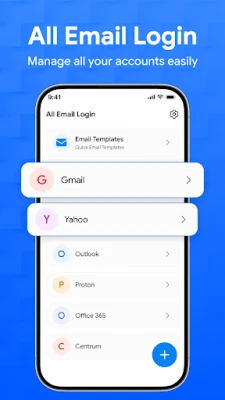
- Unified inbox – View messages from all configured accounts in one place.
- Fast login – Store credentials securely for rapid access each time you open the app.
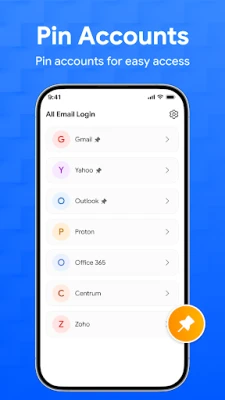
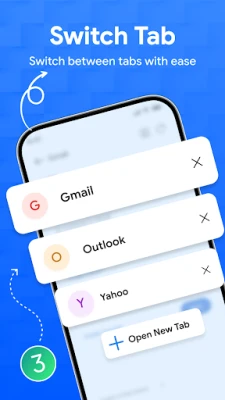
- Multiple account support – Add and switch between personal, work, or other email addresses without leaving the app.
- Home screen shortcut – Create a launcher tile that opens directly to your inbox for instant access.
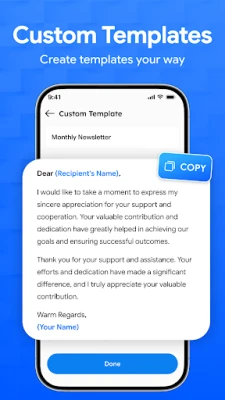
- Simple composition tools – Basic formatting options help you draft messages quickly.
How it works
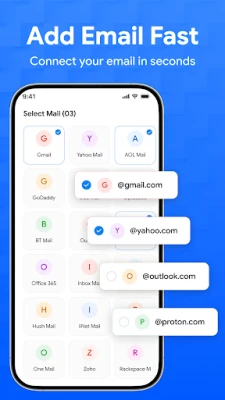
After installing the app, you are guided through an account‑addition wizard. You enter your email address and password, and the app automatically detects the appropriate server settings for common providers. Once set up, the main screen displays a consolidated list of recent messages, grouped by account or date according to your preference.
When you tap a message, the full content opens in a clean reading view. Replying, forwarding, or deleting works with familiar icons at the top of the screen. The app also offers a pull‑to‑refresh gesture to check for new mail on demand.
Practical uses
- Professionals who need to monitor a work email and a personal account side by side.
- Students managing school and personal communications without juggling multiple apps.
- Anyone who prefers a single shortcut on the home screen for instant email access.
Installation information
The app is available for free on the Appitika store. Tap the "Install" button, grant the standard permissions required for internet access and storage (if you choose to download attachments), and the app will appear in your app drawer once the installation completes.
Things to know before installing
- The app does not claim to replace full‑featured email clients; it is intended for quick access and basic management.
- It stores login credentials locally on the device; ensure your device is protected with a screen lock.
- Advanced features such as push notifications or calendar integration are not advertised, so users needing those may prefer a dedicated client.
Who may find it useful?
If you value speed over extensive customization, and you want a single place to glance at multiple inboxes, Email - Email Login & Home offers a straightforward solution. It is especially handy for users who frequently check email on the go and appreciate a home‑screen shortcut for instant entry.
Frequently asked questions
Can I add more than two email accounts?
Yes, the app supports adding several accounts, limited only by the device’s storage and performance.
Is my password stored securely?
The app keeps credentials in the device’s encrypted storage area, following Android’s standard security practices.
Do I need an internet connection to read previously downloaded messages?
Messages that have already been synced can be read offline; new mail requires an active connection.
Rate the App
User Reviews















Popular Apps










 Games
 Entertainment
 Communication
 E-mail
 Security
 Tools
 Media
 Internet
 Finance
 Design
 Education
 Android Firmwares
 Travel & Local
 Android
 Windows
 Linux