

Latest Version
Latest
September 13, 2026
Email Gallery Contacts
Communication
Android
11
Free
com.email.allmail.ai.emailassistant.inbox
Report a Problem
More About Email: All Mail Access – Unified Inbox for Android
What is Email: All Mail Access?
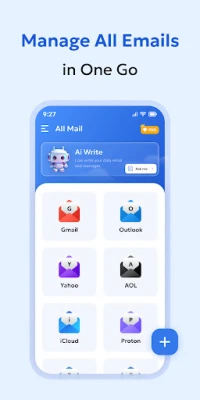
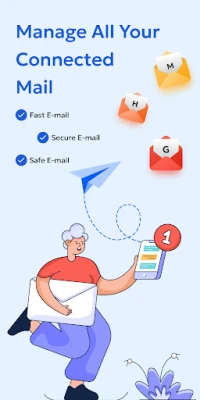
Email: All Mail Access is a free Android application that lets you view and manage multiple email accounts from a single interface. Developed by Email Gallery Contacts, the app aims to simplify daily communication by reducing the need to switch between separate email clients.
Main Features
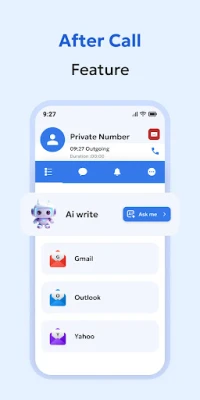
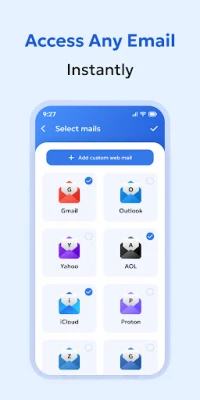
- Unified inbox – Add accounts from popular providers such as Gmail, Yahoo, Outlook, and others, and view all messages together.
- Lightweight design – The app is built to occupy minimal storage and run efficiently on devices with limited resources.
- Theme support – Switch between light and dark modes for comfortable reading in any lighting condition.
- Multiple language support – The interface is available in several languages, making it accessible to a broader audience.
How It Works
After installing the app, you sign in with the credentials of each email service you want to include. The app uses standard authentication methods provided by the email providers, so you do not need to share passwords with a third‑party service. Once accounts are linked, incoming messages appear in a single unified view, while you can still filter by account or folder when needed.
Practical Uses
Whether you are a student juggling school notifications, a professional handling work correspondence, or simply someone who prefers a clean inbox, Email: All Mail Access helps you stay on top of messages without juggling multiple apps. The unified view makes it easy to spot urgent emails, and the lightweight nature ensures the app does not drain battery or consume excessive storage.
Installation Information
The app can be downloaded from the Appitika store. Tap the install button, grant the requested permissions for account access, and follow the on‑screen prompts to add your email accounts. No additional configuration is required beyond the standard sign‑in steps for each provider.
Things to Know Before Installing
- Make sure your device runs a recent version of Android that supports the app’s security standards.
- The app requires internet access to sync messages; a stable Wi‑Fi or mobile data connection is recommended.
- Permissions are limited to those needed for account authentication and notification delivery.
Who May Find It Useful?
Anyone who uses more than one email address on a regular basis can benefit from a single inbox. This includes:
- Business professionals managing work and personal accounts.
- Students who receive school notifications alongside personal mail.
- Travelers who need quick access to multiple providers while on the move.
Frequently Asked Questions
Can I add both free and paid email accounts?
Yes. The app supports any standard email service that offers IMAP/SMTP or OAuth authentication, regardless of whether the account is free or paid.
Does the app store my passwords?
The app uses the authentication mechanisms provided by each email service. Passwords are not stored in plain text; they are handled securely according to Android’s credential storage guidelines.
Is there a way to customize notifications?
Notification settings can be adjusted in the app’s preferences, allowing you to choose sound, vibration, and which accounts trigger alerts.
Will the app work on older Android devices?
Compatibility depends on the minimum Android version required by the app, which is indicated on the download page. Generally, devices running Android 6.0 (Marshmallow) or newer can install and run the app.
Rate the App
User Reviews










Popular Apps










 Games
Games Entertainment
 Communication
 E-mail
 Security
 Tools
Tools Media
Media Internet
 Finance
 Design
 Education
 IT Tools
 Travel & Local
 Android
 Windows
 Linux
Linux