
Latest Version
September 13, 2026
Gajuweb tech inc.
Communication
Android
5
Free
com.mailhub.allinbox
Report a Problem
More About Email: All Inbox Access – Unified Email Manager
What is Email: All Inbox Access?
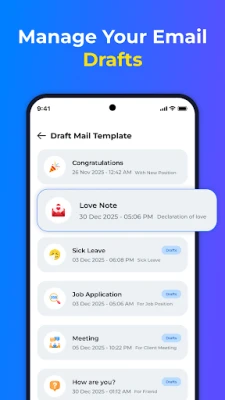
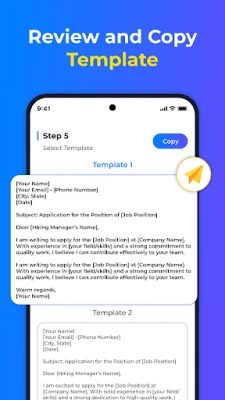
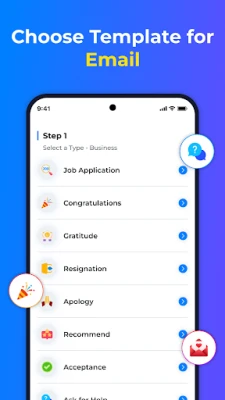
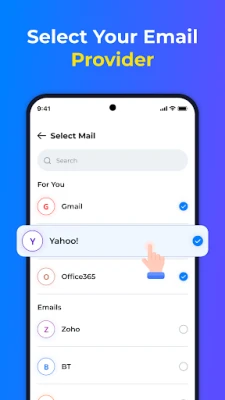
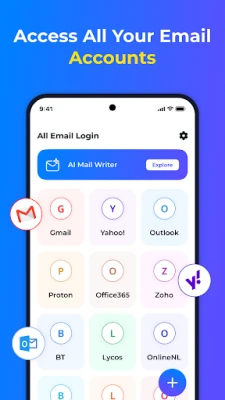
Email: All Inbox Access is a free Android application that brings together multiple email accounts into one unified inbox. It lets you add popular services such as Gmail, Outlook, Yahoo and other IMAP/SMTP providers, so you can read, compose and organize messages without leaving the app.
Main features
- Unified inbox – All your messages appear in a single list, with clear labels indicating the originating account.
- Multiple accounts – Add as many email addresses as you need and switch between them instantly.
- Real‑time notifications – Get push alerts for new mail so you stay informed without constant checking.
- Simple, responsive design – A clean layout makes it easy to read, reply, forward and delete messages with just a few taps.
- Search and filters – Quickly locate messages by sender, subject or keyword using the built‑in search bar.
How it works
After installing the app, you start by adding an email account. The setup wizard asks for your address, password and the appropriate server settings; for major providers the app detects the settings automatically. Once the account is verified, the app begins syncing your mailbox. All folders (Inbox, Sent, Drafts, etc.) are displayed, and you can choose which ones to sync to save data.
When you receive a new message, the app pushes a notification. Tapping the notification opens the message directly, while the main inbox view shows a concise preview of each email. You can reply, forward or mark messages as read/unread using the toolbar at the bottom of the screen.
Practical uses
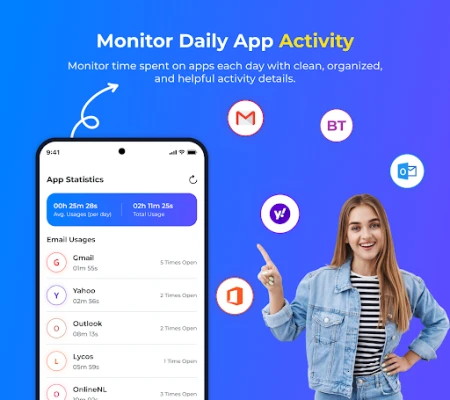
This tool is handy for professionals who juggle work and personal email, students who need to monitor school and personal accounts, and anyone who prefers a single place to stay on top of their correspondence. By consolidating accounts, you reduce the time spent opening separate apps and avoid missing important messages.
Installation information
Search for Email: All Inbox Access in the Google Play Store, tap Install, and wait for the download to finish. The app requires an internet connection for the initial account setup and for syncing messages. No additional files are needed.
Things to know before installing
- The app stores login credentials locally on the device; it does not share them with third parties.
- Sync frequency can be adjusted in settings to balance freshness of mail with battery usage.
- Because the app accesses your email, you should use a strong device lock (PIN, pattern, or biometric) to protect your data.
Who may find it useful?
Anyone who manages more than one email address will benefit from the streamlined view. Small business owners, freelancers, and remote workers often need quick access to both professional and personal mail. The app’s straightforward interface also appeals to users who prefer simplicity over feature‑heavy email clients.
Frequently asked questions
- Can I add a custom email provider? Yes. As long as the provider supports standard IMAP/SMTP protocols, you can enter the server details manually.
- Does the app support push email? It uses the device’s push notification service to alert you of new messages; actual mail retrieval follows the sync schedule you set.
- Is my data encrypted? The app communicates with email servers over secure TLS connections, which is standard for modern email clients.
- Can I disable notifications for specific accounts? Account‑specific notification settings are available in the app’s preferences.
Rate the App
User Reviews












Popular Apps










 Games
Games Entertainment
 Communication
 E-mail
 Security
 Tools
Tools Media
Media Internet
 Finance
 Design
 Education
 IT Tools
 Travel & Local
 Android
 Windows
 Linux
Linux