
Latest Version
Latest
September 04, 2026
Media
Android
6
Free
com.instagram.basel
Report a Problem
More About Edits: Video Editor – Free Editing Tool by Instagram
What is Edits: Video Editor?
Edits is a mobile video‑editing application developed by Instagram. It provides a set of tools that let users trim, splice, and enhance video clips directly on their Android devices. The app is offered at no cost and is designed for creators who want to produce polished videos without needing a desktop computer.
Main features
- Basic trimming and cutting – Trim the start or end of a clip and split longer recordings into smaller segments.
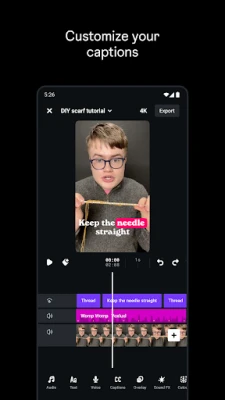
- Layered timeline – Arrange multiple clips, images, and audio tracks on a simple timeline for precise sequencing.
- Adjustable playback speed – Slow down or speed up portions of a video to add dramatic effect.
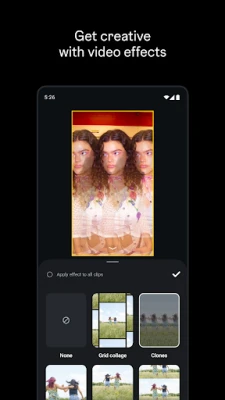
- Filters and visual effects – Apply color presets, lighting adjustments, and simple visual effects to change the look of a clip.
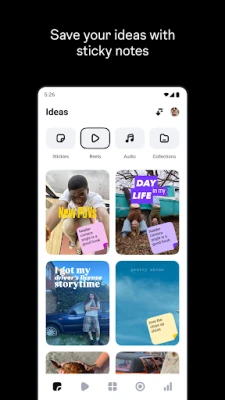
- Text and stickers – Add on‑screen captions, titles, and decorative stickers using a variety of fonts and styles.
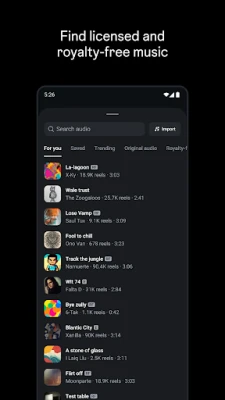
- Audio tools – Insert background music, adjust volume levels, and mute sections of a track.
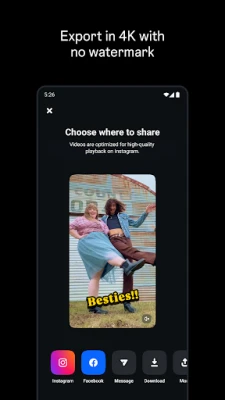
- Export options – Save edited videos to the device gallery or share them directly to Instagram and other platforms.
How it works
After installing Edits, you start a new project by selecting video files from your device’s gallery or recording a new clip within the app. The timeline interface lets you drag and drop clips, trim them by dragging handles, and insert additional media such as images or audio. Each element can be tapped to open a set of editing controls, where you can fine‑tune parameters like brightness, contrast, or speed. When you are satisfied with the result, you choose an export setting and the app renders the final video file.
Practical uses
- Creating short reels or stories for Instagram.
- Preparing tutorial or how‑to videos on the go.
- Compiling travel footage into a quick highlight reel.
- Adding captions or subtitles for accessibility.
Installation information
Edits is available through the Google Play Store. Search for the package name com.instagram.basel or the app title, then tap Install. The download size is not listed, but the app requires typical storage for a video‑editing tool. Once installed, the app will appear in your app drawer and can be launched like any other Android application.
Things to know before installing
- The app is free to download and use, though it may offer optional in‑app purchases for additional assets.
- Because it is developed by Instagram, the app integrates smoothly with Instagram’s sharing workflow.
- Performance depends on device hardware; older phones may experience slower rendering times for longer videos.
Who may find it useful?
Anyone who wants to edit videos directly on an Android phone can benefit from Edits. It is especially handy for Instagram creators, social‑media managers, hobbyist videographers, and students working on short projects.
Frequently asked questions
Is Edits safe to use?
The app is published by Instagram, a well‑known platform, and follows standard Android security practices. As with any app, download it from the official Play Store.
Can I edit videos longer than a few minutes?
The app does not impose a strict length limit, but very long videos may require more processing power and storage.
Do I need an Instagram account to use the editor?
No. The editing tools work independently of any Instagram login, though signing in can simplify sharing.
Rate the App
User Reviews














Popular Apps










 Games
Games Entertainment
 Communication
 E-mail
 Security
 Tools
Tools Media
Media Internet
 Finance
 Design
 Education
 IT Tools
 Travel & Local
 Android
 Windows
 Linux
Linux