

Latest Version
Latest
September 16, 2026
dTelecom
Communication
Android
69
Free
com.dtele
Report a Problem
More About dMeet: Calls, Meetings & Chats – Free Android Communication App
What is dMeet?
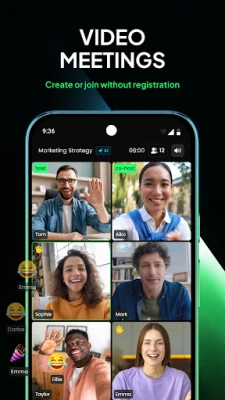
dMeet is a free Android application developed by dTelecom that combines video calling, voice calling, and private messaging in a single interface. It is designed for individuals and small groups who need a straightforward way to hold online meetings, stay in touch, and keep a record of their conversations.
Main features
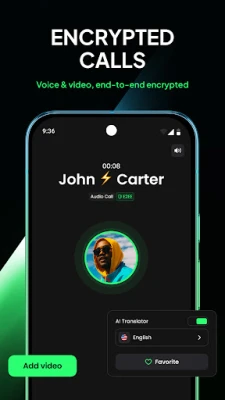
- Video and voice calls – Start one‑to‑one or group calls without additional fees.
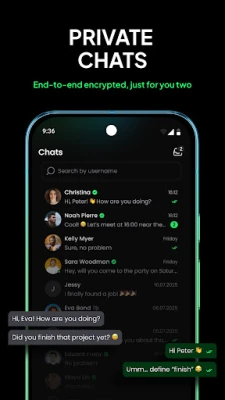
- Private chats – End‑to‑end encrypted text messaging for 1:1 conversations.
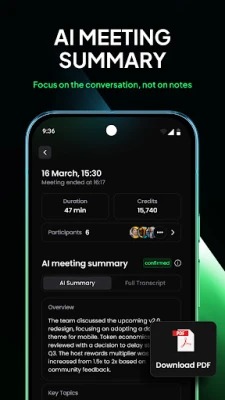
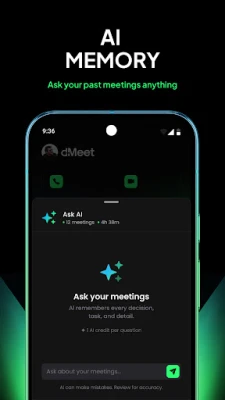
- Meeting summaries – After a call ends, the app can generate a short text recap of the discussion.
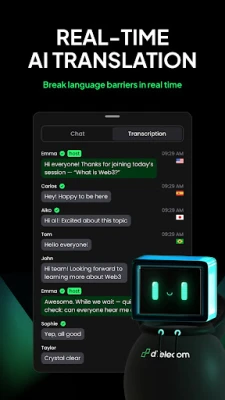
- Real‑time voice translation – Spoken words are transcribed and displayed in multiple languages during a call.
- Screen sharing – Share your screen to present slides, documents or demonstrate software.
- Raise‑hand control – Participants can signal when they want to speak, helping keep larger meetings orderly.
How it works
When you open dMeet, you can create a new meeting or join an existing one by entering a meeting ID or following an invitation link. The app handles the connection through dTelecom’s network, which aims to keep latency low and video quality stable. During a call, you can enable the translation panel to see live subtitles in the language of your choice. After the call, the summary feature extracts key points and makes them searchable for later reference.
Practical uses
dMeet is useful for a range of scenarios:
- Remote work – Teams can hold quick stand‑ups, project reviews or client presentations without needing separate conferencing tools.
- Language‑rich conversations – The translation panel helps participants who speak different languages stay on the same page.
- Personal catch‑ups – Friends and family can start private video chats and keep a text record of shared plans.
Installation information
The app is available as a free download from the Google Play Store. After installing, you will be prompted to grant the usual permissions for camera, microphone and storage, which are required for video, audio and screen‑sharing functions.
Things to know before installing
- Because the app stores meeting summaries and chat history, you should consider the privacy settings that control who can view that information.
- Real‑time translation relies on an internet connection; performance may vary with network speed.
Who may find dMeet useful?
Anyone who needs a lightweight solution for video meetings, especially small teams, freelancers, educators, or families who want a single app for calls and messaging, will benefit from dMeet’s integrated approach.
Frequently asked questions
Is dMeet free to use?
Yes, the application is offered at no cost, and there are no mandatory subscription fees for core calling and messaging features.
Can I host large meetings?
The app supports group calls, but the exact participant limit is not publicly specified. For very large webinars, a dedicated platform may be more appropriate.
How secure are the private chats?
Private messages are end‑to‑end encrypted, meaning only the sender and recipient can read the content.
Rate the App
User Reviews















Popular Apps










 Games
 Entertainment
 Communication
 E-mail
 Security
 Tools
 Media
 Internet
 Finance
 Design
 Education
 Android Firmwares
 Travel & Local
 Android
 Windows
 Linux