

Latest Version
Latest
August 13, 2026
Discord Inc.
Communication
Android
351
Free
com.discord
Report a Problem
More About Discord – Talk, Play, Hang Out
What is Discord?
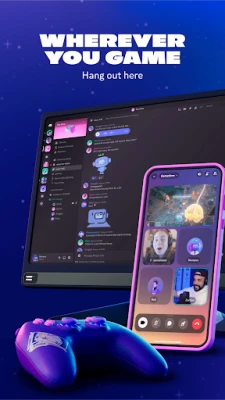
Discord is a communication platform that brings together voice, video and text chat in a single app. It is especially popular among gamers, but its flexible design works for any group that wants to stay connected—whether you’re coordinating a raid, studying with classmates, or simply sharing memes with friends.
Main features
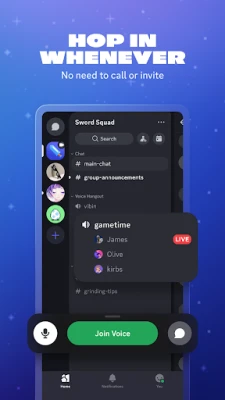
- Servers and channels – Organize conversations into servers (communities) and within them create separate text or voice channels for different topics or games.
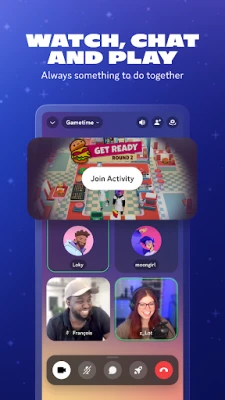
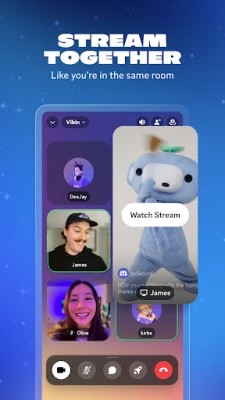
- Voice and video calls – Join low‑latency voice rooms or start video calls with up to 25 participants, making it feel like you’re in the same room.
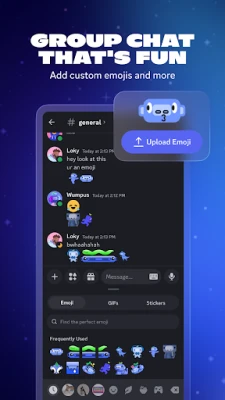
- Custom emojis and stickers – Add personality to messages with custom emojis, stickers and soundboard effects that you or your server members upload.
- Screen sharing – Share your screen during a voice call to show gameplay, walkthroughs, or collaborate on projects.
- Integrated streaming – Stream games or media to a channel with high quality and minimal delay, letting friends watch together.
- Cross‑platform sync – Your account, servers and chat history follow you from Android to PC, console or web, so you never miss a conversation.
How it works
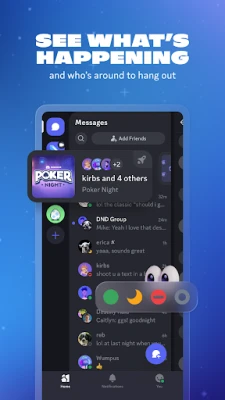
After installing the app, you create a free Discord account or log in with an existing one. From the home screen you can join public servers via invite links or create your own private server for a close‑knit group. Within a server, you add channels for text, voice or video. When you enter a voice channel, the app automatically connects you; you can mute, deafen or adjust volume for each participant. Text channels support rich formatting, file attachments and inline media previews.
Practical uses
- Gaming sessions – Coordinate strategies, chat while playing, and jump into voice channels without leaving the game.
- Study groups – Create separate channels for different subjects, share documents, and use screen sharing for collaborative work.
- Community building – Host events, run polls, and let members post announcements in dedicated channels.
- Casual hangouts – Use video calls or voice rooms to catch up with friends, watch movies together, or listen to music synchronously.
Installation information
The app is available for free on the Google Play Store. Simply search for "Discord – Talk, Play, Hang Out" and tap Install. The download size varies with device and network conditions; the Play Store will show the exact size before you begin.
Things to know before installing
- Discord requires an internet connection for real‑time communication.
- The app stores data such as messages, voice logs and media locally; you can clear cache in Android settings if storage becomes an issue.
- Account creation needs an email address or phone number for verification.
Who may find Discord useful?
Anyone who wants a reliable, feature‑rich chat solution can benefit from Discord. It is particularly well‑suited for gamers, content creators, hobby clubs, study groups, and remote teams that need both synchronous and asynchronous communication.
Frequently asked questions
Is Discord free to use?
Yes, the core app and most features are free. Optional subscription tiers exist for additional perks, but they are not required for basic communication.
Can I use Discord without a phone number?
Yes, you can register with an email address. A phone number is only needed for account recovery or additional verification.
Does Discord work on low‑end devices?
The app runs on a wide range of Android devices. Performance may vary, but voice and text functions are generally usable on modest hardware.
How do I protect my privacy?
Discord offers privacy settings that let you control who can send you friend requests, join your servers, or view your profile. Review the Settings → Privacy & Safety section to adjust these options.
Rate the App
User Reviews















Popular Apps










 Games
Games Entertainment
 Communication
 E-mail
 Security
 Tools
Tools Media
Media Internet
 Finance
 Design
 Education
 Android Firmwares
 Travel & Local
 Android
 Windows
 Linux
Linux