


Latest Version
September 05, 2026
Arkhitek
Communication
Android
27
Free
com.babg.dialx
Report a Problem
More About DialX – Fast Phone Dialer & Contacts Manager
What is DialX?
DialX is a free Android application that replaces the default phone app with a streamlined dialer and contacts manager. It focuses on speed, simplicity, and visual clarity, giving you quick access to calls and address‑book entries without unnecessary clutter.
Main features
- T9 contact search – Type a name or number on the keypad and the app instantly filters matching contacts.
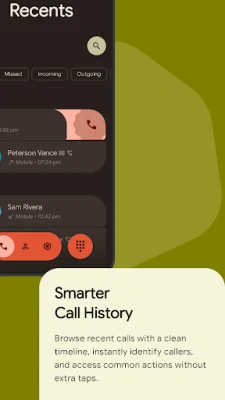
- Call history overview – A tidy log shows incoming, outgoing and missed calls, with one‑tap redial.
- Contact management – Create, edit, and delete contacts directly from the app; favorite contacts appear at the top for fast dialing.
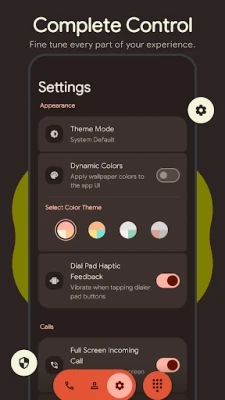
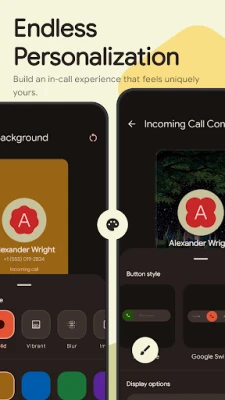
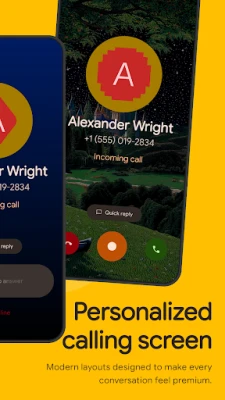
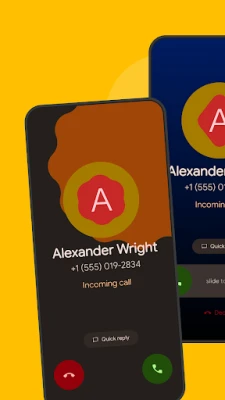
- Customizable call screen – Choose from built‑in themes and button styles to give incoming calls a personal look.
- Lightweight performance – Optimized for quick startup and smooth scrolling, even with large address books.
How it works
When you open DialX, the main screen presents a numeric keypad. As you type, the T9 algorithm matches the input against stored contacts, displaying possible matches below the keypad. Selecting a result initiates a call immediately. The app also provides shortcuts to the full contact list, recent calls, and settings for personalization.
Practical uses
- Quickly dial a contact when you’re on the go, without navigating through multiple menus.
- Keep an organized call log that separates missed calls from answered ones.
- Personalize the incoming call screen to match your visual preferences.
- Use the favorite list for one‑tap access to frequently called numbers.
Installation information
DialX is distributed as a free APK. After downloading, enable installation from unknown sources if required, then follow the standard Android installation prompts. Once installed, you can set DialX as the default phone app in the system settings.
Compatibility
The app is built for Android devices that support the standard phone and contacts APIs. It does not require a specific Android version beyond the baseline that allows third‑party dialer apps.
Things to know before installing
- DialX replaces the default dialer only after you set it as the preferred phone app.
- The app does not include messaging capabilities; it focuses solely on calling and contact handling.
- All data (contacts, call logs) remain stored on the device; the app does not sync to external services.
Who may find DialX useful?
Anyone who prefers a minimalist dialing experience will benefit from DialX. It is especially handy for users with large contact lists who need fast, predictive search, as well as for those who enjoy customizing the look of their incoming call screen.
Frequently asked questions
Can I use DialX alongside my existing phone app?
Yes. You can keep the original app installed and switch between them in the default app settings.
Does DialX block spam calls?
The current version focuses on dialing and contact management; call‑blocking features are not included.
Will my contacts be safe?
DialX reads contacts from the device’s address book and does not transmit them elsewhere. Deleting a contact from DialX removes it from the system address book.
Rate the App
User Reviews















Popular Apps










 Games
Games Entertainment
 Communication
 E-mail
 Security
 Tools
Tools Media
Media Internet
 Finance
 Design
 Education
 Android Firmwares
 Travel & Local
 Android
 Windows
 Linux
Linux