

Latest Version
Latest
September 05, 2026
Scoopz LLC
Media
Android
11
Free
com.newsbreak.crimeradar
Report a Problem
More About CrimeRadar: Dispatch Alerts – Real‑time Public‑Safety Updates
What is CrimeRadar: Dispatch Alerts?
CrimeRadar is a free Android app that brings live public‑safety information to your device. By tapping into publicly available first‑responder radio feeds, it provides real‑time alerts about incidents such as police callouts, traffic accidents, fires, and other emergencies happening in your vicinity.
Main Features
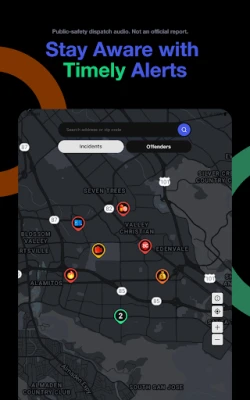
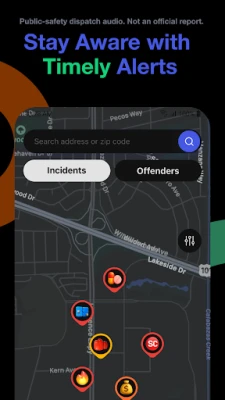
- Live Dispatch Alerts – Receive push notifications when a relevant incident is reported nearby.
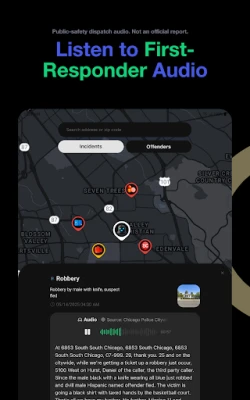
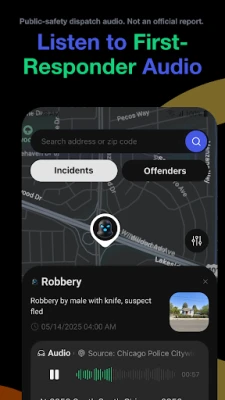
- Interactive Map – View recent dispatches plotted on a map, giving you a visual sense of activity around you.
- Audio Playback – Tap an event to listen to the original radio transmission for context.
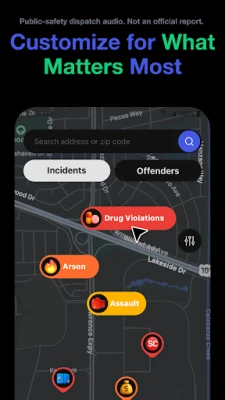
- Customizable Filters – Choose which types of incidents you want to see in alerts and on the map.
- Incident Log – Keep a short history of recent events for reference.
How It Works
The app connects to publicly streamed first‑responder radio channels. When a new transmission is detected, the audio is processed and a brief summary is generated. This summary, together with location data derived from the broadcast, is used to create a notification and a map marker. Users can adjust filter settings to focus on specific categories, such as traffic incidents or fire alerts.
Practical Uses
CrimeRadar can be helpful in several everyday scenarios:
- Commuting – Get early warnings about road closures or accidents that could affect your route.
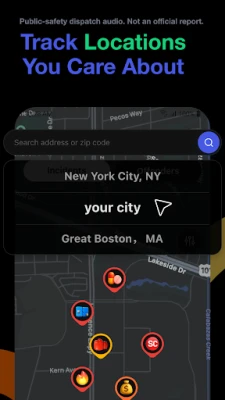
- Neighborhood Awareness – Stay informed about police activity or emergencies near your home.
- Event Planning – Check for nearby incidents that might impact outdoor gatherings or travel plans.
Installation Information
Download the app from the Google Play Store and follow the standard installation prompts. After granting the necessary permissions for location and notifications, you can start receiving alerts immediately.
Things to Know Before Installing
- The app relies on live radio streams; coverage may vary depending on your region.
- Location services must be enabled for map features and proximity‑based alerts.
- Audio playback uses the device’s speaker or headphones; ensure volume is set appropriately.
Who May Find It Useful?
Anyone who wants to stay aware of local safety conditions can benefit from CrimeRadar. This includes daily commuters, residents of busy urban areas, community volunteers, and anyone who prefers to have real‑time information about nearby emergencies.
Frequently Asked Questions
Do I need a special radio receiver?
No. The app accesses publicly available online streams, so a standard internet connection is sufficient.
Can I limit alerts to specific types of incidents?
Yes. The filter settings let you select categories such as police, fire, or traffic, tailoring alerts to your interests.
Is my personal data collected?
The app uses location data only to determine proximity to incidents. It does not collect personal identifiers beyond what is required for basic functionality.
Will the app work offline?
Live alerts and map updates require an internet connection. Previously cached map data may be viewable offline, but new alerts will not be received.
Rate the App
User Reviews















Popular Apps










 Games
Games Entertainment
 Communication
 E-mail
 Security
 Tools
Tools Media
Media Internet
 Finance
 Design
 Education
 IT Tools
 Travel & Local
 Android
 Windows
 Linux
Linux