

Latest Version
Latest
August 23, 2026
CoverMe Secure Messenger Inc.
Communication
Android
109
Free
ws.coverme.im
Report a Problem
More About CoverMe – Second Phone Number for Private Calls & Texts
What is CoverMe?
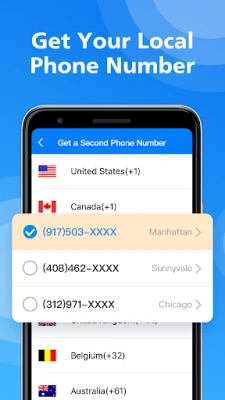
CoverMe is a free Android application that creates a virtual phone number you can use alongside your regular mobile line. The extra number works for sending and receiving SMS messages and making voice calls, giving you a way to keep personal, business, or dating communications separate from your primary contact details.
Main Features
- Virtual phone number – Obtain a US or Canadian number that appears in the same dialer interface as your regular line.
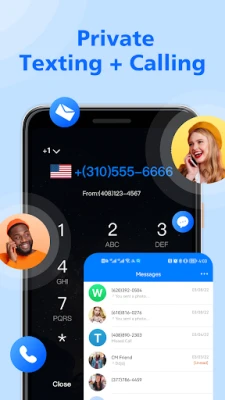
- Private messaging – Send text messages from the virtual number without exposing your real phone number.
- Secure calling – Place voice calls using the second line, keeping call logs distinct from your main carrier records.
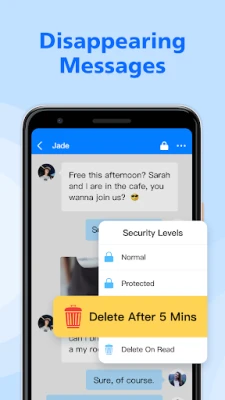
- Message control – Options to delete or recall messages after they have been read.
- Basic encryption – Communications are transmitted using standard encryption protocols to protect data in transit.
How It Works
After installing CoverMe, the app guides you through the process of selecting a virtual number from the available area codes. Once the number is assigned, it integrates with your device’s messaging and phone apps, allowing you to choose which line to use for each interaction. The app routes calls and texts over the internet, so you do not need a separate SIM card.
Practical Uses
- Keep your personal number private when posting ads or listings online.
- Maintain a separate line for business contacts without buying an additional device.
- Use a disposable number for short‑term projects, dating, or travel.
- Protect sensitive conversations by keeping them off your carrier’s billing statements.
Installation Information
CoverMe is distributed as a free download from the Google Play Store. The installation process follows the standard Android app installation steps: tap “Install,” grant the requested permissions (such as access to contacts and phone), and launch the app to complete the setup.
Things to Know Before Installing
- The app requires an internet connection (Wi‑Fi or mobile data) to register the virtual number and to route calls and messages.
- Standard carrier rates may apply for data usage.
- Some features, such as obtaining a specific area code, may be limited by regional availability.
Who May Find CoverMe Useful?
Anyone who wants to separate different aspects of their communication can benefit from CoverMe. This includes freelancers managing client contacts, individuals who prefer not to share their personal number on social platforms, and users who need a temporary line for short‑term projects.
Frequently Asked Questions
Do I need a second SIM card?
No. CoverMe provides a virtual number that works over data, so a single physical SIM is sufficient.
Is my data safe?
The app uses standard encryption for data in transit, which helps protect messages and calls from casual interception.
Can I change the virtual number?
Yes, the app allows you to request a new number if you need to replace the current one.
Will my carrier see the calls made through CoverMe?
Calls are routed over the internet, so they do not appear on your carrier’s call log or billing statements.
Rate the App
User Reviews















Popular Apps










 Games
 Entertainment
 Communication
 E-mail
 Security
 Tools
 Media
 Internet
 Finance
 Design
 Education
 Android Firmwares
 Travel & Local
 Android
 Windows
 Linux