

Latest Version
September 11, 2026
Axora Apps
Communication
Android
9
Free
com.smart.dialer.contacts
Report a Problem
More About Contacts – Phone Dialer & Home by Axora Apps
What is Contacts – Phone Dialer & Home?
Contacts – Phone Dialer & Home is a free Android utility from Axora Apps that combines a basic phone dialer with a simple contacts manager. It is designed for users who prefer a straightforward, fast‑acting interface for everyday calling and contact organization.
Main features
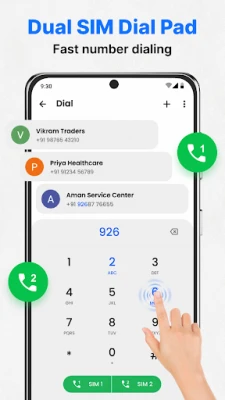
- Quick dialing – A responsive numeric keypad lets you place calls with just a few taps.
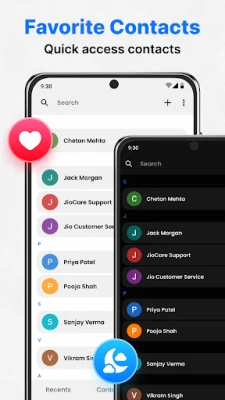
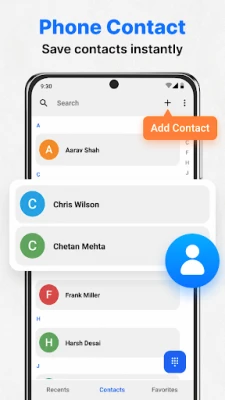
- Smart contact search – Type any part of a name or number to locate a contact instantly.
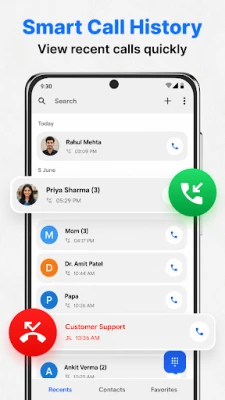
- Call log overview – View incoming, outgoing, and missed calls in a chronological list.
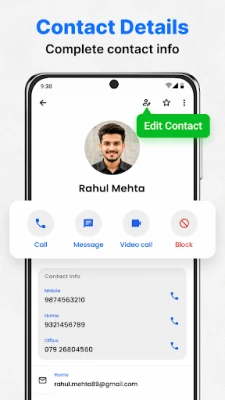
- Contact editing – Add new entries, edit existing details, or delete contacts directly from the app.
- After‑call actions – When a call ends, the screen offers shortcuts to call back, send a message, or view the contact’s details.
How it works
When you open the app, the main screen presents a dialer keypad at the bottom and a search bar at the top. Typing in the search field filters your address book in real time, allowing you to tap a result to call or view more information. The recent‑calls section is accessible from a dedicated tab, where each entry shows the caller’s name (if saved), the number, and the call direction.
Practical uses
- Fast access to frequently called numbers without navigating through the system dialer.
- Keeping a clean, searchable contact list on devices with limited storage.
- Reviewing missed calls quickly and redialing with a single tap.
Installation information
The app can be installed from the standard Android app marketplace. After installation, it requests permission to read and write contacts as well as access the phone’s call log – permissions required for its core functions.
Things to know before installing
- It does not replace the system dialer; it works alongside it.
- All data (contacts, call logs) remains on the device unless you choose to back up manually.
- The app’s size and minimum Android version are not listed, so ensure your device has sufficient free space and runs a recent Android release.
Who may find it useful?
Anyone who wants a minimalistic alternative to the default phone app, especially users with older devices or those who prefer a single screen for dialing and contact management, will benefit from Contacts – Phone Dialer & Home.
Frequently asked questions
Can I set this app as my default dialer?
Yes. Android allows you to choose a preferred dialer in system settings; selecting Contacts – Phone Dialer & Home will route outgoing calls through it.
Does the app sync contacts with cloud services?
No automatic cloud sync is built in. It works with the contacts stored on the device.
Is there a way to export my contacts from the app?
You can use the standard Android export function from the device’s contacts settings; the app does not provide its own export tool.
Rate the App
User Reviews
Other Apps in This Category










Popular Apps










 Games
Games Entertainment
 Communication
 E-mail
 Security
 Tools
Tools Media
Media Internet
 Finance
 Design
 Education
 IT Tools
 Travel & Local
 Android
 Windows
 Linux
Linux