

Latest Version
September 08, 2026
FinJioo Apps
Communication
Android
37
Free
phone.dialer.contacts.dialer
Report a Problem
More About Contacts – Phone Dialer & Home by FinJioo Apps
What is Contacts – Phone Dialer & Home?
Contacts – Phone Dialer & Home is a free Android utility from FinJioo Apps that combines a traditional phone dialer with a simple contacts manager. It is designed for users who prefer a straightforward, offline experience for making calls and keeping their address book organized.
Main features
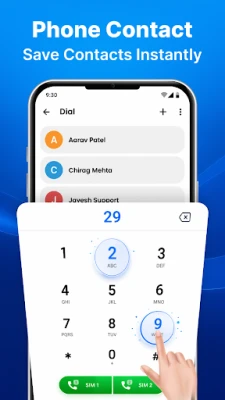
- Fast dialing: A responsive numeric keypad lets you place calls with minimal taps.
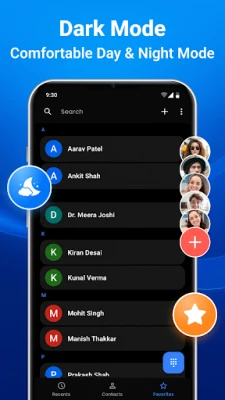
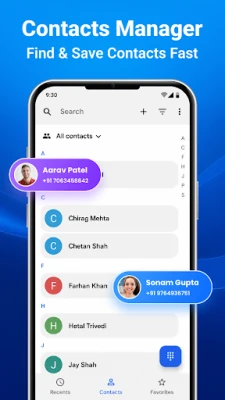
- Contact list integration: All contacts stored on your device appear in an easy‑to‑browse list.
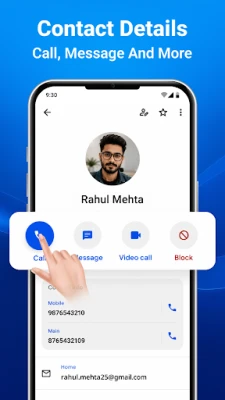
- Favorites: Mark frequently called numbers as favorites for one‑tap access.
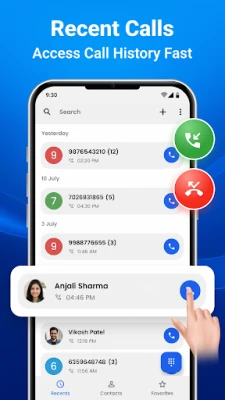
- Call history: View recent inbound and outbound calls directly within the app.
- Offline operation: The app works entirely on the device, requiring no internet connection.
- Privacy‑focused: No data is sent to external servers; your contacts and call logs stay on your phone.
How it works
When you open the app, the main screen presents a dial pad at the bottom and a scrollable list of contacts above it. Tapping a number or a contact initiates a call using the device’s native telephony service. After a call ends, the entry is automatically added to the local call log, which you can review at any time. You can also long‑press a contact to add it to the favorites bar for quicker access.
Practical uses
- Quickly reach family or work contacts without navigating through the default phone app.
- Maintain a clean, uncluttered call history that only shows the calls you want to keep.
- Use the app on devices with limited or no data connectivity, such as during travel.
- Keep personal information private by avoiding apps that sync contacts to the cloud.
Installation information
The application is distributed as a free download. Install it like any other APK: download the file, allow installations from unknown sources if required, and follow the on‑screen prompts. Once installed, you can set it as the default dialer in the Android system settings for seamless integration.
Things to know before installing
- The app does not require an internet connection, but it also does not provide cloud backup for contacts.
- All data remains on the device, so regular manual backups are recommended if you need to preserve contacts.
- Because the app focuses on core dialing functions, advanced features such as call recording or visual voicemail are not included.
Who may find it useful?
Anyone who values speed, simplicity, and privacy in a phone‑calling tool. It is especially handy for users with older devices, limited data plans, or those who prefer to keep their contact information offline.
Frequently asked questions
Can I import contacts from another app?
Yes. The app reads the contacts stored in the device’s standard contacts database, so any contacts you have added elsewhere will appear automatically.
Does the app support multiple SIM cards?
If your device has multiple SIM slots, you can choose which SIM to use for each call from the dialer interface.
Is there any advertising?
The app is free and does not display intrusive ads, but occasional non‑intrusive promotions may appear as part of the free model.
Rate the App
User Reviews















Popular Apps










 Games
Games Entertainment
 Communication
 E-mail
 Security
 Tools
Tools Media
Media Internet
 Finance
 Design
 Education
 Android Firmwares
 Travel & Local
 Android
 Windows
 Linux
Linux