

Latest Version
September 07, 2026
Messages App Evolution
Communication
Android
39
Free
com.contacts.phone.dialer.call.phonecall
Report a Problem
More About Contacts – Calls & Phone Dialer
What is Contacts – Calls & Phone Dialer?
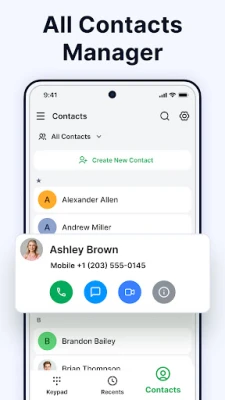
Contacts – Calls & Phone Dialer is a free Android utility that brings together the essential functions of a phone dialer and a contact manager. Developed by Messages App Evolution, the app offers a single place to dial numbers, view recent calls and keep your address book tidy.
Main features
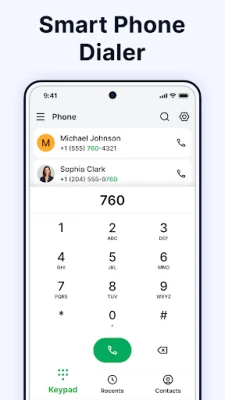
- Simple dialer – A minimalistic keypad that lets you enter numbers quickly and start a call with one tap.
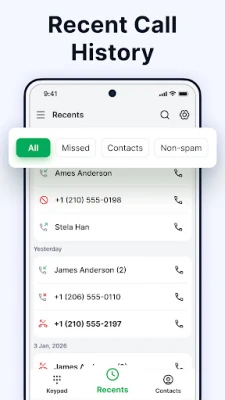
- Call log – A chronological list of incoming, outgoing and missed calls, with the ability to clear entries you no longer need.
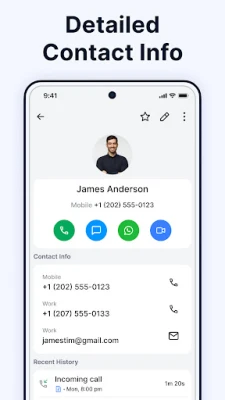
- Contact management – Create new contacts, edit existing ones, add notes or labels, and merge duplicate entries.
- Speed dial – Assign frequently called numbers to a shortcut for instant dialing.
- Number blocking – Add unwanted numbers to a block list directly from the dialer or call log.
- Quick response – Send a short predefined message when you cannot answer a call.
How it works
When you open the app, the dialer screen appears by default. Enter a number or select a contact from the list to start a call. After the call ends, the entry is automatically added to the call log, where you can filter by type (missed, incoming, outgoing) or delete items. The contacts section lets you add new entries manually or import them from the device’s existing address book. All changes are saved locally on your phone.
Practical uses
- Keep personal and professional numbers separate by using labels or favorite markers.
- Reduce interruptions by blocking spam or unknown callers.
- Speed up routine calls with the speed‑dial feature.
- Respond quickly to missed calls with a pre‑written quick response.
Installation information
The app is available as a free download from the Appitika store. Installation follows the standard Android process: tap “Install,” grant the requested permissions (such as phone and contacts access), and the app will appear in your app drawer.
Things to know before installing
- The app requires permission to read and write contacts and to place phone calls. These permissions are necessary for core functionality.
- It does not include advertising or in‑app purchases, keeping the experience straightforward.
Who may find it useful?
Anyone who prefers a lightweight, all‑in‑one solution for dialing and contact organization will benefit. The clean interface appeals to users who want a distraction‑free experience, while the blocking and quick‑response tools help those who receive frequent calls from unknown numbers.
Frequently asked questions
Can I import contacts from another device?
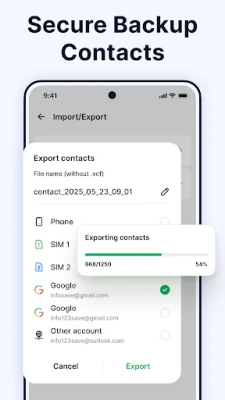
Yes. The app can read contacts already stored on your phone, allowing you to manage them without creating duplicates.
Is there a dark mode?
The interface adapts to the system’s theme setting, offering a dark appearance when your device is set to dark mode.
How do I delete a call log entry?
Open the call log, long‑press the entry you wish to remove, and confirm the deletion.
Rate the App
User Reviews















Popular Apps










 Games
Games Entertainment
 Communication
 E-mail
 Security
 Tools
Tools Media
Media Internet
 Finance
 Design
 Education
 Android Firmwares
 Travel & Local
 Android
 Windows
 Linux
Linux