

Latest Version
Latest
September 08, 2026
Second Chance App LLC
Communication
Android
39
Free
com.itech.secondchance
Report a Problem
More About Connect Social – Turn Real‑World Encounters into Digital Connections
What is Connect Social?
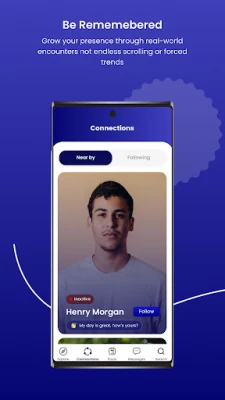
Connect Social is a free Android app developed by Second Chance App LLC that focuses on bridging the gap between offline interactions and online networking. Instead of relying solely on feeds and hashtags, the app uses proximity alerts to let you know when someone using the same service is nearby, giving you the chance to view their profile and start a conversation.
Main Features
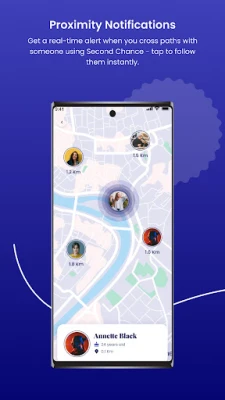
- Proximity notifications – Receive a discreet alert when you cross paths with another Connect Social user.
- Instant profile view – Tap the notification to see a concise profile and decide whether to follow.
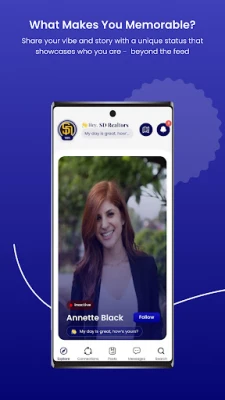
- Status sharing – Add a short, personal status that appears alongside your profile, helping others understand what you’re about at a glance.
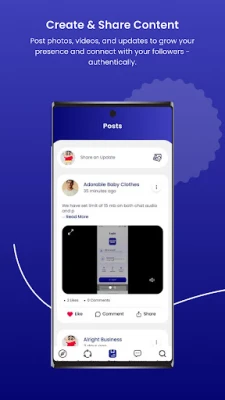
- Content publishing – Post photos, short videos, or text updates to keep your followers informed about your activities.
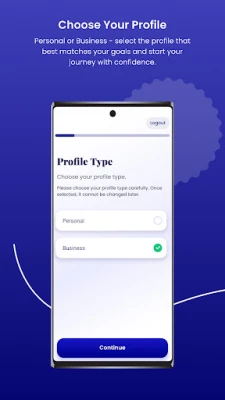
- Business presence – Create a dedicated business profile so nearby customers can discover your shop, café, studio, or any other venue.
How It Works
After installing Connect Social, you create a basic profile and enable location services. The app runs a background process that monitors Bluetooth Low Energy (BLE) signals and, where permitted, GPS data to detect other users in the vicinity who have also opted in. When a match is found, a subtle vibration or visual cue appears, allowing you to open the app and view the other person’s public profile. You can then follow them, send a message, or simply note the encounter for future reference.
Practical Uses
Connect Social is useful in a variety of everyday scenarios:
- Networking events – Quickly exchange digital contacts without swapping business cards.
- Local businesses – Attract foot traffic by letting nearby users discover your storefront instantly.
- Social gatherings – Find friends or acquaintances you didn’t expect to meet at a conference, festival, or meetup.
- Content creators – Build a local audience by sharing updates that appear to people in the same area.
Who May Find It Useful?
The app is designed for anyone who values face‑to‑face interaction but wants a seamless way to continue the conversation online. This includes entrepreneurs, freelancers, event organizers, small‑business owners, and social‑savvy individuals who enjoy meeting new people in their community.
Installation Information
Connect Social is available for free on the Google Play Store. To install, simply search for the app name, tap Install, and grant the requested permissions during setup. The app requires location access to function properly; without it, proximity alerts will not be generated.
Things to Know Before Installing
- Location services must be enabled for proximity features.
- The app respects user privacy; you control what information appears on your public profile.
- Battery usage is modest, but continuous location tracking may affect endurance on older devices.
Frequently Asked Questions
Is my location shared with other users?
No. The app only uses location data to detect nearby devices and does not broadcast your exact coordinates.
Can I use Connect Social without a business profile?
Yes. The business profile is optional and intended for users who want to promote a physical venue.
What happens if I turn off notifications?
You will no longer receive proximity alerts, but you can still browse and post content manually.
Rate the App
User Reviews















Popular Apps










 Games
Games Entertainment
 Communication
 E-mail
 Security
 Tools
Tools Media
Media Internet
 Finance
 Design
 Education
 Android Firmwares
 Travel & Local
 Android
 Windows
 Linux
Linux