


Latest Version
Latest
September 17, 2026
PerplexityAI
Communication
Android
5
Free
ai.perplexity.comet
Report a Problem
More About Comet: AI Browser & Assistant – Intelligent Browsing on Android
What is Comet?
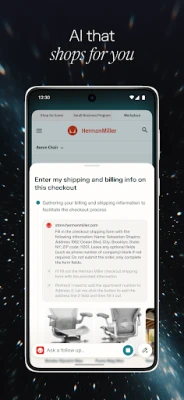
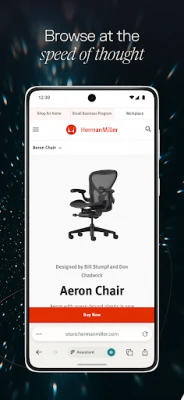
Comet is a mobile web browser that integrates an AI‑driven assistant directly into the browsing experience. Developed by PerplexityAI, the app aims to make everyday web tasks faster by letting users ask natural‑language questions, get concise answers, and perform actions without switching between separate tools.
Main features
- AI‑assisted browsing – A built‑in assistant can answer queries, fetch information, and suggest actions while you surf the web.
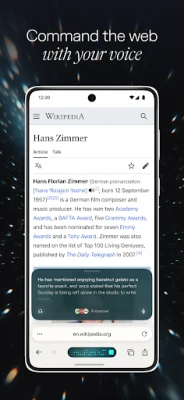
- Voice interaction – Speak to the assistant to retrieve information across open tabs, making hands‑free browsing possible.
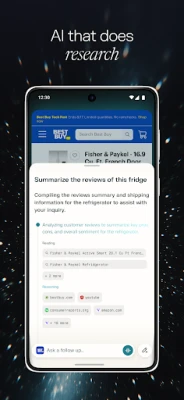
- Cross‑tab summarization – The assistant can synthesize content from multiple pages and provide a short summary, helping you grasp the gist without reading each page in full.
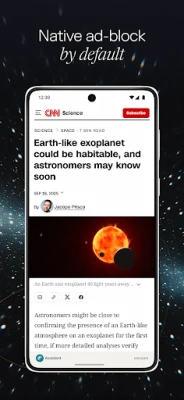
- Ad‑blocking – An integrated blocker reduces intrusive ads and pop‑ups, improving page load speed and readability.
How it works
When you open a web page, a small AI icon appears in the toolbar. Tapping the icon opens a chat‑style interface where you can type or speak a question. The assistant processes the request using the same language model that powers Perplexity’s web service, then returns an answer that may include links, snippets, or suggested actions. If the answer involves information from other tabs, the assistant automatically pulls relevant data and can generate a combined summary.
Practical uses
- Research made simple – Open several sources, ask the assistant to compare them, and receive a concise overview.
- Quick fact‑checking – While reading an article, ask the assistant to verify a statistic without opening a new search page.
- Hands‑free browsing – Use voice mode to navigate, search, or request summaries while multitasking.
- Cleaner reading experience – Enable the ad blocker to remove distractions and focus on the content you need.
Who may find it useful?
Students, professionals, and casual users who spend time online and want a faster way to gather information will benefit from Comet. The voice‑enabled assistant is especially handy for users who prefer speaking to typing, while the summarization feature appeals to anyone looking to save time when reviewing multiple sources.
Things to know before installing
- The app is offered free of charge by PerplexityAI.
- Because the assistant relies on cloud‑based language models, an internet connection is required for most queries.
- Standard Android permissions for browsing and network access apply.
Frequently asked questions
Is an account required?
Comet does not mandate a separate account; the assistant works directly within the app using the device’s network connection.
Can I use the assistant offline?
Core browsing functions work offline, but AI‑driven answers and summarizations need an active internet connection.
How does the ad blocker affect site functionality?
The blocker targets common ad scripts and pop‑ups. Most sites load normally, but if a page relies heavily on ads for content, you can whitelist that site in the settings.
Rate the App
User Reviews















Popular Apps










 Games
Games Entertainment
 Communication
 E-mail
 Security
 Tools
Tools Media
Media Internet
 Finance
 Design
 Education
 IT Tools
 Travel & Local
 Android
 Windows
 Linux
Linux