


Latest Version
Latest
September 05, 2026
Color App Group
Communication
Android
24
Free
com.messages.color.messenger.sms
Report a Problem
More About Color Messenger: Messages, SMS – Free Messaging App
What is Color Messenger?
Color Messenger is a free Android messaging client that handles standard SMS and MMS traffic. It replaces the default texting app with a more visual experience, offering themes, custom bubbles, and a range of personalization options while keeping core messaging functions familiar.
Main Features
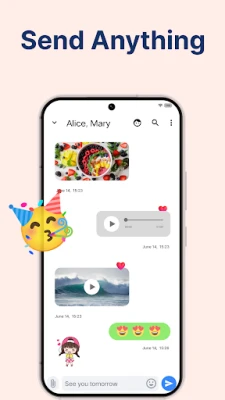
- Full SMS & MMS support – Send and receive text messages, pictures, videos, and audio clips without needing a separate data‑based chat service.
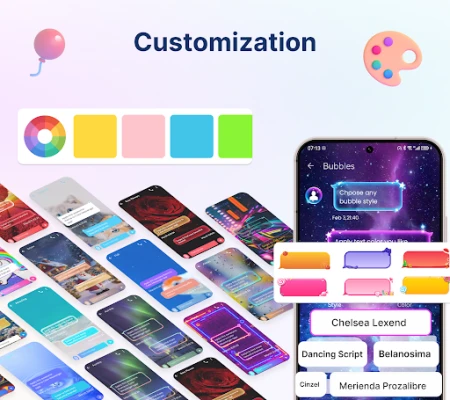
- Customization – Choose from different color themes, wallpapers, bubble styles, and fonts to match your personal taste.
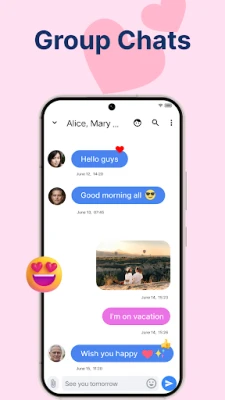
- Group messaging – Create group chats for multiple recipients, making it easy to coordinate plans or share updates.
- Media sharing – Attach photos, videos, and audio files directly from your device.
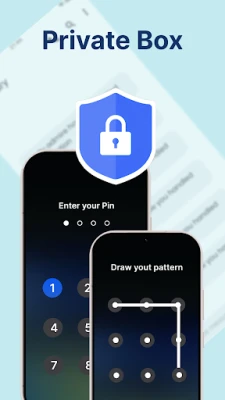
- Basic privacy – Hide selected conversations behind a password, fingerprint, or face lock.
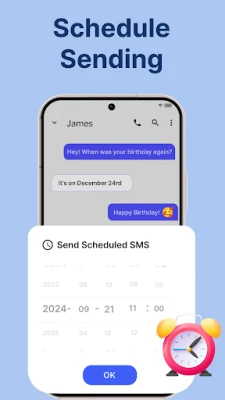
- Message management – Copy, forward, and delete messages, with an optional backup and restore option for SMS/MMS history.
How It Works
After installation, Color Messenger registers as the default SMS app. It then intercepts incoming texts and displays them in its own interface. Outgoing messages are sent through your carrier’s SMS service, so delivery depends on your mobile network, not on the app itself. The app stores any custom settings locally, and optional backups can be saved to your device storage.
Practical Uses
- Personalizing your texting experience without changing how messages are sent.
- Keeping a private box for sensitive conversations while still using regular SMS.
- Managing group conversations with a clearer visual layout.
- Backing up important SMS/MMS threads before switching phones.
Installation Information
Download the APK from a trusted source, then follow the standard Android installation steps: enable installation from unknown sources (if required), tap the downloaded file, and grant the necessary permissions for SMS handling and storage. Once installed, you can set Color Messenger as the default messaging app in the system settings.
Things to Know Before Installing
- The app works with any carrier that supports standard SMS/MMS.
- All messages are still routed through your mobile network, so standard carrier charges apply.
- Customization settings are stored locally; changing devices will require re‑configuring themes.
- Backup and restore functions rely on local storage; no cloud sync is provided.
Who May Find It Useful?
Anyone who prefers a more colorful and personalized texting interface while staying within the SMS ecosystem. It is especially handy for users who want a private box for selected chats without switching to a separate messenger platform.
Frequently Asked Questions
Does Color Messenger require an internet connection?
No. Sending and receiving SMS/MMS uses your carrier’s network. Internet is only needed for optional features like downloading themes.
Can I use Color Messenger alongside another messaging app?
Yes. You can switch the default SMS app in settings at any time, allowing you to keep multiple messaging clients installed.
Is there a limit to how many messages I can send?
The app does not impose its own limits; any restrictions come from your carrier’s plan.
How secure is the private box?
The private box is protected by the lock method you choose (password, fingerprint, or face). It stores messages locally and does not transmit them elsewhere.
Rate the App
User Reviews















Popular Apps










 Games
Games Entertainment
 Communication
 E-mail
 Security
 Tools
Tools Media
Media Internet
 Finance
 Design
 Education
 Android Firmwares
 Travel & Local
 Android
 Windows
 Linux
Linux