

Latest Version
Latest
September 15, 2026
Color App Tech
Communication
Android
11
Free
com.messages.color.sms.messenger
Report a Problem
More About Color Messages: SMS & Messenger – Free Customizable Chat App
What is Color Messages?
Color Messages is a free Android messaging client that focuses on giving users control over the appearance and behavior of their text conversations. Built by Color App Tech, the app works with the standard SMS and MMS protocols, so you can communicate with any phone number without needing an internet connection.
Main Features
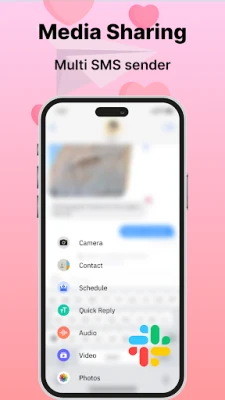
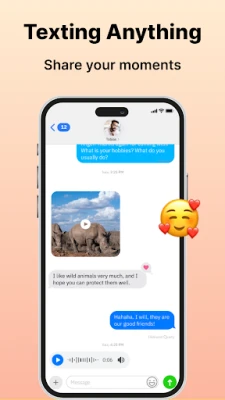
- Full SMS/MMS support – Send and receive plain text, photos, videos, audio clips, and documents through the carrier network.
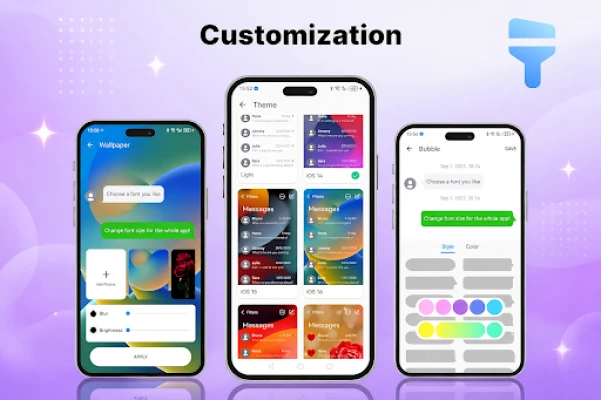
- Personalized interface – Choose from a range of themes, adjust chat bubble colors, set custom fonts, and apply wallpapers to make the chat screen reflect your style.
- Message scheduling – Draft a text and set a future delivery time, handy for birthdays, reminders, or timed notifications.
- Spam filtering – Create a blacklist or use built‑in detection to keep unwanted messages out of your inbox.
- Private conversations – Hide selected chats behind a password or biometric lock, adding an extra layer of privacy.
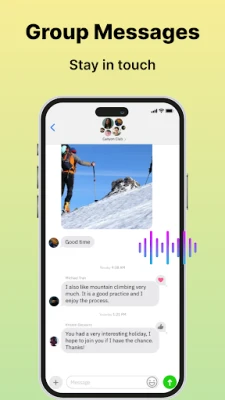
- Group chat management – Start and maintain group conversations, add or remove participants, and view group details.
- Delivery status – View sent, delivered, and read indicators where supported by the carrier.
How It Works
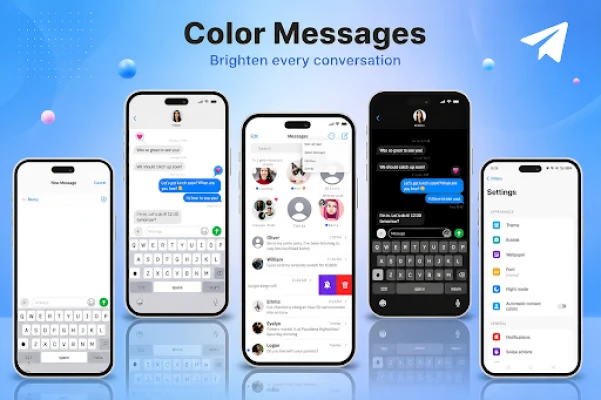
After installing the app, it becomes the default SMS handler if you choose. The interface presents a familiar inbox view, with each thread showing the most recent message and a preview of the contact’s name or number. Tapping a thread opens the conversation where you can type a new message, attach media, or use the emoji/GIF picker. Settings are accessed via a gear icon, where you can enable themes, configure spam rules, set up scheduled messages, and protect private chats.
Practical Uses
- Keep personal and work messages separate by applying distinct themes.
- Schedule reminders for appointments or bill payments without a separate calendar app.
- Block promotional texts from unknown numbers to reduce clutter.
- Secure sensitive conversations with a hidden chat box.
Installation Information
The app is available for free on the Google Play Store. Search for the package name com.messages.color.sms.messenger or the title "Color Messages: SMS, Messenger" to locate it. Installation follows the standard Android process: tap Install, grant the required permissions for sending and receiving SMS, and optionally set the app as the default messaging application.
Things to Know Before Installing
- The app requires permission to read, send, and receive SMS messages; these are standard for any SMS client.
- Customization options may consume additional storage for theme assets.
- Scheduled messages are stored locally; the device must be powered on at the scheduled time for delivery.
Who May Find It Useful?
Anyone who prefers a more visual and organized texting experience will benefit from Color Messages. It is especially appealing to users who enjoy customizing their phone’s look, need basic spam protection, or want to schedule texts without using third‑party reminder apps.
Frequently Asked Questions
Do I need an internet connection to use Color Messages?
No. The app works with the carrier’s SMS/MMS service, so it functions without data or Wi‑Fi.
Can I use the app for group chats?
Yes. You can create group conversations, add participants, and manage the group from within the chat screen.
Is there a way to hide certain conversations?
Color Messages includes a private box feature that lets you lock selected chats with a PIN, pattern, or biometric authentication.
How does the spam blocker work?
You can add numbers to a blacklist or enable automatic detection, which moves suspected spam messages to a separate folder.
Rate the App
User Reviews















Popular Apps










 Games
Games Entertainment
 Communication
 E-mail
 Security
 Tools
Tools Media
Media Internet
 Finance
 Design
 Education
 IT Tools
 Travel & Local
 Android
 Windows
 Linux
Linux