

Latest Version
Latest
September 17, 2026
Acrobits, s.r.o.
Communication
Android
9
Free
cz.acrobits.softphone.cloudphone
Report a Problem
More About Cloud Softphone – Free VoIP Client by Acrobits
What is Cloud Softphone?
Cloud Softphone is a mobile VoIP client developed by Acrobits, s.r.o. It enables users to make and receive voice calls over the internet using credentials supplied by a VoIP service provider or a private branch exchange (PBX). The app is offered free of charge and focuses on a balance between ease of configuration and flexibility for advanced users.
Main features
- Simple onboarding – The app supports QR‑code scanning for quick provisioning of account details.
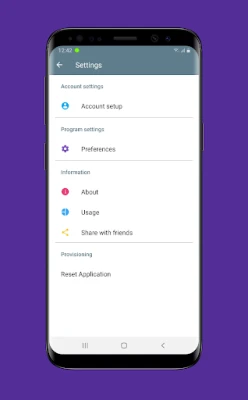
- Customizable interface – Users can adjust call handling preferences, ringtone selections, and display options.
- Secure signaling – Cloud Softphone works with standard SIP protocols and can be paired with TLS encryption when the provider supports it.
- Background operation – Calls can be received even when the app runs in the background, ensuring you stay reachable.
- Call quality controls – Options to enable echo cancellation, noise reduction, and codec selection help optimize audio performance.
How it works
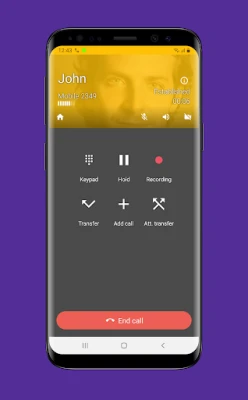
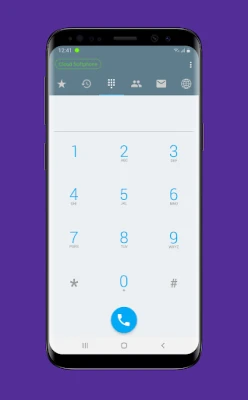
After installing the app, you obtain SIP credentials (username, password, server address) from your VoIP provider or PBX administrator. These details can be entered manually or imported by scanning a QR code that encodes the necessary information. Once configured, the app registers with the SIP server and becomes available for inbound and outbound calls. The user interface presents a dial pad, contact list integration, and call log, mirroring the experience of a traditional phone.
Practical uses
Cloud Softphone is suitable for:
- Employees who need a corporate VoIP line on their personal Android device.
- Remote workers connecting to a company PBX without a desk phone.
- Individuals who prefer a dedicated softphone over standard cellular calls to reduce costs.
Installation information
The application can be downloaded from the official Android marketplace. After installation, grant the permissions required for microphone access and phone state, which are necessary for call handling. No additional software is needed; the app runs independently once the SIP account is set up.
Compatibility
Cloud Softphone is built for Android devices that meet the minimum system requirements defined by the developer. While specific version numbers are not listed, the app typically supports recent Android releases and common hardware configurations.
Things to know before installing
- Ensure you have valid SIP credentials from a compatible VoIP service.
- Check that your data plan or Wi‑Fi connection can handle VoIP traffic, especially if you expect frequent calls.
- Some network environments (e.g., corporate firewalls) may require additional configuration such as port forwarding or VPN access.
Who may find it useful?
Anyone who needs a reliable, on‑the‑go solution for making internet‑based calls—whether for business, remote work, or personal use—will benefit from Cloud Softphone’s straightforward setup and adjustable features.
Frequently asked questions
Do I need a special account to use Cloud Softphone?
Yes, you need a SIP account from a VoIP provider or a PBX that supports SIP. The app itself does not provide telephony services.
Can I use the app with multiple accounts?
The app allows you to add more than one SIP profile, making it possible to switch between different providers or work and personal lines.
Is the app safe for confidential calls?
Security depends on the encryption settings offered by your SIP server. If the server supports TLS or SRTP, Cloud Softphone can use those protocols to protect call data.
What happens if I lose internet connectivity during a call?
The call will drop, as with any VoIP service. Re‑establishing the connection requires a new call attempt once the network is restored.
Rate the App
User Reviews





![[US] Social Network – Real‑time local connections](https://www.appitika.com/images/17896840845838641.webp)








Popular Apps










 Games
Games Entertainment
 Communication
 E-mail
 Security
 Tools
Tools Media
Media Internet
 Finance
 Design
 Education
 IT Tools
 Travel & Local
 Android
 Windows
 Linux
Linux