

Latest Version
Latest
August 28, 2026
Cloud SIM Limited
Communication
Android
96
Free
com.cloudsimapp.vtl
Report a Problem
More About Cloud SIM: Second Phone / 2ndLine – Add a Virtual Number
What is Cloud SIM?
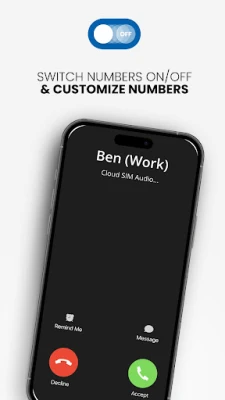
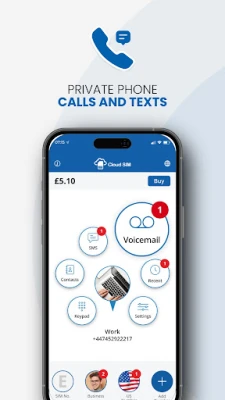
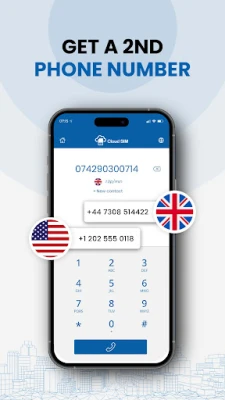
Cloud SIM is an Android app that lets you create a virtual phone number that works alongside the number on your primary SIM card. The virtual line is managed entirely in software, so you can receive calls and messages, make outbound calls, and use messaging apps without needing a second device or a physical SIM.
Main features
- Second number on a single device – Keep personal and professional communications separate.
- International calling options – Choose the connection method that best fits your situation (cellular data, Wi‑Fi or local access where available).
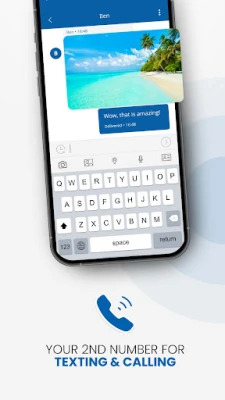
- SMS support – Send and receive text messages through the virtual line.
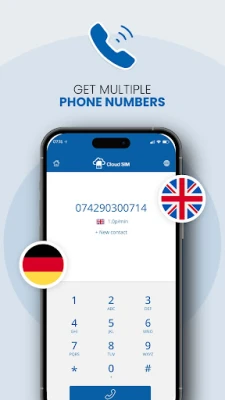
- Multiple country codes – The app can provide numbers from several regions, making it easier to appear local when you travel or do business abroad.
How it works
After installing the app, you create an account and select a virtual number from the list of available regions. The number is linked to your Google Play account, not to a physical SIM. When you place a call or send a message, the app routes the traffic through the internet (data or Wi‑Fi) or, where supported, through a local gateway that mimics a traditional GSM connection. Incoming calls and texts are delivered to the app in real time, and you can answer or reply directly from the interface.
Practical uses
- Online marketplaces – Use a dedicated number for buying or selling items without exposing your personal line.
- Dating apps – Protect your primary number while communicating with new contacts.
- Travel – Obtain a local‑area number in a foreign country to avoid roaming fees and to appear local to contacts.
- Business – Separate client calls from personal calls on the same device.
Installation information
Search for Cloud SIM: Second Phone/2ndLine in the Google Play Store, tap Install, and follow the on‑screen prompts to create an account. The app is free to download; any charges for calls or SMS depend on the rates you select within the app.
Things to know before installing
- Because the service relies on internet connectivity for many functions, a stable data or Wi‑Fi connection improves call quality.
- The virtual number is not tied to a carrier plan, so traditional carrier‑based features such as voicemail may differ.
- Some regions may have limited availability of virtual numbers; the list updates as the service expands.
Who may find Cloud SIM useful?
Anyone who wants a second line without buying an extra phone or SIM card can benefit. This includes freelancers, small‑business owners, frequent travelers, and users who prefer to keep personal and online‑dating communications separate.
Frequently asked questions
Do I need a separate SIM card?
No. The virtual number works entirely within the app and uses your existing device’s internet connection.
Can I receive calls when I’m offline?
Calls are delivered to the app only when it has network access. If the device is offline, callers will hear a standard “unavailable” tone.
Is there a limit to how many virtual numbers I can have?
The app currently supports one active virtual number per account, but additional numbers may be added in the future.
Rate the App
User Reviews















Popular Apps










 Games
 Entertainment
 Communication
 E-mail
 Security
 Tools
 Media
 Internet
 Finance
 Design
 Education
 Android Firmwares
 Travel & Local
 Android
 Windows
 Linux