

Latest Version
Latest
August 25, 2026
Sp0n Inc.
Media
Android
99
Free
sp0n.citizen
Report a Problem
More About Citizen: Protect The World – Real‑time Safety Alerts
What is Citizen: Protect The World?
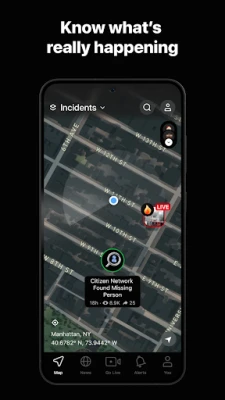
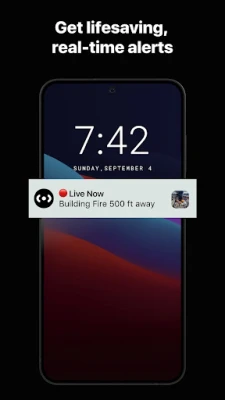
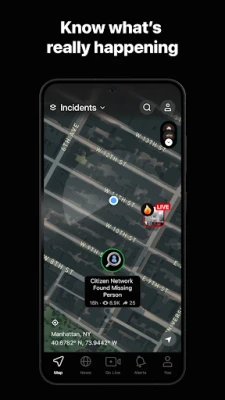
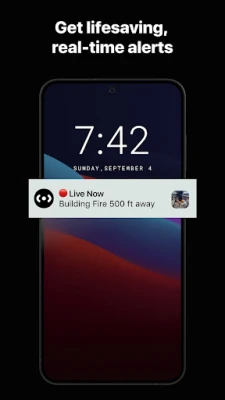
Citizen: Protect The World is a free Android application developed by Sp0n Inc. that helps users stay aware of safety‑related events happening around them. By using your device’s location, the app sends real‑time notifications about incidents such as crimes, natural disasters, fires, and public disturbances. The goal is to give you timely information so you can make safer choices while at home or on the move.
Main Features
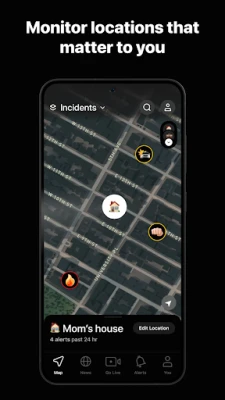
- Location‑based alerts – Receive push notifications when an incident is reported near your current location.
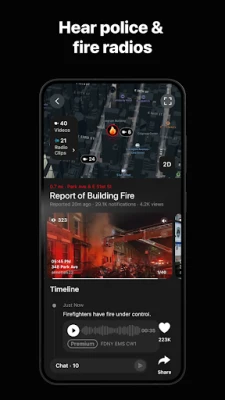
- Incident categories – Alerts cover a range of events, including property crimes, vehicle pursuits, fires, severe weather, and public demonstrations.
- Community contributions – Users can share observations, helping to build a more complete picture of what’s happening nearby.
- Historical context – The app can show past incident trends for a given area, allowing you to see patterns over time.
How It Works
When you install the app, it requests permission to access your device’s location. This information is used solely to match you with alerts that are relevant to your immediate surroundings. Alerts are generated from publicly available sources, such as official emergency feeds and verified community reports. Once an alert is triggered, a push notification appears on your screen with a brief description and, when available, a map view.
Practical Uses
Citizen: Protect The World can be useful in many everyday situations:
- Commuting – Know if a road closure or police activity is affecting your route.
- Walking at night – Get early warnings about nearby incidents that could impact personal safety.
- Planning events – Review recent incident trends before choosing a venue or neighborhood.
- Community awareness – Contribute observations to help neighbors stay informed.
Installation Information
The app is available for free on the Google Play Store. Search for the package name sp0n.citizen or the full title “Citizen: Protect The World” to locate the correct listing. After downloading, follow the on‑screen prompts to grant location access and enable push notifications.
Things to Know Before Installing
- The app relies on location data; disabling location services will limit its ability to provide relevant alerts.
- Alerts are informational and may be issued before official responders arrive. Use your own judgment when deciding how to act on a notification.
- Battery usage may increase slightly due to background location checks and network activity.
Who May Find It Useful?
Anyone who spends time in urban or suburban environments can benefit from real‑time safety information. This includes commuters, students, parents, seniors, and community volunteers who want to stay aware of local conditions.
Frequently Asked Questions
Is my personal data shared with third parties?
The app uses location data only to match you with nearby alerts. It does not sell personal information, but you should review the privacy policy for details on data handling.
Can I customize the types of alerts I receive?
Yes, the settings allow you to enable or disable specific categories such as crime, weather, or traffic incidents.
Will the app work without an internet connection?
Alerts are delivered over the internet, so a data connection is required to receive new notifications. However, previously downloaded incident maps can be viewed offline.
Rate the App
User Reviews















Popular Apps










 Games
 Entertainment
 Communication
 E-mail
 Security
 Tools
 Media
 Internet
 Finance
 Design
 Education
 Android Firmwares
 Travel & Local
 Android
 Windows
 Linux