

Latest Version
September 15, 2026
ZERO&ONE
Communication
Android
6
Free
com.cipchat.chat
Report a Problem
More About Cipchat – Encrypted Messenger
What is Cipchat?
Cipchat is a free Android messenger focused on privacy. Developed by ZERO&ONE, it offers text, voice, and video communication that is protected with end‑to‑end encryption, meaning only the participants can read the messages.
Main features
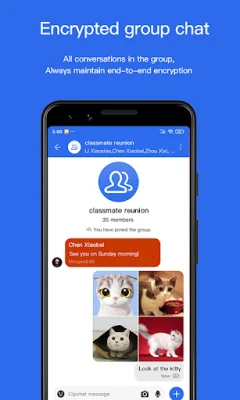
- End‑to‑end encryption for all chats, calls and shared media.
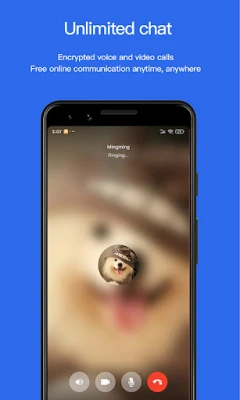
- Encrypted voice and video calls that work over a data connection.
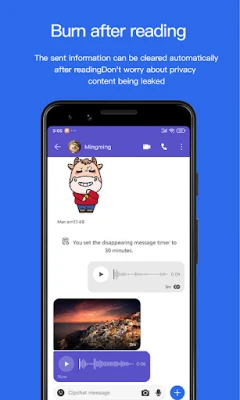
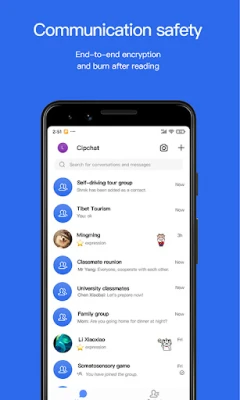
- Self‑destructing messages – optional “burn after reading” mode removes content after it is viewed.
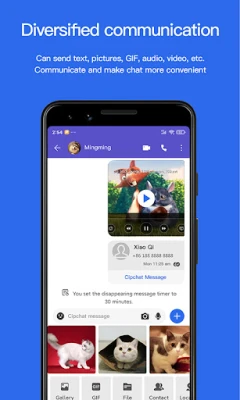
- Rich media support – send text, photos, GIFs, audio clips and video files securely.
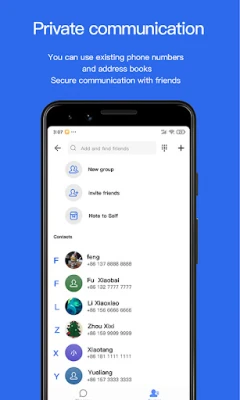
- Address‑book protection – contacts are stored encrypted on the device.
How it works
When you start a conversation, Cipchat generates a unique encryption key that is shared only with the intended recipient. The key is never transmitted to any server, so even the developer cannot access the content. Calls use the same principle, establishing a secure channel before any voice or video data is exchanged.
Practical uses
Cipchat is useful for anyone who wants to keep personal or professional conversations private. It can be used for:
- Sharing sensitive information with colleagues.
- Staying in touch with friends and family without exposing chats to advertisers.
- Coordinating plans where location or details need to stay confidential.
Installation information
The app can be downloaded from the Google Play Store using the package name com.cipchat.chat. Installation follows the standard Android process: tap “Install,” grant the requested permissions, and launch the app.
Things to know before installing
- The app requires an internet connection for messaging and calls.
- Permissions are limited to those needed for contacts, microphone, camera and storage, all of which are used to enable encrypted communication.
- Because encryption is handled on the device, performance depends on the phone’s hardware and network speed.
Who may find Cipchat useful?
Anyone who values privacy—journalists, activists, business professionals, or everyday users who simply prefer not to have their chats scanned for advertising—will appreciate Cipchat’s approach.
Frequently asked questions
Is my data stored on a server?
No. All message content stays on the devices of the participants and is encrypted before leaving the phone.
Can I use Cipchat on multiple devices?
The app supports installation on any Android device linked to the same account, but each device maintains its own encryption keys.
What happens to messages after I delete a conversation?
Deleted messages are removed from the local storage. If you used the “burn after reading” option, the message is also removed from the recipient’s device after it is opened.
Rate the App
User Reviews














Popular Apps










 Games
Games Entertainment
 Communication
 E-mail
 Security
 Tools
Tools Media
Media Internet
 Finance
 Design
 Education
 IT Tools
 Travel & Local
 Android
 Windows
 Linux
Linux