
Latest Version
Latest
August 13, 2026
Google LLC
Communication
Android
231
Free
com.chrome.dev
Report a Problem
More About Chrome Dev – Early‑Access Browser for Android
What is Chrome Dev?
Chrome Dev is the developer‑focused release channel of Google’s Chrome browser for Android devices. It provides a way for users to try experimental features and improvements before they reach the stable version of Chrome. The app is maintained by Google LLC and is offered free of charge.
Main features
- Early access to new web technologies – Users can experience upcoming standards, UI tweaks, and performance enhancements as they are being developed.
- Side‑by‑side installation – Chrome Dev can be installed alongside the regular Chrome app and other Chrome channels (Beta, Stable), allowing you to compare versions without removing your primary browser.
- Feedback loop – The app includes mechanisms for reporting bugs and sharing impressions directly with the Chrome development team, helping shape future releases.
How it works
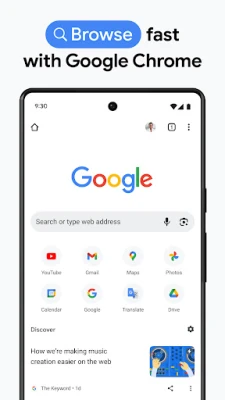
When you launch Chrome Dev, it behaves like a regular Chrome browser: you can browse the web, sync bookmarks, and use extensions that are compatible with Android. The key difference is that the underlying codebase receives updates more frequently, often weekly, delivering experimental changes that have not yet been vetted for the stable channel.
Practical uses
Developers and power users who want to stay ahead of web trends find Chrome Dev useful for testing how new HTML, CSS, or JavaScript features behave on mobile. It also serves enthusiasts who enjoy exploring cutting‑edge UI designs and performance tweaks before they become mainstream.
Installation information
Chrome Dev can be downloaded from the Google Play Store. Because it is a separate package (com.chrome.dev), it does not replace the standard Chrome app. After installation, you can sign in with your Google account to sync data, or use it as a standalone browser.
Compatibility
The app is built for Android devices that meet the minimum requirements of the Play Store. Specific version numbers are not disclosed, but the channel typically supports devices running recent Android releases. If your device can install other Chrome channels, it should be able to run Chrome Dev as well.
Things to know before installing
- Features are experimental and may be unstable; occasional crashes or visual glitches are possible.
- Because the app updates frequently, storage usage can increase over time. Periodic clearing of cache may be helpful.
- Some extensions or web‑site optimizations that rely on stable‑channel behavior might not work as expected.
Who may find it useful?
Chrome Dev is aimed at developers, QA testers, and tech‑savvy users who want to contribute feedback to the Chrome team. It is also suitable for anyone curious about the future direction of mobile browsing and willing to tolerate occasional rough edges.
Frequently asked questions
Can I use Chrome Dev as my primary browser?
Yes, you can set it as the default browser, but keep in mind that experimental features may affect reliability.
Will my bookmarks and passwords sync with the stable Chrome?
When you sign in with the same Google account, Chrome Dev syncs data similarly to the stable version, allowing seamless access across channels.
How often does Chrome Dev receive updates?
Updates are released roughly weekly, delivering the latest experimental changes.
Is Chrome Dev safe to use?
The app is published by Google LLC and follows the same security model as other Chrome releases, though experimental features may have undiscovered issues.
Rate the App
User Reviews















Popular Apps










 Games
Games Entertainment
 Communication
 E-mail
 Security
 Tools
Tools Media
Media Internet
 Finance
 Design
 Education
 Android Firmwares
 Travel & Local
 Android
 Windows
 Linux
Linux