

Latest Version
Latest
August 13, 2026
Delicious
Communication
Android
288
Free
com.p1.chompsms
Report a Problem
More About Chomp SMS – Customizable Messaging for Android
What is Chomp SMS?
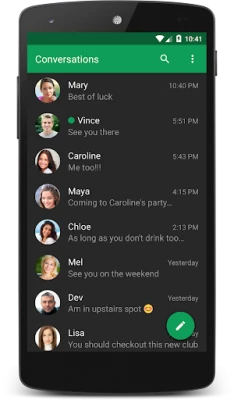
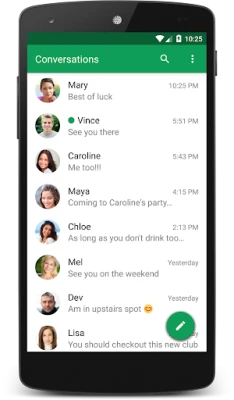
Chomp SMS is a free Android messaging application developed by Delicious. It replaces the stock SMS/MMS client with a more configurable experience, giving users control over the look and behavior of their conversations.
Main features
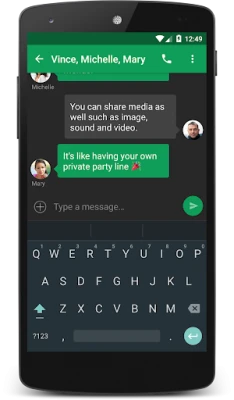
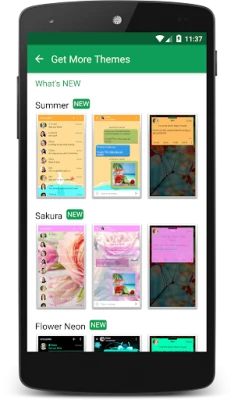
- Customizable interface – change colors, fonts, text size, and background wallpaper to match your style.
- Notification options – set individual ringtones, LED colors, and vibration patterns for different contacts or message types.
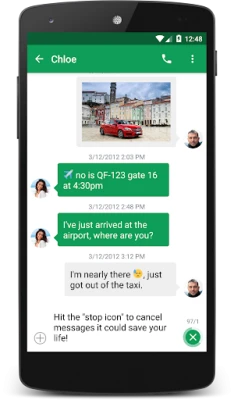
- Quick reply – reply to messages directly from the notification shade or lock screen without opening the app.
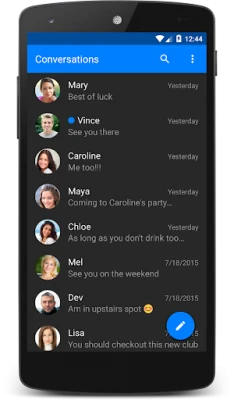
- Message organization – pin favorite conversations, mark messages as unread, and use multi‑select to manage groups of texts.
- Privacy tools – optional passcode lock and blocklist features help keep unwanted messages out of your inbox.
- Emoji support – includes a range of emoji styles, including skin‑tone variations, for expressive messaging.
How it works
After installation, Chomp SMS becomes the default messaging handler if you choose. The app reads incoming SMS/MMS through the standard Android messaging APIs and displays them using its own UI. All configuration is performed within the app’s settings screen, where you can adjust visual themes, notification behavior, and privacy options.
Practical uses
- Personalize the look of your chat windows to make texting more enjoyable.
- Set distinct notification sounds for work contacts versus personal friends.
- Use the quick‑reply popup to send brief replies while driving or when your phone is locked.
- Keep spam out of your inbox with the built‑in blocklist.
Installation information
Download Chomp SMS from the Appitika store and follow the standard Android installation prompts. Once installed, you can open the app to explore the settings or set it as the default messaging application in the system settings.
Things to know before installing
- The app is free to use; occasional ads may appear, with an optional one‑time purchase to remove them.
- Because the app handles SMS/MMS, it requires the standard messaging permissions that Android requests during setup.
- Features such as backup, integration with external services, or advanced automation are not guaranteed and may vary by device.
Who may find it useful?
Anyone who wants more control over the appearance and behavior of their text messages will benefit from Chomp SMS. It is especially appealing to users who enjoy customizing their device’s UI, need granular notification settings, or want a simple way to block unwanted texts.
Frequently asked questions
Is Chomp SMS compatible with dual‑SIM phones?
Yes, the app supports devices with dual SIMs, allowing you to send messages from either line.
Can I use Chomp SMS with Android Auto?
The app includes basic support for Android Auto, enabling you to view and reply to messages while driving.
How do I back up my messages?
Chomp SMS provides a backup option within its settings. Follow the on‑screen instructions to export your conversation history.
Rate the App
User Reviews















Popular Apps










 Games
Games Entertainment
 Communication
 E-mail
 Security
 Tools
Tools Media
Media Internet
 Finance
 Design
 Education
 Android Firmwares
 Travel & Local
 Android
 Windows
 Linux
Linux