

Latest Version
Latest
September 11, 2026
Pellar Technology
Communication
Android
6
Free
com.browser.tssomas
Report a Problem
More About Carbon: Super Fast Browser – Lightweight Android Web Browser
What is Carbon?
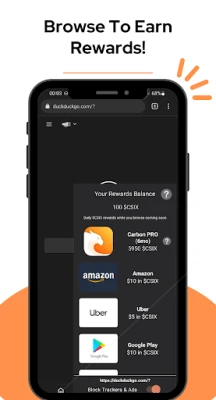
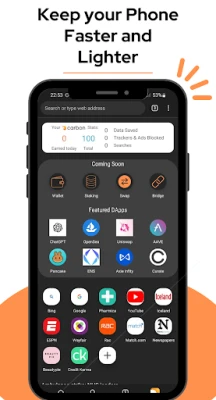
Carbon is a free web browser for Android devices developed by Pellar Technology. Built on the Chromium engine, it aims to provide a responsive browsing experience while keeping the app’s footprint small. The focus is on speed, data savings, and a clean interface that works well even on slower connections.
Main Features
- Fast page loading – Leveraging Chromium’s Blink rendering engine, Carbon strives to render pages quickly, helping users navigate the web without noticeable lag.
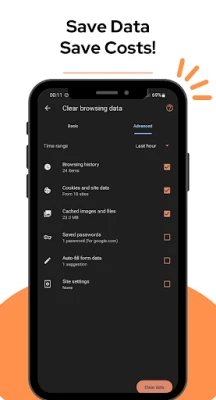
- Data saver mode – The browser includes a built‑in compression layer that reduces the amount of data transferred, which can be helpful for users on limited data plans.
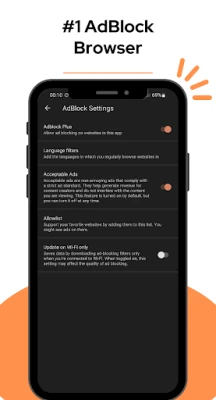
- Integrated ad blocker – Unwanted ads, pop‑ups and banner content are filtered out, resulting in cleaner pages and potentially faster load times.
- Privacy controls – Carbon offers options to browse without storing history, cookies or cache, giving users more control over what information is retained on the device.
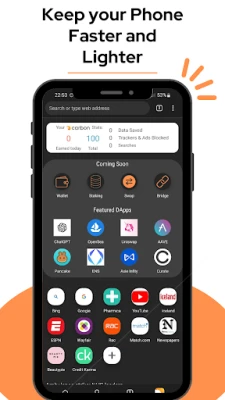
- Customizable speed dials – Users can pin their favorite sites to the home screen for one‑tap access.
- Reader mode and font adjustments – For easier reading, the browser can simplify page layouts and let users change text size.
How It Works
When you open a link, Carbon sends the request through Chromium’s rendering pipeline. If the data‑saver is enabled, the page is first compressed on the server side before reaching the device, which reduces bandwidth usage. The ad‑blocking component runs locally, scanning page elements and preventing known ad sources from loading. All of these processes happen in the background, so the user sees a smoother, less cluttered page.
Practical Uses
- Traveling on limited mobile data – the data‑saver helps stretch your plan.
- Browsing on older or low‑end devices – the lightweight design reduces memory pressure.
- Reading articles without distractions – ad blocking and reader mode create a focused environment.
Installation Information
Carbon can be installed directly from the Google Play Store. Search for the package name com.browser.tssomas or the app title, then tap “Install.” The download size is modest, reflecting the app’s emphasis on a small footprint.
Compatibility
The developer has not published specific Android version requirements, but because the app is built on Chromium, it generally supports devices running recent Android releases. Users should ensure their device runs a version of Android that can install apps from the Play Store.
Things to Know Before Installing
- While the browser includes an ad blocker, it does not replace a full‑featured security suite. Consider using additional security tools if needed.
- Some websites may not display correctly if aggressive data compression is applied; the setting can be toggled off for those sites.
- Bookmarks, speed dials and other personal settings are stored locally; syncing across devices is not mentioned.
Who May Find Carbon Useful?
Anyone looking for a straightforward, fast browser without the bloat of larger apps may appreciate Carbon. It is especially suitable for users with limited data plans, older smartphones, or those who prefer a minimalistic browsing experience.
Frequently Asked Questions
Is Carbon free to use?
Yes, the application is offered at no cost.
Does Carbon collect my browsing data?
The browser provides options to browse without saving history, cookies, or cache. Beyond that, the developer has not disclosed additional data collection practices.
Can I download files through Carbon?
Yes, the browser supports standard file downloads and lets users choose a destination folder.
Is there a built‑in VPN?
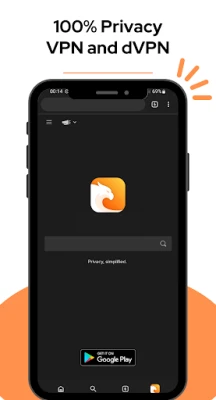
The current version does not include a VPN; any future VPN features have not been confirmed.
Rate the App
User Reviews
Other Apps in This Category












Popular Apps










 Games
Games Entertainment
 Communication
 E-mail
 Security
 Tools
Tools Media
Media Internet
 Finance
 Design
 Education
 IT Tools
 Travel & Local
 Android
 Windows
 Linux
Linux