

Latest Version
Latest
September 16, 2026
Sync.ME Caller ID
Communication
Android
13
Free
me.sync.callerid
Report a Problem
More About CallerID: Phone Call Blocker – Identify & Manage Calls
What is CallerID: Phone Call Blocker?
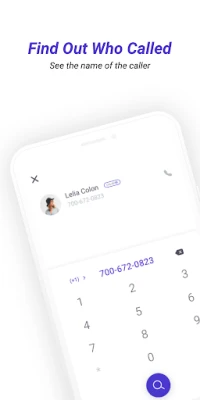
CallerID: Phone Call Blocker is a free Android application developed by Sync.ME Caller ID. It helps you recognize who is calling and gives you the option to block numbers that you don’t want to hear from. The app integrates with the native phone dialer, adding caller name and photo information where available.
Main features
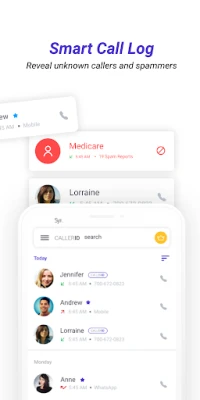
- Caller identification – Shows the name and, when possible, a photo for incoming and outgoing calls.
- Call blocking – Lets you add numbers to a block list to prevent future calls from those contacts.
- Reverse lookup – Allows you to search a phone number to see if it is associated with a known name.
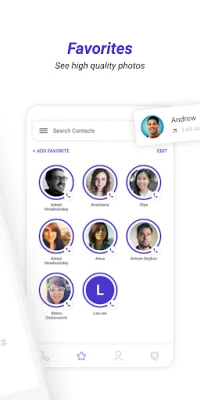
- Smart dialer integration – Provides quick access to your contacts, a searchable call log, and a favorites screen for fast dialing.
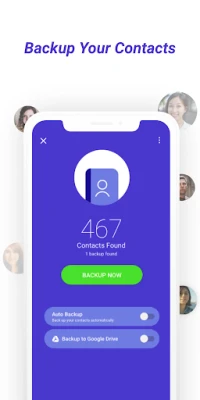
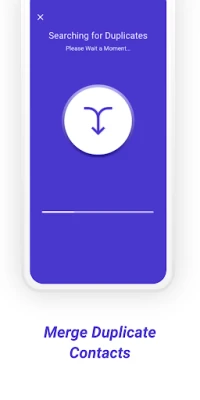
- Contact management – Offers tools to merge duplicate entries in your address book.
How it works
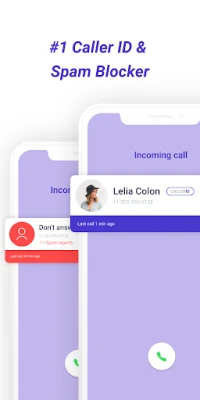
When a call arrives, the app checks its internal database and any publicly available sources to match the number with a name or photo. If a match is found, the information appears on the incoming‑call screen. You can tap the caller’s details to add the number to a block list, view more information, or start a call back.
Practical uses
- Avoid answering spam or telemarketing calls.
- Quickly identify unknown numbers from friends, businesses, or services.
- Keep your contact list tidy by merging duplicates.
- Save time with a dedicated favorites screen for frequently dialed contacts.
Installation information
The app is available for free on the Google Play Store. Simply search for "CallerID: Phone Call Blocker" and tap Install. No additional files are required.
Compatibility
CallerID: Phone Call Blocker runs on Android devices that support the standard phone and contacts APIs. Specific version requirements are not listed, but the app works on most recent Android releases.
Things to know before installing
- The app needs permission to read your contacts and to monitor incoming calls in order to provide identification and blocking features.
- Caller information is based on publicly available data; not every number will have a name or photo.
- Blocking is handled locally; the app does not forward calls to a third‑party service.
Who may find it useful?
Anyone who receives frequent unknown calls, such as professionals who manage client calls, seniors who want to avoid scams, or anyone looking to keep their call experience organized, will benefit from this tool.
Frequently asked questions
Can I block a number after I receive a call?
Yes. When a call appears, you can open the caller details and choose to add the number to your block list.
Does the app store my contacts on a server?
No. The app accesses contacts locally on your device to match numbers with names.
Is there a cost for using the basic features?
The core identification and blocking functions are free. Any optional premium features, if offered, would be listed in the app store description.
Rate the App
User Reviews













Popular Apps










 Games
Games Entertainment
 Communication
 E-mail
 Security
 Tools
Tools Media
Media Internet
 Finance
 Design
 Education
 IT Tools
 Travel & Local
 Android
 Windows
 Linux
Linux