



Latest Version
August 25, 2026
CallApp Caller ID, Call Recorder & Spam Blocker
Communication
Android
110
Free
com.callapp.contacts
Report a Problem
More About CallApp: Caller ID & Block
What is CallApp?
CallApp is a free Android utility that combines caller identification, spam blocking, and messaging management in a single app. It replaces the default phone and SMS experience with features designed to help you stay informed about incoming calls and protect you from unwanted communications.
Main Features
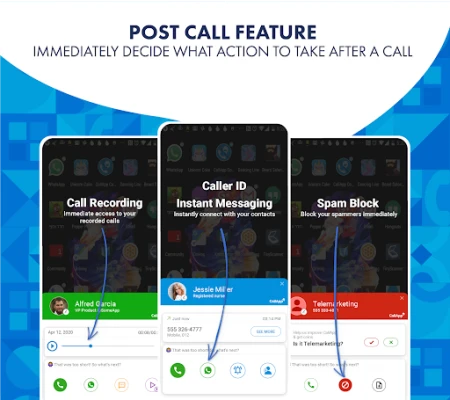
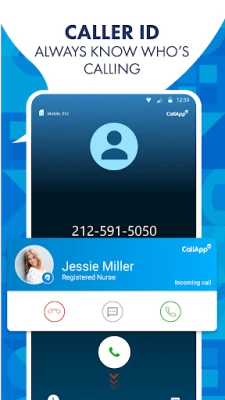
- Caller identification – Shows the name or business associated with an incoming number when it is not saved in your contacts.
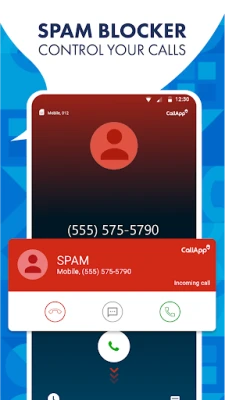
- Spam and scam protection – Detects and blocks calls and SMS messages that are likely to be telemarketing, robocalls, or scams.
- Blacklist management – Lets you add numbers to a personal block list and customize how blocked calls are handled.
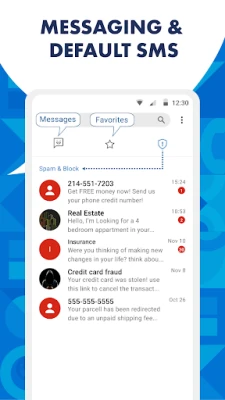
- Integrated messaging – Offers a default SMS interface that can sort messages into categories such as personal, favorite, and spam.
- Automatic call recording – Provides an option to record calls automatically, useful for keeping records of important conversations.
How It Works
When a call arrives, CallApp checks the incoming number against its internal database and any user‑generated lists. If a match is found, the app displays the caller’s name or a warning label (e.g., “Spam”). For numbers that are not recognized, the app can still provide a basic lookup based on publicly available information. Users can manually add numbers to a blacklist, and the app will prevent those numbers from ringing through.
Practical Uses
- Avoid answering unknown telemarketing calls.
- Keep a record of important conversations through call recording.
- Organize SMS messages without switching between multiple apps.
- Maintain a cleaner contact list by identifying unknown callers.
Installation Information
Download CallApp from the Google Play Store, grant the required permissions for phone and SMS access, and set it as the default phone and messaging app if you wish to use all features. The initial setup includes a quick tutorial that explains how to enable caller ID, configure the spam filter, and manage the blacklist.
Things to Know Before Installing
- The app requires permission to read contacts, access phone state, and manage SMS messages to provide its full functionality.
- Automatic call recording may be subject to local regulations; users should ensure compliance with applicable laws.
- Performance may vary depending on device specifications and Android version.
Who May Find It Useful?
Anyone who receives frequent unknown calls, wants to reduce spam interruptions, or prefers a unified interface for calls and texts will benefit from CallApp. It is especially helpful for users who travel internationally and encounter unfamiliar numbers.
Frequently Asked Questions
Do I need an internet connection for caller ID?
Caller identification works best with an internet connection because the app queries its online database. Basic functionality, such as blocking numbers already in your blacklist, works offline.
Can I disable call recording for specific contacts?
Yes, the app allows you to exclude individual contacts from automatic recording.
Is my personal data shared with third parties?
The app’s privacy policy outlines how data is used. It generally stores contact information locally and only accesses external databases for lookup purposes.
Rate the App
User Reviews















Popular Apps










 Games
 Entertainment
 Communication
 E-mail
 Security
 Tools
 Media
 Internet
 Finance
 Design
 Education
 Android Firmwares
 Travel & Local
 Android
 Windows
 Linux