



Latest Version
Latest
September 18, 2026
Call.com
Communication
Android
3
Free
app.call.com
Report a Problem
More About Call.com – Second Phone Number for Android
What is Call.com?
Call.com is an Android application that creates a virtual telephone line you can use alongside your regular mobile number. The service works over data or Wi‑Fi, so you never need an extra SIM card or a separate device to make and receive calls, send SMS messages, or start video conversations.
Main features
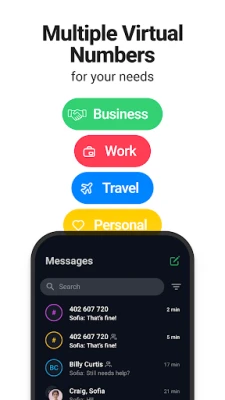
- Separate line – Keep personal and professional communications distinct with a dedicated number.
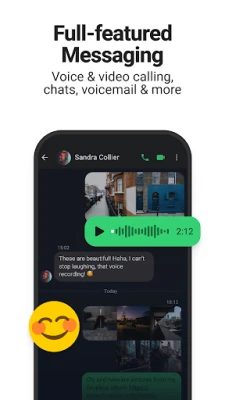
- Voice calling – Place clear voice calls to mobile phones and landlines worldwide.
- Text messaging – Send and receive SMS from the virtual number.
- Video calls – One‑to‑one or group video chats with up to ten participants.
- Messaging tools – Exchange images, files, emojis and voice notes within the app.
- Voicemail – Personalized voicemail greetings for each virtual number.
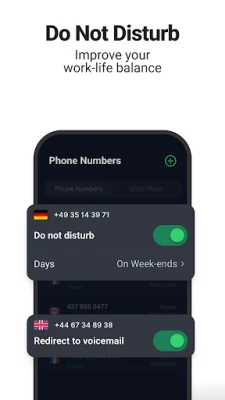
- Call & SMS forwarding – Forward incoming calls or messages to another number if you prefer.
How it works
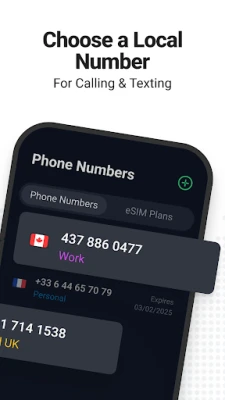
After installing the app, you create an account and choose a virtual number from the list of available options. The number is linked to your Google Play account, not to any physical SIM. All communication is routed through the app’s servers and delivered over the internet. When you receive a call or message, the app notifies you just like any other messaging app, and you can answer or reply directly from your Android device.
Practical uses
Having a second number can be useful in many scenarios:
- Freelancers and small businesses – Present a professional contact number without exposing your personal line.
- Travelers – Stay reachable on a local number while abroad, avoiding roaming charges.
- Remote teams – Share a company‑wide virtual number that can be reassigned as staff change.
- Expats and digital nomads – Keep a home‑country number for banking, government services or family contact.
- Tablet owners – Turn a tablet into a fully functional phone.
Installation information
Search for "Call.com: 2nd Phone Number App" in the Google Play Store, tap Install, and follow the on‑screen prompts to set up your account. The app is free to download; any charges for calls, texts or additional numbers are handled within the app’s billing section.
Things to know before installing
- Internet connection is required for all calls and messages.
- The app may request permission to access your contacts, microphone and camera to enable calling and messaging features.
- Virtual numbers are allocated from a pool of available numbers; availability can vary by region.
- Standard carrier rates apply for calls or texts that are forwarded to a real phone line.
Who may find Call.com useful?
Anyone who needs a reliable second line without the hassle of extra hardware can benefit from Call.com. This includes entrepreneurs, remote workers, frequent travelers, students studying abroad, and anyone who prefers to keep personal and work communications separate.
Frequently asked questions
Do I need a SIM card?
No. All communication runs over data or Wi‑Fi, so a physical SIM is not required.
Can I receive calls when I’m offline?
Calls are delivered as push notifications. If your device is offline, you will receive them once you reconnect to the internet.
Is the app secure?
Call.com uses standard encryption for data transmission. As with any communication app, you should keep the app updated to benefit from the latest security improvements.
Can I use the same virtual number on multiple devices?
The virtual number is tied to a single account. You can log in on another Android device, but simultaneous use on multiple devices is not supported.
Rate the App
User Reviews





![[US] Social Network – Real‑time local connections](https://www.appitika.com/images/17896840845838641.webp)









Popular Apps










 Games
Games Entertainment
 Communication
 E-mail
 Security
 Tools
Tools Media
Media Internet
 Finance
 Design
 Education
 IT Tools
 Travel & Local
 Android
 Windows
 Linux
Linux