
Latest Version
Latest
August 23, 2026
Ad Hoc Labs, Inc
Communication
Android
103
Free
com.adhoclabs.burner
Report a Problem
More About Burner: Second Phone Number – Private Calls & Texts
What is Burner?
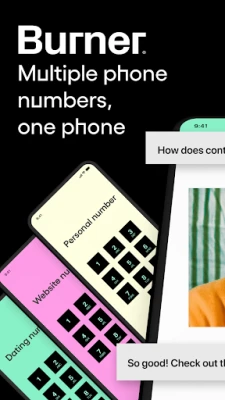
Burner is a mobile application that lets you generate temporary phone numbers that work like a regular line for calls and text messages. The app is designed for users who want to keep their personal number separate from online listings, marketplace transactions, dating apps, or any situation where sharing a real number feels risky.
Main capabilities
- Disposable numbers – Generate a new number at any time and discard it when it’s no longer needed.
- Call and SMS support – Use the virtual line to send and receive voice calls and text messages over Wi‑Fi or mobile data.
- Inbox organization – Keep messages from each burner number in its own thread, making it easy to track conversations.
- Do‑Not‑Disturb mode – Silence incoming calls and texts for a chosen period without affecting your primary phone.
- Auto‑reply options – Set predefined responses for incoming messages when you’re unavailable.
How it works
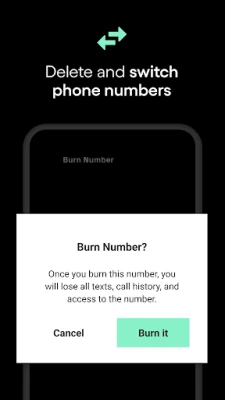
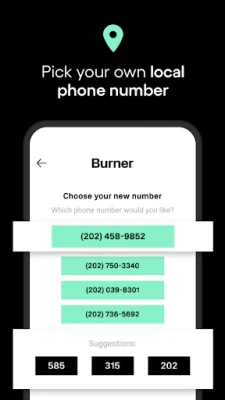
After installing the app, you create an account and choose an area code for the virtual number. The service assigns a phone number that is linked to your Android device. All incoming calls and texts are routed through the app, so you never need a second SIM card. When you decide a number has served its purpose, you can “burn” it with a single tap, which removes the number from your account and deletes associated messages.
Practical uses
- Online classifieds – List a burner number instead of your personal one when selling items.
- Dating and social apps – Protect your real contact details while still being reachable.
- Short‑term projects – Use a disposable line for freelance work, event coordination, or temporary teams.
- Travel – Keep a local number for a trip without changing SIM cards.
Installation notes
The app is available for free on the Google Play Store. Installation follows the standard Android process: tap Install, grant the permissions required for phone and SMS handling, and launch the app to begin setting up your first burner number.
Things to consider before installing
- The app requires access to your device’s call and messaging functions to route traffic through the virtual number.
- Calls and texts are delivered over an internet connection, so a stable data or Wi‑Fi link is needed for reliable performance.
- Burner numbers are managed through the app’s service; you will need an active account to create or retain numbers.
Who might find Burner useful?
Anyone who values privacy in their digital communications can benefit from Burner. This includes frequent online sellers, users of dating platforms, freelancers handling client outreach, and travelers who prefer a local contact number without swapping SIM cards.
Frequently asked questions
Do I need a separate SIM card?
No. All calls and messages are processed through the app using your existing data connection.
Can I keep a burner number indefinitely?
Yes, as long as you maintain an active account and the number remains in your list. You can also choose to delete it at any time.
Is my personal number visible to contacts who call my burner?
No. The virtual number acts as a separate line, and the caller never sees your real phone number.
What happens to messages after I burn a number?
When you delete a burner, the associated conversation history is removed from the app, helping maintain privacy.
Rate the App
User Reviews















Popular Apps










 Games
 Entertainment
 Communication
 E-mail
 Security
 Tools
 Media
 Internet
 Finance
 Design
 Education
 Android Firmwares
 Travel & Local
 Android
 Windows
 Linux