


Latest Version
Latest
August 26, 2026
Brave Software
Communication
Android
105
Free
com.brave.browser_nightly
Report a Problem
More About Brave Nightly – Early‑Access Browser for Android
What is Brave Nightly?
Brave Nightly is the experimental channel of the Brave web browser for Android. It is built for developers, testers, and curious users who want to explore upcoming changes before they reach the stable release. Each nightly build reflects the most recent code changes, giving you a glimpse of the direction the browser is taking.
Main features
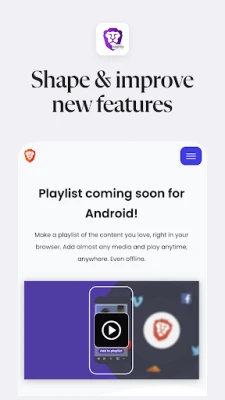
- Early access to new UI and privacy tools – Test experimental layouts, ad‑blocking enhancements, and privacy settings that are still under development.
- Parallel installation – Brave Nightly can coexist with the regular Brave app, allowing you to compare behavior without overwriting your main browser.
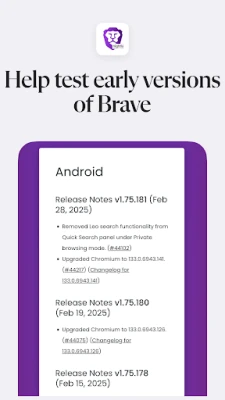
- Feedback loop – Built‑in mechanisms let you report bugs or suggest improvements directly to the Brave development team.
How it works
Nightly builds are generated automatically from the latest source code. When you install Brave Nightly, the app pulls the most recent package from Brave’s internal testing pipeline. Because the code is continuously evolving, you may notice UI tweaks, new settings, or occasional instability. The app updates automatically, typically once a day, to keep you on the cutting edge.
Practical uses
For developers, Brave Nightly offers a sandbox to verify how new APIs behave on Android devices. Security researchers can examine upcoming privacy features, while power users can experiment with experimental ad‑blocking rules or performance tweaks before they become mainstream.
Installation information
- Download the APK from a trusted source that hosts Brave Nightly builds.
- Enable Install unknown apps for the source app in your device settings.
- Run the installer and follow the on‑screen prompts.
- After installation, you can open Brave Nightly alongside the regular Brave browser.
Compatibility
Brave Nightly targets Android devices that meet the minimum requirements of the current stable Brave release. Because the nightly channel follows the stable baseline, most modern Android phones and tablets will be able to run it. However, specific hardware or OS versions are not officially listed for the nightly build.
Things to know before installing
- Stability – Nightly builds are experimental and may crash or behave unexpectedly.
- Data separation – Bookmarks, passwords, and settings are stored separately from the stable Brave app.
- Frequent updates – Expect daily updates that may introduce new bugs alongside new features.
Who may find it useful?
Anyone interested in shaping the future of the Brave browser can benefit from Brave Nightly. This includes:
- Android developers testing web‑related APIs.
- Privacy enthusiasts wanting early access to upcoming blocking mechanisms.
- Tech‑savvy users who enjoy customizing their browsing experience.
Frequently asked questions
Can I use Brave Nightly as my default browser?
Yes, you can set Brave Nightly as the default browser in Android settings, but keep in mind that nightly builds may be less reliable than the stable version.
Will my bookmarks sync with the stable Brave app?
No. Nightly maintains its own profile data, so bookmarks and other synced items stay separate.
How do I report a bug?
The app includes a feedback option that directs you to Brave’s support channels. Providing clear steps to reproduce the issue helps the developers address it faster.
Do I need to uninstall the stable Brave app to use Nightly?
No. Both versions can be installed side‑by‑side, allowing you to compare features and stability.
Rate the App
User Reviews















Popular Apps










 Games
 Entertainment
 Communication
 E-mail
 Security
 Tools
 Media
 Internet
 Finance
 Design
 Education
 Android Firmwares
 Travel & Local
 Android
 Windows
 Linux