



Latest Version
Latest
August 29, 2026
Brave Software
Communication
Android
94
Free
com.brave.browser_beta
Report a Problem
More About Brave Beta – Test the Next‑Gen Brave Browser on Android
What is Brave Beta?
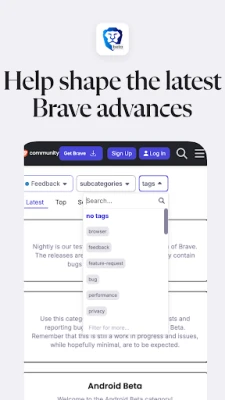
Brave Beta is the preview channel of the Brave web browser for Android. It lets users run a version of the browser that includes upcoming features and changes before they reach the stable release. By installing Brave Beta, you can experience the direction Brave is taking and provide feedback that helps shape the final product.
Main features
- Early access to new UI and performance tweaks – Test design updates and speed improvements before they appear in the regular Brave app.
- Feature previews – Explore experimental tools such as integrated firewall settings or VPN options that may become part of the main browser.
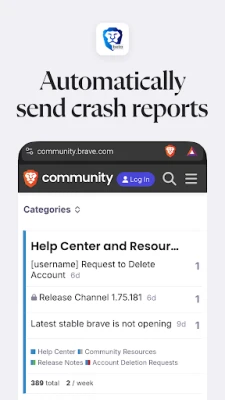
- Crash reporting – The app can automatically send crash data to the developers, helping them identify and fix stability issues.
- Side‑by‑side installation – Brave Beta can coexist with the stable Brave browser, allowing you to compare both versions without uninstalling either.
How it works
When you launch Brave Beta, it operates like a regular web browser: you can open tabs, bookmark pages, and use built‑in privacy tools. The difference lies in the background: the app runs a build that includes code still under testing. If a feature causes a crash or behaves unexpectedly, the app records the event and, with your permission, sends the information to Brave Software for analysis.
Practical uses
- Give direct feedback on new privacy controls before they become default.
- Check how upcoming UI changes affect your browsing workflow.
- Help the development team prioritize bug fixes by reporting any instability you encounter.
Installation information
Brave Beta is distributed as an APK that can be installed from trusted sources that host Android applications. After downloading the file, enable installation from unknown sources (if required) and follow the on‑screen prompts. The app does not replace the stable Brave browser; it installs as a separate package with its own icon.
Things to know before installing
- The beta build may be less stable than the regular Brave app. Expect occasional crashes or missing features.
- Data such as bookmarks, passwords, and browsing history are stored separately from the stable version, so you may need to import or sync manually.
- Automatic updates are typically delivered through the same channel you used to install the APK, so keep an eye on notifications for newer beta releases.
Who may find it useful?
Anyone interested in privacy‑focused browsing who wants to contribute to the development process can benefit from Brave Beta. It is especially relevant for power users, developers, and community members who enjoy testing new software and providing constructive feedback.
Frequently asked questions
Can I use Brave Beta and the regular Brave app at the same time?
Yes. They are installed as separate packages, so you can switch between them without uninstalling either.
Will my bookmarks and passwords sync with the stable version?
Syncing is handled through Brave’s own sync feature. You can set up sync in the beta build and link it to the same account used in the stable app, but the two versions keep their data stores separate.
Is there any cost to use Brave Beta?
The beta version is free to download and use, just like the stable Brave browser.
How do I report a bug?
When a crash occurs, the app may prompt you to send a report automatically. You can also visit Brave’s support page or community forums to share detailed feedback.
Rate the App
User Reviews















Popular Apps










 Games
 Entertainment
 Communication
 E-mail
 Security
 Tools
 Media
 Internet
 Finance
 Design
 Education
 Android Firmwares
 Travel & Local
 Android
 Windows
 Linux