

Latest Version
September 11, 2026
VP.NET LLC
Communication
Android
8
Free
ag.bmail.app
Report a Problem
More About Bmail — Encrypted Email
What is Bmail?
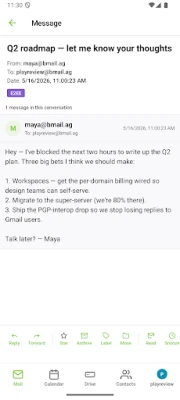
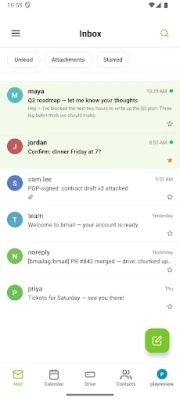
Bmail is an Android email client that focuses on privacy by encrypting every message before it leaves your device. It uses modern cryptographic primitives to protect the content of your communications, making sure that only the intended recipient can read them.
Main features
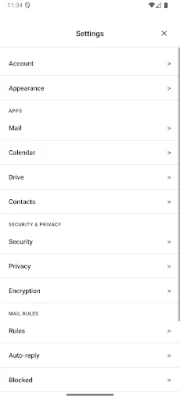
- End‑to‑end encryption – Messages are sealed on the device using strong algorithms, so the server only stores ciphertext.
- Key‑centric design – Your private keys stay under your control; the service never holds them.
- Interoperability – Supports standard email encryption formats, allowing you to exchange encrypted mail with users of other providers.
- Push notifications without content – Alerts let you know you have new mail without revealing any details.
- Mnemonic‑based recovery – A BIP‑39 phrase can be used to restore access without requiring personal data.
How it works
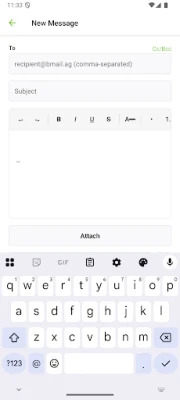
When you compose a message, Bmail encrypts the body and attachments on the device using a combination of elliptic‑curve Diffie‑Hellman (X25519) and authenticated encryption (XChaCha20‑Poly1305). The encrypted payload is then sent to the server, which stores it exactly as received. Because the server never sees the plaintext or the private keys, it cannot read your mail, even under legal pressure.
Practical uses
Anyone who needs to keep email conversations private can benefit from Bmail. This includes professionals handling sensitive client information, journalists protecting sources, or everyday users who simply value confidentiality. The app’s design also makes it suitable for people who prefer not to share personal identifiers for account recovery.
Installation information
Search for Bmail — Encrypted Email in the Google Play Store and install the free version published by VP.NET LLC. After installation, the app guides you through creating a new key pair or importing an existing one. Follow the on‑screen instructions to set up your mnemonic phrase for recovery.
Compatibility
Bmail runs on Android devices that meet the minimum system requirements for the Play Store version. Specific version numbers are not disclosed, but the app is built for modern Android releases.
Things to know before installing
- Because encryption is performed locally, the app may require access to your device’s storage for attachments.
- Recovering an account relies on the mnemonic phrase; losing it means you cannot regain access to encrypted messages.
- The service does not collect personal identifiers such as phone numbers or email addresses for recovery.
Who may find Bmail useful?
Individuals and organizations that prioritize privacy, including legal professionals, healthcare workers, activists, and privacy‑conscious consumers, will appreciate the control Bmail gives over their email data.
Frequently asked questions
Do I need an existing email account?
Bmail can be used with any email address that supports standard encryption protocols. You can also create a new address within the app.
Can I send encrypted mail to non‑Bmail users?
Yes. Bmail supports standard formats, so you can exchange encrypted messages with users of other email services that support PGP or S/MIME.
Is there a cost to use Bmail?
The base application is free to download and use. Additional services, if any, are offered separately by the developer.
Rate the App
User Reviews
Other Apps in This Category












Popular Apps










 Games
Games Entertainment
 Communication
 E-mail
 Security
 Tools
Tools Media
Media Internet
 Finance
 Design
 Education
 IT Tools
 Travel & Local
 Android
 Windows
 Linux
Linux