

Latest Version
Latest
September 14, 2026
Bigo Technology Pte. Ltd.
Communication
Android
81
Free
sg.bigo.live
Report a Problem
More About Bigo Live – Live Streaming & Social Interaction
What is Bigo Live?
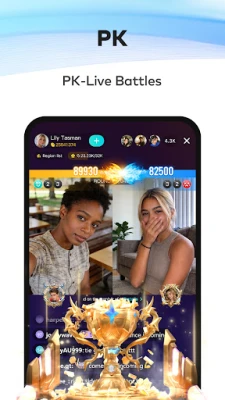
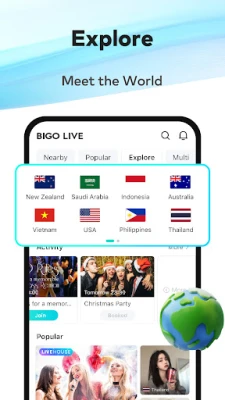
Bigo Live is a mobile platform that brings live video streaming to a worldwide audience. Users can explore a variety of live rooms, watch creators perform, chat in real time, and even start their own streams. The app focuses on real‑time interaction, allowing viewers to send virtual gifts, comment, and engage directly with broadcasters.
Main Features
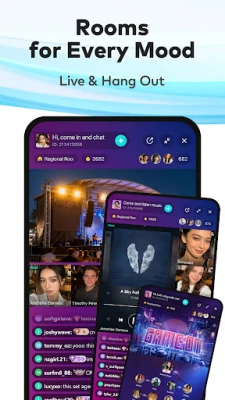
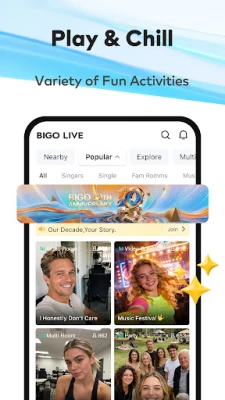
- Live video browsing – Swipe through categories such as music, gaming, talk shows, and more to find streams that match your interests.
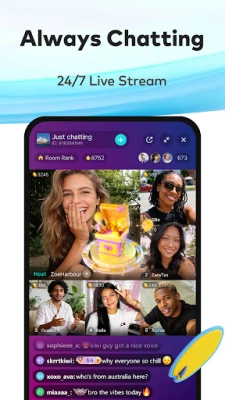
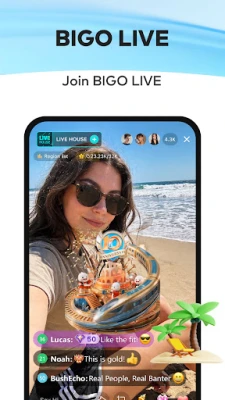
- Interactive chat – Send text messages, emojis, and virtual gifts while a broadcast is live.
- Multi‑guest streaming – Invite friends to join a single broadcast, creating a shared live experience.
- Audio‑only rooms – Join voice‑only conversations for a lower‑bandwidth option.
- One‑tap broadcasting – Start a live session quickly, choosing between video, audio, or multi‑guest modes.
How It Works
After installing the app, you create a simple profile and can immediately start browsing live streams. The home feed is personalized based on the categories you explore and the creators you follow. When you find a stream you like, tap to enter the room, where you can watch the video, read the chat, and interact with the host. If you decide to broadcast, the app guides you through setting a title, selecting a category, and choosing privacy options before going live.
Practical Uses
- Entertainment – Discover live performances, gaming sessions, and talk shows from creators around the world.
- Learning – Follow experts who share tutorials, language lessons, or hobby demonstrations in real time.
- Social connection – Meet new people through shared interests, join group voice chats, or collaborate with friends on a multi‑guest stream.
- Content creation – Use the platform to showcase talents, build an audience, and receive immediate feedback.
Who May Find It Useful?
The app appeals to anyone who enjoys live video content or wants to share their own moments instantly. It is especially popular among:
- Creators looking for a quick way to reach a global audience.
- Viewers who prefer real‑time interaction over pre‑recorded videos.
- Gamers and musicians who want to stream performances.
- People interested in meeting others through voice‑only rooms.
Things to Know Before Installing
Bigo Live requires an internet connection with sufficient bandwidth for video streaming. The app may collect basic profile information and usage data to personalize the experience. Users should be aware that live chats can be public, so it’s advisable to follow community guidelines and use privacy settings when broadcasting.
Frequently Asked Questions
Is Bigo Live free to use?
Yes, the app can be downloaded and used without a purchase. Some optional in‑app purchases, such as virtual gifts, are available.
Can I broadcast without showing my face?
Yes, the audio‑only mode lets you host a voice chat without video.
How do I report inappropriate content?
Each live room includes a report button that lets you flag content that violates community standards.
Is there a limit to how many viewers can join a stream?
The platform is designed to handle large audiences, but exact limits are managed by the service and are not publicly disclosed.
Rate the App
User Reviews















Popular Apps










 Games
 Entertainment
 Communication
 E-mail
 Security
 Tools
 Media
 Internet
 Finance
 Design
 Education
 Android Firmwares
 Travel & Local
 Android
 Windows
 Linux