


Latest Version
Latest
August 21, 2026
BFFMSG.COM
Communication
Android
111
Free
com.bff.message
Report a Problem
More About BFF Messenger – Private Chat
What is BFF Messenger?
BFF Messenger is a free Android app that focuses on private, encrypted communication. It lets you chat, call, and share media with contacts around the world while keeping your conversations protected.
Main features
- Simple registration – Create an account with an email address without needing additional personal details.
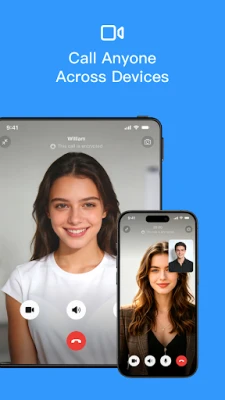
- Audio and video calls – Make voice or video calls over data, avoiding international phone charges.
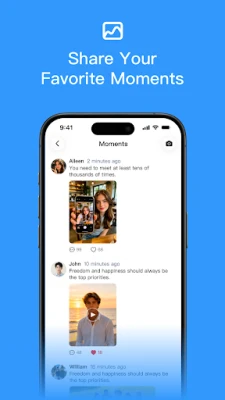
- Group chats – Set up groups for friends, family, or work and exchange messages, images, and files.
- QR‑code and ID sharing – Add contacts quickly by scanning a QR code or sharing a unique ID.
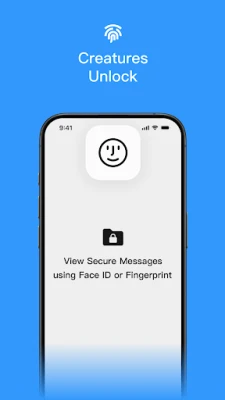
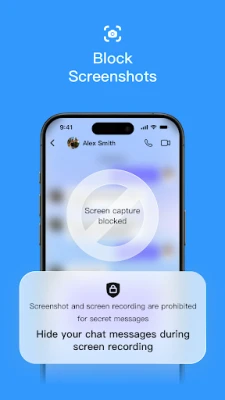
- Built‑in encryption – Conversations are encrypted end‑to‑end, and you can lock the app with a fingerprint, facial recognition, or a password.
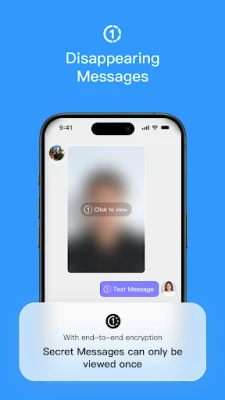
- Rich media support – Send text, emojis, photos, videos, voice notes, and files, including optional self‑destructing messages.
- Nearby matching – Find other BFF users in your vicinity to expand your network while traveling.
- Address‑book management – Organise contacts and groups to keep personal and professional chats separate.
How it works
After installing the app, you register using an email address. The app generates a unique user ID that can be shared via QR code or typed manually. All messages and calls are routed through encrypted servers, meaning only the participants can read the content. Optional security settings let you require biometric or password verification each time you open the app.
Practical uses
Whether you are a student studying abroad, a professional on a business trip, or simply keeping in touch with friends overseas, BFF Messenger provides a cost‑effective way to stay connected. The group‑chat function works well for project teams, hobby clubs, or family gatherings, while the nearby‑match feature can help you meet local contacts when you travel.
Installation information
The app is distributed as a free download for Android devices. Open the Google Play Store, search for “BFF Messenger – Private Chat”, and tap Install. The download size and required Android version are not listed, so ensure your device has sufficient storage and runs a recent Android release.
Things to know before installing
- Because the app relies on internet connectivity, a stable data or Wi‑Fi connection is recommended for smooth calls and media sharing.
- While the app offers encryption, it does not replace a VPN for broader network security.
- Review the app’s permission requests during installation to understand what data it accesses.
Who may find it useful?
Students, expatriates, remote workers, and anyone who needs a private, low‑cost way to communicate across borders will benefit from BFF Messenger. Its focus on security and easy contact addition makes it suitable for both casual chats and small‑team collaboration.
Frequently asked questions
- Is BFF Messenger free? Yes, the app can be downloaded and used without a purchase.
- Can I lock the app? The app supports fingerprint, facial recognition, or a password lock for added privacy.
- Do I need a phone number? No, registration is done via email, and contacts are added using IDs or QR codes.
- Are calls encrypted? Calls are routed through the same encrypted infrastructure used for messaging.
Rate the App
User Reviews















Popular Apps










 Games
 Entertainment
 Communication
 E-mail
 Security
 Tools
 Media
 Internet
 Finance
 Design
 Education
 Android Firmwares
 Travel & Local
 Android
 Windows
 Linux