



Latest Version
Latest
August 17, 2026
Worldwide Messenger
Communication
Android
101
Free
the.best.gram
Report a Problem
More About Bestgram – A Flexible Messaging App Powered by Telegram
What is Bestgram?
Bestgram is a free Android messaging client developed by Worldwide Messenger. It connects to Telegram’s network, so you can use your existing Telegram account while benefiting from a set of optional enhancements that aim to make everyday conversations more convenient.
Main capabilities
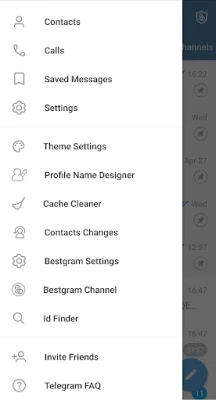
- Batch forwarding – select several messages and send them to multiple contacts in one step.
- Private chat concealment – hide selected conversations behind an extra layer of protection.
- Profile change alerts – receive a notification when a contact updates their profile picture or username.
- Tabbed interface – organize chats into separate tabs to keep the main screen tidy.
- Custom name styling – apply decorative fonts or symbols to your profile name.
- First‑message reminder – quickly locate the very first message you exchanged with a contact.
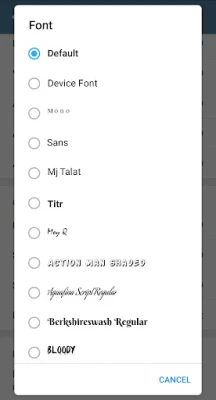
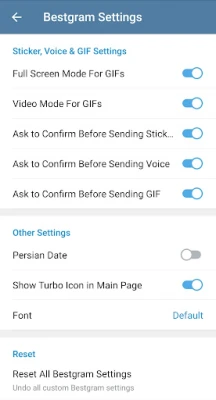
- Appearance themes – switch between light, dark, or custom color schemes and choose from a variety of fonts.
- User lookup – enter a username to find the corresponding account and start a chat.
- APK sharing – receive Android package files from contacts, download them directly, and launch the installer.
How it works
When you launch Bestgram, you log in with the same phone number you use for Telegram. The app then synchronizes your chat history, contacts, and media through Telegram’s cloud infrastructure. All additional tools are implemented locally, meaning they do not affect the core Telegram service but extend the user interface on your device.
Practical uses
- Send the same announcement to several groups without repeating the action.
- Keep sensitive conversations out of sight when you share your phone with others.
- Stay informed about friends who change their profile picture or username.
- Group chats by purpose (work, family, hobbies) using separate tabs.
- Personalize your profile to stand out in crowded contact lists.
- Recall the first message you ever exchanged with a contact – handy for nostalgia or reference.
- Adjust the visual theme to match your preferences or reduce eye strain.
- Find a user quickly by typing their exact handle.
- Exchange APK files safely within the chat window, then install them directly.
Who might find Bestgram useful?
Anyone who already uses Telegram but wants a few extra conveniences may appreciate Bestgram. It is particularly handy for power users who manage many groups, for people who like to keep certain chats hidden, and for those who enjoy customizing the look of their messenger.
Things to consider before installing
- Bestgram requires an active Telegram account; it does not operate as a standalone network.
- The app stores additional settings locally, so switching devices will reset customizations unless you back them up manually.
- Features such as hidden chats rely on a secondary lock (PIN, pattern, or biometric) that you must set up within the app.
Frequently asked questions
Is Bestgram safe to use with my Telegram account?
Yes. Bestgram connects to Telegram’s official servers using the same authentication method as the official client. Your messages remain encrypted in transit as they are with the standard Telegram app.
Do I need an internet connection to use the extra features?
Most enhancements (e.g., batch forwarding, theme changes) work offline after the initial sync. Features that depend on real‑time updates, such as profile change alerts, require an active connection.
Can I uninstall Bestgram without affecting my Telegram account?
Uninstalling Bestgram removes only the client and its local settings. Your Telegram account and data stay on Telegram’s cloud and remain accessible via any other Telegram client.
Rate the App
User Reviews















Popular Apps










 Games
Games Entertainment
 Communication
 E-mail
 Security
 Tools
Tools Media
Media Internet
 Finance
 Design
 Education
 Android Firmwares
 Travel & Local
 Android
 Windows
 Linux
Linux