

Latest Version
Latest
August 14, 2026
Automattic, Inc
Communication
Android
280
Free
com.beeper.android
Report a Problem
More About Beeper: Universal Chat – Consolidate Your Messaging
What is Beeper?
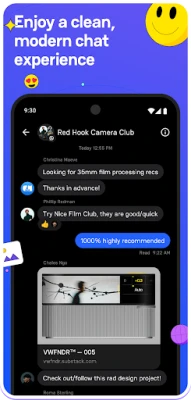
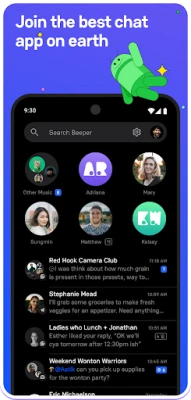
Beeper is a free Android application that brings together conversations from several messaging services into one unified inbox. Developed by Automattic, Inc., it aims to reduce the need to switch between separate apps by offering a single place to read and respond to messages.
Main features
- Unified inbox – All supported chats appear together, making it easy to keep track of ongoing conversations.
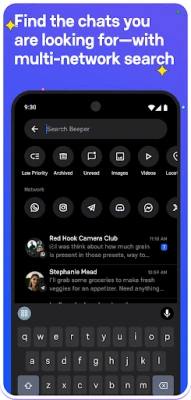
- Cross‑network search – A built‑in search lets you locate messages across the different services you have linked.
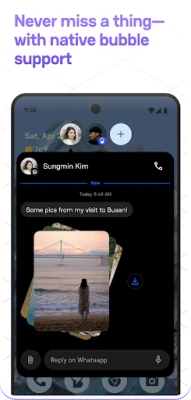
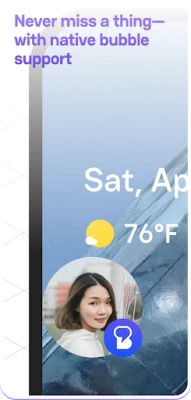
- Bubble notifications – Native Android bubbles let you reply without leaving your current screen.
- Adaptive layout – The interface adjusts for phones, tablets and foldable devices, providing a comfortable experience on larger screens.
How it works
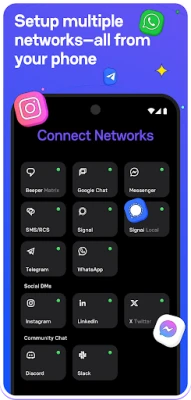
After installing Beeper, you connect the messaging accounts you want to manage. The app then synchronizes your chat history and presents each conversation in a consistent format. When you send a message, Beeper routes it through the appropriate service, so you can reply to a WhatsApp contact, a Telegram group, or an SMS thread without opening the original app.
Practical uses
For users who juggle personal, work, and community chats across several platforms, Beeper can streamline daily communication. It is especially handy when you need to stay on top of time‑sensitive messages while using other apps, thanks to the bubble support and quick‑reply options.
Installation information
The app is available for free on the Google Play Store. Simply search for "Beeper: Universal Chat" and tap Install. No additional files or side‑loading steps are required.
Compatibility
Beeper runs on Android devices that meet the standard requirements for modern Play Store apps. It supports phones, tablets and foldable devices, adapting its layout to the screen size and orientation.
Things to know before installing
- Account linking may require you to sign in to each messaging service within the app.
- Some services might have their own authentication steps, such as two‑factor verification.
- Because Beeper aggregates messages, you should be comfortable with granting it access to the accounts you connect.
Who may find it useful?
Anyone who uses more than one messaging platform—whether for personal chats, professional collaboration, or community groups—can benefit from a single inbox. The app is also convenient for users who prefer larger screens, as the adaptive layout makes multitasking smoother.
Frequently asked questions
Is Beeper a replacement for my existing messaging apps?
No. Beeper acts as a hub that displays messages from the apps you already use. You can still open the original apps for features that are not yet supported within Beeper.
Do I need an internet connection to use Beeper?
Yes. The app syncs messages over the internet, so a stable connection is required for sending and receiving updates.
Is my data private?
Beeper follows the privacy policies set by Automattic, Inc. It only accesses the accounts you explicitly link, and it does not store your messages beyond what is needed for synchronization.
Can I customize notifications?
The app provides standard Android notification settings, allowing you to adjust sound, vibration and priority per account.
Rate the App
User Reviews















Popular Apps










 Games
Games Entertainment
 Communication
 E-mail
 Security
 Tools
Tools Media
Media Internet
 Finance
 Design
 Education
 Android Firmwares
 Travel & Local
 Android
 Windows
 Linux
Linux