


Latest Version
September 10, 2026
TripleBanana
Communication
Android
12
Free
org.triple.banana
Report a Problem
More About Banana Browser: No Ads, Secure – Free Android Web Browser
What is Banana Browser?
Banana Browser is a free Android web browser developed by TripleBanana. It aims to provide a clean, fast, and secure way to surf the web without the interruptions of ads. The app integrates privacy‑enhancing features such as secure DNS resolution and optional biometric authentication for saved logins.
Main Features
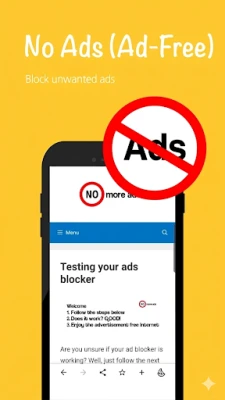
- Ad‑free browsing – Built‑in blocker removes most display ads, pop‑ups and tracking scripts, keeping pages uncluttered.
- Secure DNS over HTTPS/HTTP – Queries are encrypted, helping to bypass simple network filters and protecting DNS lookups from eavesdropping.
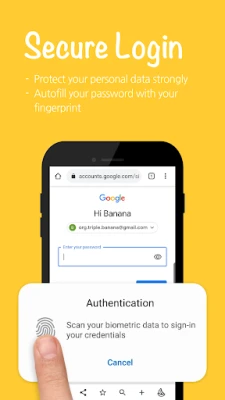
- Biometric or PIN login support – When you choose to save passwords, Banana Browser can unlock them with your fingerprint, face, pattern or PIN, adding a layer of convenience and security.
- Dark mode – A system‑aware dark theme reduces eye strain during night‑time browsing and saves battery on OLED displays.
- Support for modern web standards – The browser renders progressive web apps, web notifications and other contemporary web technologies.
How It Works
When you open a page, Banana Browser resolves the domain name through its secure DNS client, which encrypts the request before it reaches the resolver. This prevents local network observers from seeing which sites you are visiting. The ad‑blocking component runs locally, scanning page resources and preventing known ad scripts from loading. If you store login credentials, they are encrypted on the device and can be accessed only after successful biometric or PIN verification.
Practical Uses
- Reading news or articles without intrusive banner ads.
- Streaming video on public Wi‑Fi while keeping DNS queries private.
- Accessing web‑based tools that rely on progressive web app features.
- Using the browser in low‑light environments thanks to dark mode.
Installation Information
Banana Browser is distributed as a free APK through the Appitika store. Installation follows the standard Android process: tap the install button, grant the required permissions, and the app will appear in your app drawer. Because the app does not request unnecessary permissions, the installation experience remains straightforward.
Things to Know Before Installing
- The app does not collect browsing data for advertising or analytics purposes.
- Secure DNS works without a separate VPN; it only encrypts DNS traffic.
- Biometric login requires device‑level support for fingerprint, face or other biometrics.
Who May Find It Useful?
Anyone who values a clutter‑free browsing experience on Android will benefit from Banana Browser. It is particularly suited for users who frequently browse on public or shared networks, as the secure DNS feature adds a layer of privacy. Users who prefer to keep passwords handy but still want protection can take advantage of the biometric login option.
Frequently Asked Questions
Does Banana Browser collect my browsing history?
No. The browser does not transmit browsing data to external servers, and it stores history only locally for your convenience.
Can I use my existing bookmarks?
Bookmarks can be created within the app. Importing from other browsers is not currently supported, but you can manually add frequently visited sites.
Is the ad blocker configurable?
The built‑in blocker works automatically; there is no separate filter list management UI.
Will the app work on older Android versions?
Banana Browser targets recent Android releases. Compatibility with very old versions may be limited, but the app will indicate if your device does not meet the minimum requirements during installation.
Rate the App
User Reviews
Other Apps in This Category














Popular Apps










 Games
Games Entertainment
 Communication
 E-mail
 Security
 Tools
Tools Media
Media Internet
 Finance
 Design
 Education
 IT Tools
 Travel & Local
 Android
 Windows
 Linux
Linux