




Latest Version
Latest
June 27, 2026
Hyperconnect LLC
Communication
Android
437
Free
com.azarlive.android
Report a Problem
More About Azar: Video Chat, Meet Friends – Free Live Video Calls
What is Azar?
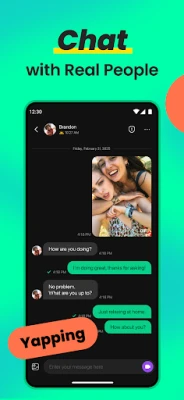
Azar is a free Android app that enables live video conversations with strangers and friends across the globe. Developed by Hyperconnect LLC, the app focuses on spontaneous connections, allowing users to meet new people, practice languages, or simply have a face‑to‑face chat without leaving their device.
Main Features
- Instant video matching – Swipe or select a profile to start a video call within seconds.
- Real‑time voice‑to‑text translation – Speak in your language and see subtitles appear in the other participant’s language, helping break language barriers.
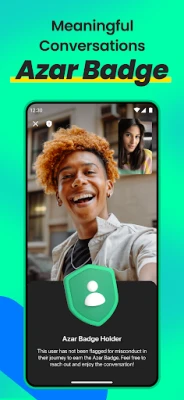
- Safety badges – Users who have maintained a good standing receive a badge that signals a history of respectful interactions.
- In‑call moderation tools – The app can blur inappropriate content and offers quick options to block or report a user.
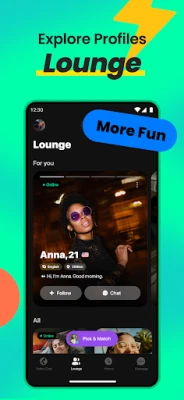
- Profile browsing – A lounge view lets you explore profiles, view interests, and decide who to connect with.
How It Works
After installing Azar, you create a simple profile and grant the necessary permissions for camera and microphone. The app then suggests random users based on your preferences. You can either accept a match or browse profiles manually. When a connection is made, the video call starts automatically, and you can enable subtitles if needed. If you encounter any issues, the app provides one‑tap options to end the call, block the user, or report behavior.
Practical Uses
- Language practice – Speak with native speakers while seeing subtitles in your language.
- Making new friends – Meet people from different cultures without the need for text‑only messaging.
- Quick social breaks – Start a short video chat during a break to unwind.
Installation Information
Azar is available as a free download from the Google Play Store. The installation process follows the standard Android app flow: tap “Install,” grant camera and microphone permissions when prompted, and launch the app. No additional setup steps are required.
Things to Know Before Installing
- The app is free to download and use, though it may offer optional in‑app purchases for additional filters or premium features.
- Because video calls use data, a stable Wi‑Fi connection or a generous mobile data plan is recommended for the best experience.
- Azar includes community guidelines that users are expected to follow; violations can lead to temporary or permanent bans.
Who May Find Azar Useful?
Anyone interested in spontaneous video conversations can benefit from Azar. It is especially helpful for language learners, travelers looking to connect with locals, or anyone who enjoys meeting new people in a visual format.
Frequently Asked Questions
Do I need an account to use Azar?
Yes, a basic account is required to create a profile and start video chats. The registration process is quick and can be completed with an email address or social login.
Is the app safe for younger users?
Azar implements safety badges, moderation, and reporting tools to help maintain a respectful environment. Parents should review the app’s community guidelines and consider supervising younger users.
Can I control who I’m matched with?
The app offers basic filters for region and gender. More detailed control may be available through optional subscription features.
What languages are supported for translation?
Azar provides real‑time subtitles for several major languages. The exact list can be viewed within the app’s translation settings.
Rate the App
User Reviews















Popular Apps










 Games
Games Entertainment
 Communication
 E-mail
 Security
 Tools
Tools Media
Media Internet
 Finance
 Design
 Education
 Android Firmwares
 Travel & Local
 Android
 Windows
 Linux
Linux