
Latest Version
Latest
September 07, 2026
AVG Mobile
Communication
Android
0
Free
com.avg.android.secure.browser
Report a Problem
More About AVG Secure Browser – Private Browsing for Android
What is AVG Secure Browser?
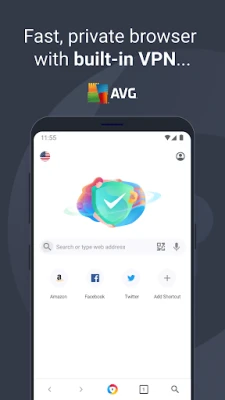
AVG Secure Browser is a free Android web browser developed by AVG Mobile. It is designed to give users more control over their online privacy by integrating a virtual private network (VPN) and an ad‑blocking engine directly into the browsing experience.
Main features
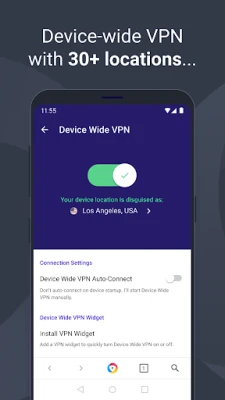
- Built‑in VPN – The browser can route traffic through a VPN tunnel, helping to mask your IP address and protect data from eavesdropping on public Wi‑Fi networks.
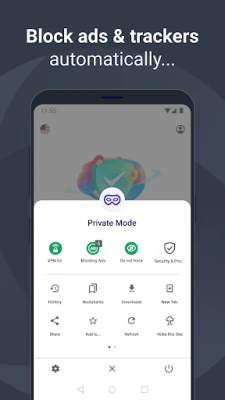
- Ad and tracker blocking – Automatic filtering removes most advertisements and tracking scripts, which can speed up page loads and reduce data usage.
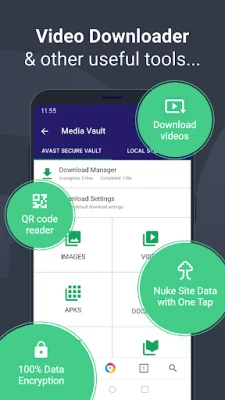
- Data encryption – Browsing data, including tabs, history and downloaded files, is encrypted while the VPN is active.
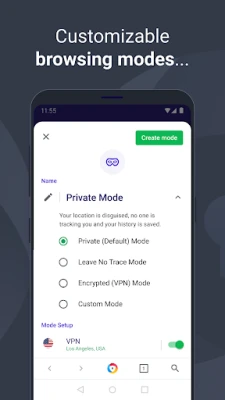
- Private and normal modes – Switch between a standard browsing session and a private mode that does not retain history or cookies after the session ends.
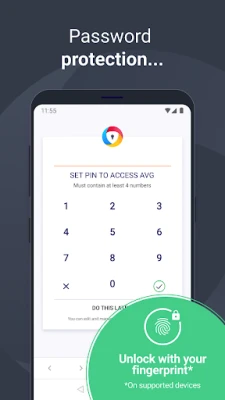
- PIN lock – A simple PIN can be set to prevent unauthorized access to the browser itself.
How it works
When you open a web page, the browser first checks the URL against its built‑in filter list. Ads and known trackers are blocked before the page is rendered, which can improve loading speed. If you enable the VPN option, all outgoing traffic from the browser is encrypted and sent through AVG’s VPN servers, making it appear as though the request originates from a different location.
Practical uses
- Secure browsing on public Wi‑Fi in cafés, airports or hotels.
- Reducing unwanted ads and pop‑ups while reading articles or watching videos.
- Keeping browsing history private on shared devices.
- Accessing region‑restricted content without installing a separate VPN app.
Installation information
The app can be installed from the Google Play Store using the package name com.avg.android.secure.browser. Because it is free, no purchase is required, but the store may offer optional in‑app purchases for additional VPN data or premium features.
Compatibility
AVG Secure Browser is built for Android devices. Specific version requirements are not listed, but the Play Store will prevent installation on devices that do not meet the minimum OS level.
Things to know before installing
- The built‑in VPN may consume additional data compared with standard browsing.
- Ad blocking can occasionally interfere with site functionality; disabling the filter for a particular site is usually possible in the browser settings.
- While the browser encrypts traffic, it does not replace a full‑device VPN for all apps.
Who may find it useful?
Anyone who wants a single app that combines browsing with basic privacy tools will benefit from AVG Secure Browser. It is especially handy for users who travel frequently, share devices with family members, or prefer not to install separate VPN and ad‑blocking extensions.
Frequently asked questions
Is the VPN unlimited?
The free version typically includes a data cap, and additional data can be purchased within the app. Exact limits are shown in the app’s settings.
Does the browser store my passwords?
AVG Secure Browser includes a password manager, but storing credentials is optional and controlled by the user.
Can I use the browser without the VPN?
Yes. The VPN can be toggled on or off in the browser’s privacy settings.
Rate the App
User Reviews















Popular Apps










 Games
Games Entertainment
 Communication
 E-mail
 Security
 Tools
Tools Media
Media Internet
 Finance
 Design
 Education
 IT Tools
 Travel & Local
 Android
 Windows
 Linux
Linux